

 Reply With Quote
Hi,
add the -F-switch to the commandline.
So your command looks like: mkdiskimage -F -4 /dev/sda 0 255 63
This formats the device with FAT32.
Hope that helps.
AugustQ


Has anyone managed to create a bootable knoppix 2GB Memory key?
I tried folllowing the wiki document to create bootable USB key but get the following message "syslinux: this doesn't look like a valid FAT filesystem". The message appears when I run the "syslinux -s /dev/sda4" command. I used the following mkdiskimage command to partition and format the key: "mkdiskimage -4 /dev/sda 0 255 63
Hi,
add the -F-switch to the commandline.
So your command looks like: mkdiskimage -F -4 /dev/sda 0 255 63
This formats the device with FAT32.
Hope that helps.
AugustQ
thanks, tried that but it made no difference
Weird, I don't know what to say.
What were the exact mkdiskimage and syslinux command lines you tried?
Try "dmesg", are there any errors mentioned at the bottom of all the messages there?
Maybe try this. This should fit comfortably in 2GB. I don't have a 2GB USB key, so haven't tested it:
mkdiskimage -4 /dev/sdz 0 128 32
syslinux -s /dev/sdz4
If that doesn't work, maybe you're hitting the 2GB FAT16 limitation. Try FAT32:
mkdiskimage -F -4 /dev/sdz 0 128 32
syslinux -s /dev/sdz4
There's no change in the "syslinux" command for FAT16 vs. FAT32. It *should* autodetect. It seems that syslinux depends on mtools. I hope the Knoppix mtools is up to date....
Hi, I tried both those mkdiskimage commands and still get the same message on the syslinux -s command (SYSLINUX: this doesn't look like a valid FAT filesystem).
The exact mkdiskimage command I used first time around is in my original post.
I'm not sure how to check if mtools is up to date, I've only just downloaded 5.0.1 in the last couple of weeks though...
Strange.Originally Posted by jasonl
Maybe try narrowing it down, in order to rule out a size limitation.
Try this:
mkdiskimage -4 /dev/sdz 1023 64 32
This will deliberately waste all but the first 1GB of space on your USB key. It will format the partition to a size of just under 1GB, only.
Then, see if syslinux can recognize this partition.
Hopefully there's not a sizing bug in mkdiskimage or syslinux somewhere.
Tried that and still getting the same error. Syslinux seems to be completely un-interested in the memory key.
fdisk reports the key is partitioned as follows:
Device Boot Start End Blocks Id System
/dev/sda4 * 1 1023 4190144 6 FAT16
I'd like to get this working but it looks like I might have to give up and go get a 1GB key which has been proven to work.
 Posting Permissions


TP-Link TL-SG105 5-Port Gigabit Ethernet Unmanaged Metal Desktop Network Switch
$19.99

NETGEAR GS308EP Essential Series 8-Port Gigabit PoE+ Unmanaged Switch
$39.99

D-Link DGS-1210-28P 28-Port PoE Gigabit Web Smart Switch With Cord
$49.99

NETGEAR 5-Port Gigabit Ethernet Unmanaged Switch (Gs305) - Desktop Quiet Fanless
$22.00

10-Port Gigabit PoE Network Switch with 8 PoE+ Ports with 2 Combo SFP Slots 125W
$39.99

TP-Link TL-SG105, 5 Port Gigabit Unmanaged Ethernet Switch, Network Hub, Ethern
$15.25

TP-Link Omada SG3428 24-Port Gigabit L2+ Managed Switch 4x SFP w/ Ears
$99.99
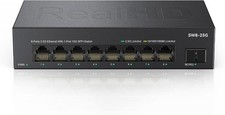
8 Port 2.5Gb Ethernet Switch Unmanaged Network Switch w/8 x 2.5G & 1 x 10G SFP
$45.00

5Ports Gigabit Network Switch w/ 4 PoE+ Ports Total 52W each port 30W Plug&Play
$31.99

Cisco WS-C3650-12X48UR-L 48-Port Stackable Layer 3 8x10G SFP+ Port Switch
$129.99