

 Reply With Quote
is it a 64-bit processor
maybe those versions dont work well on a 64 bit processor
look at the site and see if they have a 64 bit version availble
just a guess i have a 32bit so i really dont know


Hey,
I'm trying to boot with the live cd, and he doesn't give any errors while preparing, but after he sais 'enjoy' or something in the end. The black screen comes, with the little line blinking, and then even that goes away. and then nothing.
Then the cd calms down and nothing happens anymore.
Does anyone know why and how to fix it. because i've tried other live cd's, but they all do the same thing.
I have a:
ASUS A8V Deluxe
Athlon 64 3000+
Asus A9250
thanks in advance
M
is it a 64-bit processor
maybe those versions dont work well on a 64 bit processor
look at the site and see if they have a 64 bit version availble
just a guess i have a 32bit so i really dont know
no, actually i've tried the versions for the 64bit processors. so it can't be that.
i actually really don't know.
but thanks
m
Could it be because my hard disc is in NTFS??
m
The PCs that I mentioned in the referenced thread use the same Motherboard and Video card as yours, although I'm using a Sempron processor. This would seem to indicate a problem with that hardware. I haven't been able to create a cheatcode combo that will work. You might try the "knoppix 2" cheatcode to see of you can boot to the command prompt line. That will at least give you somewhere to start. Running the "startx" command will continue to give you the black screen until someone can figure out what is going wrong.
http://www.knoppix.net/forum/viewtop...26042&start=10[/quote]
at the finished and quiet blank screen....
assume it's all worked "fine" and it's waiting for you
the vga combo isn't quite right but it needs adjusting
do
ctrl-alt-F4
to a TTY screen
lspci
or if you can get it off there
lspci > pc.txt
and get the contents of pci.txt back here to look at
then, also go to
cd /etc/X11
joe xorg.conf ( ctrl-c to exit without changing )
look through the xorg.conf and see what it's auto configured you as
it references in the file that it's auto added by
mkxf86config
but in my installed version that isn't there and it uses
mkxorgconfig
(you can do the > xorg.txt with that too)
the screen is probably running in a too high refresh rate for your monitor and the xorg.conf can be adjusted so it uses a lesser rate
and again, I can't figure it out
must go and do research, but hard to see where
check the section "Monitor"
and the line about VertRefresh
i've tried ctr-alt-F4,
but nothing is responding. it just seems to be stuck. I'm a newbie to linux so maybe i'm also not doing it right.
i've also been trying some cheat-codes. but it still gets stuck on the same moment.
i'm not sure what to do.
do you think it would be different with another graphic card?
depends
if it is "IN" the gui desktop then you should be able to
ctrl-alt-F1 /F1 /F3 /F4
from the boot cd
when it's installed you get to do F5 and F6 as well
and the F1 screen shgould show the last of boot screen just before the gui kicks in
for any last second error messages
if its not an error from the cd being read wrong and the gui can't load properly because of it
then a diff vga card would be good
one of mine has a plain S3 86c325 virge card in it
Maybe the same problem as mine. Try turning off Cool 'n Quiet in BIOS.
thanks, but actually it was turned of already, i still haven't found a way of making it work.
m
 Posting Permissions

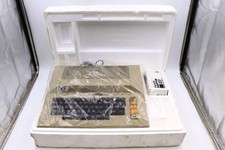
Atari 800 Home Computer Later Variant In Original Styro W/ BASIC CLEAN Untested
$224.99

ATARI XF551 DISK DRIVE WITH AC POWER ADAPTER AND PARALLEL PORT ADAPTER, UNTESTED
$250.00
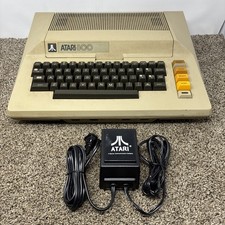
Atari 800 8-bit Computer System Fully Tested 48k READ
$370.00

Happy 1050 Upgrade for Atari 1050 Disk Drive - Solderless Installation - HS/DD
$49.97

Fujinet 1.7.1 Atari 400 800 800XL 130XE 65XE XEGS Assembled, Tested, Working
$99.99
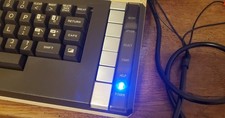
Atari 800 XL 8-Bit Computer W/ Blue LED And S Video A/V Cable
$155.00
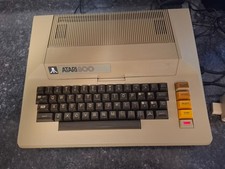
$375.00

A8PicoCart Multicart for Atari 800xl /65xe / 130xe / XEGS
$16.95
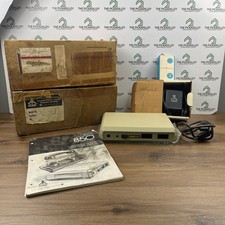
Atari 850 Interface Module Vintage 8-Bit Computer Expansion Serial Parallel Box
$159.95
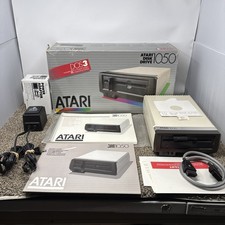
Atari 1050 Floppy Disk Drive Tested With All Cables Power And Data SIO In Box
$200.00