

 Reply With Quote
See answer #1.


Hello i m new to linux.... can u people solve my problem...
i hav downloaded the cd of knopix it was sized 697mb... then i burnd it to a blank cd... it was done sucessfully at speed of 24x (buring speed)...
then wen i insert that cd again in my system in my computers it was showing the icon of knoppix at the cd drive.. then i thought that i burd it correctly.. then i reeboot my system... i changed my boot priortyies.. then my pc rebooted , cd was moving in rom, the screen was black and a single line was there blinking... after 10 sec cd stops and my normal windows opens....
plzz help me in opening knoppix..... i dont know wat are the cheat code for it... plzz help me...
my system configuration is:-
AMD Athlon 64X2 dual core prosessor 3800+ 2.01ghz
1 GB Ram
300 GB Hard Disk
DVD Writer
ASUS Mother Board
Nividia G-Force card
See answer #1.
---
Verifying of md5 checksum and burning a CD at slow speed are important.
thanks but but i have done evrything which is there in answer 1..... my cd is good quality and its beahve the same in my frnds laptop, black screen and the blinker for some moment and then windows.....
plz sir help me....
Originally Posted by anuj_inurdreamz
Are you sure? I'll grant you that a high speed burn usually will not fail the same way in multiple systems, but I would consider 24x too fast for burning the CD. I also wonder about the other things. Did you really confirm the md5 sum? Did you burn the disc as an image? What do you see when you look at the burnt CD under Windows? What do you mean it was showing the Knoppix icon, just where did you see this icon and what did it look like? You gave the size, but in a very crude way, in the future you would do yourself a favor if you give download file size in exact bytes, not in megs, as a few bytes lost or gained is hard to catch this way. However, if the md5 sum is correct then the the file is good, if you you are not checking the md5 sum then I guess I don't care either.
I don't know what your problem is and you'll need to post more information for anyone to help you, but I would very much like to make a large wager that whatever it is is already covered in the downloading faq.
---
Verifying of md5 checksum and burning a CD at slow speed are important.
sir actually the file which i have downloaded is not image file... it was a rar folder which i have extracted in a folder and then ll the files of that file has been burn into a cd...
now wen in a running windows wen i enter a cd the icon of cd drive in my computer change into a penguine's pic..
731,598,848bytes it is the exact size of the cd.....
wat is md5 sum???????
wat more info u want tell me i will give...
No, you are wrong, see answer #1. It was not a rar.
That will not work. Answer #1 explains why.
That hardly maters any more, we now know what is going wrong.
Are you kidding me? You said thanks but but i have done evrything which is there in answer 1..... How could you have done the md5 test and then later ask this question?
 Posting Permissions

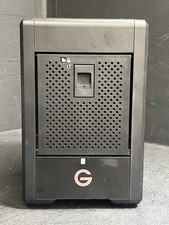
G-RAID Shuttle 4 - 24TB Thunderbolt 3 San Disk Professional
$599.99
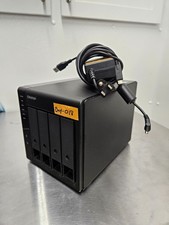
QNAP TR-004 4 Bay USB-C Hardware RAID Enclosure DAS 3.5 2.5 SATA Tested Working
$149.99

9300-8i LSI SAS3008 8-Port 12Gb PCIe IT mode ZFS FreeNAS unRAID 2*SFF-8643 US
$49.50

Vintage Promise EIDEMAX Enhanced IDE Disk Controller ISA Non-RAID Card Boxed
$34.99
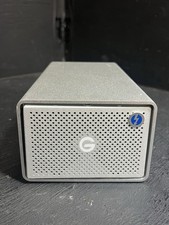
G-Technology G-RAID w/ Thunderbolt 20TB Dual-Drive External HDD USB 3.0 0G04229
$399.99
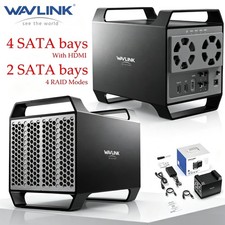
WAVLINK RAID 2 Bay Hard Drive Docking Station SATA 2.5''3.5'' SSD HDD USB C 4Bay
$107.99

2-Bay/4-Bay Hard Drive Enclosure for 3.5"/2.5'' SATA HDD/SSD 10Gbps USB-C 3.2
$119.99

Broadcom LSI 9305-16i 12Gbps SAS-3 PCIe x8 HBA 16-Ports Raid Controller
$64.99

Broadcom 9600-24i Tri-Mode RAID Controller 4.0 NVMe SAS SATA NEW 05-50111-01003
$639.69
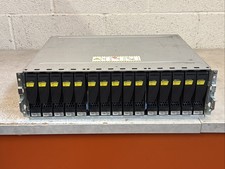
Dell EMC 15-Bay 3.5" SAS Disk Array Enclosure 12Gbps Dual LCC - 2x Power Supply
$249.00