-
how to generally view hardware
I have searched these forums, the FAQs and the web for this information, as well as scouring the Knoppix menus. I am a long time Mandriva user, and rely on the "MCC--->hardware" function to view all hardware on a given machine. I can't find a similar hardware summary app in Knoppix. What am I missing?
Is there an app somewhere on the menus that gives a complete view of hardware and module use? I have a Knoppix 5.0 DVD running on a machine here and I wanted to see what memory is installed and in which slot, there's 3 RAM modules of different sizes and I'd hoped to determine which was the smallest one. (in order to replace it)
A one-stop, view all hardware app would be a godsend. Any suggestions?
-
dos screen
lspci
gui desktop
Knoppix
System
KInfoCenter Info Center
-
happpy oh-seven

Originally Posted by
marhleet
dos screen
lspci
gui desktop
Knoppix
System
KInfoCenter Info Center
A good Julian '07 to ya.
Above familiar, fun, but not enough. lspci doesn't cover chip sets, device modules, mem sockets, much else. kinfocenter has same limitations, though most fun, wow the eye.
-
lspci -v
gives more but probably same as the info center
Similar Threads
-
By Sebulba in forum General Support
Replies: 1
Last Post: 10-14-2004, 07:02 AM
-
By drews in forum General Support
Replies: 2
Last Post: 06-25-2004, 09:59 AM
-
By TheCyberDude in forum Tips and Tricks
Replies: 1
Last Post: 05-09-2004, 06:39 AM
-
By Danmak in forum Hardware & Booting
Replies: 3
Last Post: 12-01-2003, 03:40 AM
-
By arkaine23 in forum Customising & Remastering
Replies: 0
Last Post: 07-07-2003, 04:22 PM
 Posting Permissions
- You may not post new threads
- You may not post replies
- You may not post attachments
- You may not edit your posts
-
Forum Rules

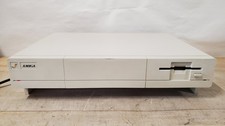
Vintage Commodore AMIGA 1000 Computer, Turns On, Read
$699.95

Framethrower, Amiga HDMI output via a PiStorm A500 A2000
$40.00

Commodore VIC-20 Diagnostic Cartridge & Test Harness Set - USA seller
$39.99
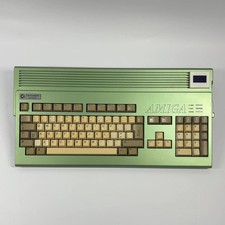
AMIGA Commodore A1200
$999.99
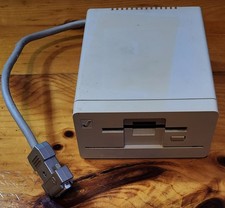
Commodore Amiga 1010 External 3.5” Floppy Drive A500 A1000 A2000 • Untested
$49.99

Commodore Amiga A1200 Vintage Computer Power Supply Mouse Bundle - Tested
$999.99

DKB MegAChip for Amiga 2000/500 2MB Chip Ram expansion with 8375 Agnus Tested
$285.00

Commodore Amiga 2000HD Vintage Personal Computer A2000
$599.99
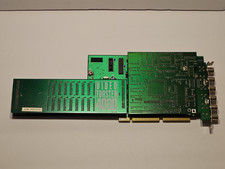
NewTek Video Toaster 4000 Commodore Amiga
$170.00

RGB2HDMI Amiga 500 UltraLong (Accelerator Friendly) HDMI Games, non-RTG A500
$50.00



 Reply With Quote