

 Reply With Quote
Give [i]root=/dev/hd?[i] a try it can't hurt. replace ? with drive letter.


My SCSI CD-ROM drive is set to ID 2. When Knoppix starts to load, it gives me an error to the effect that it "could not find knoppix files".
I read elsewhere on the forum that the CD-ROM drive must be set to ID 0 in order for knoppix to boot correctly. I really do not want to change the scsi id of my main boot hd (which is ID 0).
Is there a way to pass the drive SCSI ID to knoppix via the bootprompt? I've checked the cheatcode list, but cannot find anything.
Any ideas are welcome.
Give [i]root=/dev/hd?[i] a try it can't hurt. replace ? with drive letter.
Thanks, but it did not work. After some general Linux reading, I found that the Linux loader (on all linux variants) requires that /boot on SCSI devices MUST be on SCSI ID 0 or 1.
If anyone knows if there is a workaround, let me know.
Thanks.
I assume when it said could not find knoppix file, it would drop you to the very limited ASH.
the only thing you can try is to try mounting youself to see if the kernel (and/or the loaded scsi driver) can see your CD-ROM at all through :
mount -t iso9660 /dev/scd? /cdrom -o ro
replace the '?' with 1-8.
If all failed, I am afraid you are out of luck, either the wrong scsi driver is loaded or the driver on the boot disk cannot support your scsi host adaptor at all.
It should not have anything with the boot loader as the boot loader only get you to the kernel and the initrd which is loaded successfully.
If you wanted to pass a "root=" option wouldn't it be:
root=/dev/scd?
Is it a major inconvenience to change the drive I.D's?
Let me see if I can clarify....
I use Win2K as my main OS booting off of a SCSI HD on ID0.
Second SCSI HD is on ID1.
First DVD/CD-ROM is a SCSI device on ID2 (I want to boot Knoppix from this CD-ROM).
Second CD-RW is a SCSI device on ID3
There are NO ATA-IDE devices in this machine.
I believe I need my first HD at ID0 to boot Win2K, so yes, changing the ID's just to boot Knoppix would be an inconvenience. I chose to play with Knoppix since I thought it would be nice to have a Linux installation that would allow me to keep my system in it's current state. As much as I would like to switch completely to Linux, I require Windoze for most of my development work. I know I could set Linux on a separate partition and use a boot manager, but I've had bad experiences with this in the past. Knoppix seemed like a perfect solution since it boots from CD.
BTW... I am using a brand new Adaptec 39320-R SCSI host adapter (Ultra320). Could it be that Knoppix doesn't support this device?
Sure it could. Have you plugged that model number into G4L to find what drivers it needs?BTW... I am using a brand new Adaptec 39320-R SCSI host adapter (Ultra320). Could it be that Knoppix doesn't support this device?
Well... Adaptec has SCSI drivers for this card for both RedHat and SuSE Linux variants. How can I find out if Knoppix v3.2-2003-05-20 contains the appropriate driver?
locate *scsi/*.o
And exactly how am I supposed to do that? I can't look at the knoppix structure from Win2K... Knoppix shows up as just as one file in the KNOPPIX directory... and of course when I boot knoppix, I am dumpped to a mini shell that can't access the filesystem.
I think I'm just going to revive an old machine and load RedHat. Knoppix is a nice idea, but for nonstandard/unsupported hardware, it's more trouble than it's worth.
 Posting Permissions


Samsung MLT-R116 Imaging Unit Xpress M2625 M2675 M2825 M2875 M2885 M3015 OEM NEW
$49.99

Samsung Galaxy Tab Active 3/ 64 gig/WIFI
$85.00
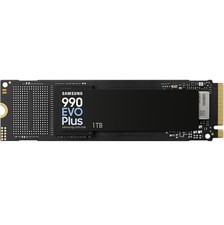
SAMSUNG 990 EVO PLUS 1TB PCIe 4.0 x4/ 5.0 x2 NVMe M.2 2280 SSD (MZ-V9S1T0B/AM)
$189.99

QTY 100 Samsung Galaxy Tab Active 4 Pro 10.1” Case, Black
$500.00

Samsung SCXSTP000, SCX-STP000 (Swingline Staple Cartridge - 3 Refills)
$57.99

Magnetic Leather Flip Case with Stand for Samsung Tab S9 S9+ S10+ S10 Ultra
$13.99

Kids Case for Samsung Galaxy Tab A9+/A9 plus 11 Inch 2023 Case, with Strap, Shoc
$27.99

Samsung PC4-2666V 16GB 2Rx8 RAM DDR4 2666MHz M471A2K43CB1-CTD
$59.99

Samsung XE303 C12 Chromebook 11.6 1.7GHz, 2GB Ram, 16GB SSD, working condition
$42.00
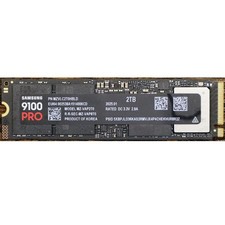
Samsung 2TB 9100 PRO 14,700MB/s PCIe 5.0 x4 NVMe M.2 2280 SSD (MZ-VAP2T0B/AM)
$399.49