

 Reply With Quote
Give [i]root=/dev/hd?[i] a try it can't hurt. replace ? with drive letter.


My SCSI CD-ROM drive is set to ID 2. When Knoppix starts to load, it gives me an error to the effect that it "could not find knoppix files".
I read elsewhere on the forum that the CD-ROM drive must be set to ID 0 in order for knoppix to boot correctly. I really do not want to change the scsi id of my main boot hd (which is ID 0).
Is there a way to pass the drive SCSI ID to knoppix via the bootprompt? I've checked the cheatcode list, but cannot find anything.
Any ideas are welcome.
Give [i]root=/dev/hd?[i] a try it can't hurt. replace ? with drive letter.
Thanks, but it did not work. After some general Linux reading, I found that the Linux loader (on all linux variants) requires that /boot on SCSI devices MUST be on SCSI ID 0 or 1.
If anyone knows if there is a workaround, let me know.
Thanks.
I assume when it said could not find knoppix file, it would drop you to the very limited ASH.
the only thing you can try is to try mounting youself to see if the kernel (and/or the loaded scsi driver) can see your CD-ROM at all through :
mount -t iso9660 /dev/scd? /cdrom -o ro
replace the '?' with 1-8.
If all failed, I am afraid you are out of luck, either the wrong scsi driver is loaded or the driver on the boot disk cannot support your scsi host adaptor at all.
It should not have anything with the boot loader as the boot loader only get you to the kernel and the initrd which is loaded successfully.
If you wanted to pass a "root=" option wouldn't it be:
root=/dev/scd?
Is it a major inconvenience to change the drive I.D's?
Let me see if I can clarify....
I use Win2K as my main OS booting off of a SCSI HD on ID0.
Second SCSI HD is on ID1.
First DVD/CD-ROM is a SCSI device on ID2 (I want to boot Knoppix from this CD-ROM).
Second CD-RW is a SCSI device on ID3
There are NO ATA-IDE devices in this machine.
I believe I need my first HD at ID0 to boot Win2K, so yes, changing the ID's just to boot Knoppix would be an inconvenience. I chose to play with Knoppix since I thought it would be nice to have a Linux installation that would allow me to keep my system in it's current state. As much as I would like to switch completely to Linux, I require Windoze for most of my development work. I know I could set Linux on a separate partition and use a boot manager, but I've had bad experiences with this in the past. Knoppix seemed like a perfect solution since it boots from CD.
BTW... I am using a brand new Adaptec 39320-R SCSI host adapter (Ultra320). Could it be that Knoppix doesn't support this device?
Sure it could. Have you plugged that model number into G4L to find what drivers it needs?BTW... I am using a brand new Adaptec 39320-R SCSI host adapter (Ultra320). Could it be that Knoppix doesn't support this device?
Well... Adaptec has SCSI drivers for this card for both RedHat and SuSE Linux variants. How can I find out if Knoppix v3.2-2003-05-20 contains the appropriate driver?
locate *scsi/*.o
And exactly how am I supposed to do that? I can't look at the knoppix structure from Win2K... Knoppix shows up as just as one file in the KNOPPIX directory... and of course when I boot knoppix, I am dumpped to a mini shell that can't access the filesystem.
I think I'm just going to revive an old machine and load RedHat. Knoppix is a nice idea, but for nonstandard/unsupported hardware, it's more trouble than it's worth.
 Posting Permissions


SK Hynix Server Memory 32GB (1x32GB) RAM DDR4 2400MHz HMA84GR7MFR4N Lot of 12
$1599.99

2 in 1 USB 3.0 Card Reader Micro TF card Reader usb adapter High Speed Cardreder
$3.99

P43330-0A1 HPE 32GB 2RX8 PC5-4800B DDR5 SERVER RAM P43328-B21 / HMCG88MEBRA107N
$1100.00

x4 Intel 128GB NMB1XXD128GPS Optane Memory 200 Series PMEM Module 3200 DDR4 RAM
$329.99

Kingston 32GB 64GB 128GB 256GB USB 3.0 Flash Drive Thumb Memory Stick Pen lot
$285.90

USB 3.0 Flash Drive 32GB 64GB 128GB Memory Stick Thumb Stick Lot Pack
$826.09

SK Hynix 64B PC4-2933Y Server Memory DDR4 RAM HMAA8GR7MJR4N-WM
$499.99
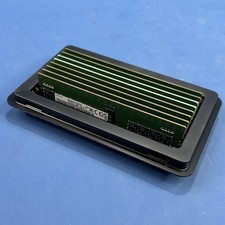
Samsung (8X16GB) 128GB 2Rx8 PC4-3200AA-RE2-12 Registered ECC Memory DDR4
$849.99
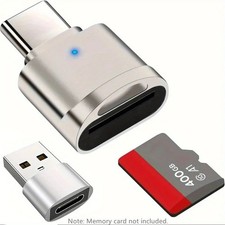
2 Pack USB C SD TF Card Reader Adapter Zinc Alloy USB-C to USB for iPhone 15-17
$3.35
Micron 16GB 2RX8 PC4-2666V-EZZZ-11 ECC Unbuffered Memory MTA18ADF2G72AZ-2G6E1ZI
$79.99