-
Knoppix Headache
Alright, well I'm very new to Linux, but I'm learning, I have the beginner hd install of Knoppix 5.0.1 Dvd. I'm starting to realize more why people keep saying knoppix hd-install isn't considered stable or true Linux hd-install. I've had numerous mounting issues, I've had root password issues, now my sound isn't working and I've tried alsa and other forum advise, oh also for some reason k3b says my dvd burner is gone now, there's issues getting my tv out to fill up my screen, all the root access programs are in german, everytime I fix something there's a new problem... Anyway here's my question, Is this all because I'm not very proficient in Linux, or because it's the knoppix begginer install? Personally I think it's probably both, but as well would I be better off installing Debian, then install kde on it? I basically want a back up os to goto that I can watch movies on, burn discs, browse, just basic applications. I like how there's so many applications on knoppix and the way kde looks, but it's starting to feel like too much trouble. If I do get debian would I have to manually configure all of my devices, and if so once they're set up would it be more stable than Knoppix?
Well any opinions or advise anyone might have would be cool, and much appreciated, so tell me what you think.
-
Administrator
Site Admin-
Sound on some hardware can be tricky with Debian as well, but if the Knoppix CD plays sound on your hardware when it boots I don't expect that you'll have any problem with sound in a Debian install. Hardware configuration was a bit technical five or mre years ago, you had to know i/o addresses, interupts and the like. This was the main reason that people gave for wanting to install Knoppix, and many asked why, if Knoppix could do such a good job of hardware detection that Debian can't also. Well, the developers listened and the install is now quite clean. Still, many people (including yourself) keep fighting with the known problems of a Knoppix "install".
I suggest installing Debian Etch and making sure that you take the desktop install option when you do. This will install gnome, but you can easily install kde with apt-get install after this. I also suggest doing the net-install as long as you have high speed access available, it is extremely clean and will make you less dependent on digging out your install discs when you want to apt-get install additional packages.
-
Thanks, I'll probably do that, why Debian Etch though? Oh and what's the easiest way to do a net-install of debian etch? I have a 20 gig that's reserved for linux, the rest of my drives are windows orientated ntfs, and one fat32, but anyway would I be able to have it the way it is now with the knoppix install, I just boot knoppix with a disk that has the grub on it. One more thing I have a 64-bit processor "Amd athlon x64 x2 4400" it's not that big of a deal that my linux os isn't 64 bit but if there's a better one that works well and runs kde it'd be cool. Thanks again.
-
Oh didn't realize debian etch and testing were the same thing and I found the cd image for a net-install, which I'm getting now. I assume there's an option during the install for multiple os's or booting off a disk, so I guess I'll see.
Similar Threads
-
By gccradioscience in forum General Support
Replies: 3
Last Post: 04-14-2008, 04:50 AM
-
By chris-harry in forum General Support
Replies: 3
Last Post: 06-02-2005, 03:36 PM
 Posting Permissions
- You may not post new threads
- You may not post replies
- You may not post attachments
- You may not edit your posts
-
Forum Rules


Broadcom LSI 9305-16i 12Gbps SAS-3 PCIe x8 HBA 16-Ports Raid Controller
$64.99

EMC KTN-SL3 15-Bay Disk Array Enclosure w/2x 303-108-000E Cards, Dual PSU,No HDD
$239.99
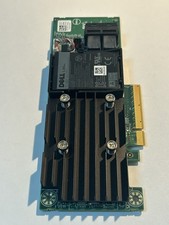
Dell 01M71J PERC H740P 12Gbps PCI-E SAS RAID Controller 1M71J
$70.00
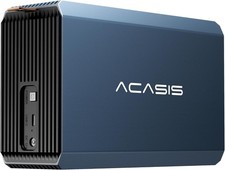
2-Bay RAID Enclosure for 2.5/3.5" SATA HDD/SSD External Hard Drive, USB 3
$59.99

OWC Mercury Elite Pro 2 Bay RAID Enclosure with USB 3.2 for Dual 3.5 inch HDDs
$87.99

Dell PERC H740p Mini Mono RAID Controller 8GB 0878M 5FMY4 GP6RN
$55.00

WAVLINK RAID 2 Bay Hard Drive Docking Station SATA 2.5/3.5'' SSD HDD Enclosure
$119.99

LSI 9260-8i 512MB SAS SATA 8-port PCI-E 6Gb RAID Controller Card US
$29.88

Broadcom MegaRAID 9480-8e Fujitsu PRAID EP540e SAS RAID Card (Replac 9380-8e) 8i
$228.00

CalDigit VR minin 2 Portable Raid Storage On The Go
$75.00



 Reply With Quote