

 Reply With Quote
cmg files are run with ".zAppRun" (in your home directory). If you setup klik as described on the klik site, cmg files should automatically be associated with .zAppRun...


a Klik app ran fine when I clicked Download & Run on the klik page. But now that I have the .cmg file on my desktop, when I click it I get an "Open with..." dialog.
What program should I select to open a .cmg file? Where is that prog located?
(I did a search for klik on my computer with several results; not sure which, if any, is the right choice.)
(Using Xandros 3.02 OCE with KDE)
cmg files are run with ".zAppRun" (in your home directory). If you setup klik as described on the klik site, cmg files should automatically be associated with .zAppRun...
Easily with:
orCode:sh .zAppRun
If it dooesn´t work, try searching where the file .zAppRun it´s located (it´s a hidden archive) and give the full path.Code:sh /home/username/.zAppRun
In KDE I could associate them, only after changing the icon of the application.cmg, the check box to associate didn´t apear before.
Hope this helps.
 Posting Permissions


External SSD 1TB 2TB 4TB Portable Hard Drive USB 3.0 Type-C High Speed PC Mac
$19.99

Dell Latitude 14" Laptop Computer Intel i5 Up To 32GB RAM 1TB SSD Windows 11 Pro
$316.61

External Solid State Drive USB 3.2 Gen2, 1TB SSD External Hard Drive with C to A
$100.00

Western Digital 1TB 3.5" SATA III 7200RPM Desktop Hard Drive
$34.99

Crucial MX500 1TB 2.5" SATA III Internal SSD CT1000MX500SSD1
$102.99

SAMSUNG T7 Portable SSD 1TB Indigo Blue USB 3.2 Gen2 External MU-PC1T0H/AM
$159.99

Lenovo Legion 5 Gaming 15.1" WQXGA OLED 165Hz Core i9-14900HX 16GB 1TB RTX 5070
$1469.00

Netac 2TB 1TB 500GB Internal SSD M.2 NVMe PCIe3.0 Solid State Drive lot
$129.99
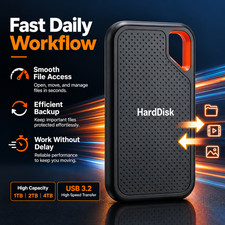
1TB Portable External Hard Drive USB 3.0 Storage Backup for PC Mac Laptop
$32.99

Toshiba DT01ACA100 1 TB 3.5" SATA III 3.5 in Desktop Hard Drive
$24.99