

 Reply With Quote
Possibly, you have to open a shell window and give the root user a password. That's how I seem to recall dealing w/ that. That is, 'sudo passwd' and enter a root password.....Originally Posted by Joepi54


After I installed Knoppix 5.1.1 in a partition of my HD, the SU-mode seems not to be able to work.
I tried to activate the network-card, or tried to start the super-user-file-manager, and an error came w.r.t. starting the SU-mode.
Please give me a hint to solve the problem (be aware that I am not able to access the internet through my new installed Knoppix 5.1.1).
Best Regards
Joepi
Possibly, you have to open a shell window and give the root user a password. That's how I seem to recall dealing w/ that. That is, 'sudo passwd' and enter a root password.....
Hi Joepi,
you may want to edit your "sudoers" file.
For user "Joepi" simply comment out the default user "knoppix" and activate user "Joepi" like this:
____
# /etc/sudoers
...
# knoppix ALL=NOPASSWD: ALL
Joepi ALL=NOPASSWD: ALL
____
Hth.
-nohype
 Posting Permissions


Apple Macintosh Classic M1420 Vintage Desktop Computer Model Macintosh Classic
$100.00
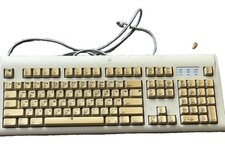
Vintage Apple Design Keyboard Model M2980 Macintosh 1994 Untested
$28.49

Vintage Apple Macintosh Plus Desktop Computer - M0001A
$150.00

Vintage Apple II Avant-Garde Creations Super Shape Draw And Animate 1981
$295.00
Lot of 64 Apple II IIe IIc 5.25� Floppy Disk Games Software Utilities Vintage
$39.00

Retro Vintage Apple M0110A Compact Wired Mechanical keyboard for Macintosh Plus
$64.95

Vintage Apple Macintosh Plus 1MB - M0001A W/ Keyboard, 2 Mice, 800K HD, + More
$300.00

Vintage Apple Macintosh LC M0350 Desktop No Harddrive No Power Supply - Parts
$71.95

Vintage Apple Multiple Scan 15av Display Monitor M4681
$299.99

Vintage Apple Monitor IIc 9" Green Monochrome 06/1985 A2M4090 October 1984 Stand
$275.00