-
I cant use sudo
Hello and Thanx again I have installed the DVD on my HD and it works great dualbotting with win xp, I had to use sudo yesterday and when i try to use sudo in the command line it says RHCA is not in the sudoers list this incident will be reported. RHCA is my username and hostname any ideas?
-
Hi RHCA,
I answered your question recently. As root-user you may edit your sudoers-file. That is, please type in at your command-line-prompt:
su -
Then, for the needed change, please look at this thread:
"Super User at Knoppix 5.1.1 HD-installed"
-nohype
-
How do i do this?
I dont understand so much what you said I am a little new to linux and i would like you to explain it more
-
Hi RHCA,
you may want to edit your "sudoers" file. How to do that:
login as "root" in a console window by typing
$ su -
at the prompt.
Then you can edit (with any text-editor) the text-file "/etc/sudoers" by changing 1 line (by commenting out the line beginning with "knoppix" by a leading "#" - without using the quotation marks) and adding a new line for user "RHCA" - that's YOU - expressing the rights of "RHCA" for executing privileged commands by "sudo".
_______________________
# /etc/sudoers
...
...
# knoppix ALL=NOPASSWD: ALL
RHCA ALL=NOPASSWD: ALL
_______________________
Hth.
-nohype
-
It shows me an error
Hello I have already edited the sudoers file bit now when i try to use sudo it says that it is on 660 and it should be on 440 or something like this. Have got any ideas?
-
Re: It shows me an error

Originally Posted by
RHCA
...
sudoers file ... should be on 440 or something like this.
...
This is correct!
Explanation: sudo is the "owner" of "/etc/sudoers" and allows to the owner (=itself) and to group members only read-access-rights to "/etc/sudoers" when executing sudo and forbids all other access-rights.
FYI: file-access-rights are coded like this:
0400 Allow read by owner.
0200 Allow write by owner.
0020 Allow write by group members.
0040 Allow read by group members.
Adding these codes means that access-rights are granted for the individual rights expressed by the unique summands.
So 0660=660 is the unique sum of 0200,0400,0020,0040 with the obvious rights.
But only 0440=440 being the (unique!) sum of 0400 and 0040 are allowed.
So, change these access-rights accordingly with the chmod-command in root-user mode:
$ su -
and then
# chmod 440 /etc/sudoers.
That's it!
Hth
-nohype
-
-
Senior Member
registered user
excellent quick explaination of file permissions nohype!!
Take care,
-Justin
One Mynds Eye
Similar Threads
-
By logicmaster2003 in forum Customising & Remastering
Replies: 2
Last Post: 01-07-2006, 10:09 PM
-
By waellinux in forum General Support
Replies: 2
Last Post: 04-30-2005, 05:36 PM
-
By clarjon1 in forum Tips and Tricks
Replies: 2
Last Post: 03-11-2005, 10:05 PM
-
By rrfish72 in forum General Support
Replies: 19
Last Post: 08-08-2004, 04:14 AM
-
By ptesone in forum Hdd Install / Debian / Apt
Replies: 2
Last Post: 03-18-2004, 07:01 PM
 Posting Permissions
- You may not post new threads
- You may not post replies
- You may not post attachments
- You may not edit your posts
-
Forum Rules


Yealink T48S VoIP/SIP Phone, 2 x Gigabit Ports PoE 7" Color SIP-T48S | TESTED
$34.95

SIM Bank 32 SIM Card Slots Ethernet SIM Server for GoIP
$400.00

Poly CCX 400 Desktop Business Media Phone VoIP 2200-49700-019
$49.99

Grandstream VoIP Phone Adapter ATA 1-Line Black Ethernet (RJ-45) Micro USB
$27.07
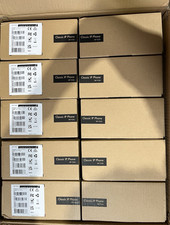
LOT OF 10 NEW Yealink SIP-T33G IP Phone 4-Line PoE Speakerphone VoIP Desk Phone
$699.99

Yealink SIP-T33G IP Phone 4-LineSpeakerphone VoIP Desk Phone Black w/ Power Sply
$25.00

Yealink SIP-T44W VoIP Phone 12-Line Gigabit Speakerphone RJ-45 Gray/Black
$44.00

Grandstream WP810 Portable Cordless Wi-Fi IP Phone
$49.28

Lot Of 5 Poly Edge E550 82M91AA IP Desktop Phone PoE New In Box
$1500.00
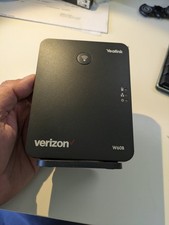
YEALINK W60B DECT VoIP BASE STATION VOIP SIP FOR UP TO 8 HANDSETS + OEM ADPTR
$50.00



 Reply With Quote