-
SAVING PREFERENCES FOR REBOOT?
I suppose this question has already been answered, but I'm not sure where to look for the answer.
What is the program?
How do you save that persistent preference file so the next time I reboot the DVD,
I don't have to waste time changing preferences and options?
-
Saving Preferences
Open the main menu (lower left of your screen). Go to Knoppix-->Configuration-->Save Knoppix Configuration. Your hard drive is likely to be hdb1.
Save.
When you reboot again, at the prompt when it first starts up, type knoppix myconfig=scan or myconfig=/media/hdb1(assuming that's where you saved the config file.
An even better practice is to save a whole permanent Home folder, also started at Menu-->Knoppix-->Configuration. The resulting file is much larger on your hard drive (I think about 250mb), but it will also save documents, additional software, and so forth.
-
Further to creating a persistent home directory, this will only work if the hard drive is formatted as FAT, not NTFS, which is the standard for WIN NT/2000/XP.
If the hard drive is NTFS, you can create a FAT partition; all warnings/cautions/'proceed at your own risk' applies. You should back up everything you can't leave without, and consider the possibility of a full reinstall/restore if something screws up.
-

Originally Posted by
ndb
Further to creating a persistent home directory, this will only work if the hard drive is formatted as FAT, not NTFS, which is the standard for WIN NT/2000/XP.
If the hard drive is NTFS, you can create a FAT partition; all warnings/cautions/'proceed at your own risk' applies. You should back up everything you can't leave without, and consider the possibility of a full reinstall/restore if something screws up.
Not anymore. This is one of the significant updates of 5.1.x, documented in the changelog. That is, being able to save/restore to NTFS partitions. I've been saving/loading my config to my first hdrive partition (NTFS) for over a week now. Haven't seen a single disk check upon return to XP. This week, I added a swapfile to the mix, also on /dev/hda1. So far, so good. I'm not recommending using this facil, only pointing out that it has been working for me (and others I presume).....
-
I figured all this out, but what I didn't figure out is why there doesn't seem to be much of an option to save multiple persistent image files per harddrive? or For that matter, per computer system?
Whenever I try and make another image it seems to insist I erase the old one.
Someone ought to redesign the program to give is multiple configurations.
We should be able to make multiple system configuration files instead of just one for all.
-
Originally Posted by
kidsatacrux
I figured all this out, but what I didn't figure out is why there doesn't seem to be much of an option to save multiple persistent image files per harddrive? or For that matter, per computer system?
Whenever I try and make another image it seems to insist I erase the old one.
Someone ought to redesign the program to give is multiple configurations.
We should be able to make multiple system configuration files instead of just one for all.
Thou art correct. I hope I can get to that one soon. I've been doing the job manually and for the sake of expediency, I may turn it into a Python script, since Python is part of 5.11.
Have you noticed the modified file/date stamp on your config.tbz ? The date never seems to change, until the file is completely replaced. Maybe I'm seeing things....
Similar Threads
-
By newUser2 in forum General Support
Replies: 1
Last Post: 04-12-2005, 07:18 AM
-
By ix86i in forum Customising & Remastering
Replies: 1
Last Post: 11-03-2004, 04:17 AM
-
By fourtrackmind in forum General Support
Replies: 2
Last Post: 02-23-2004, 02:20 AM
-
By sminotti in forum General Support
Replies: 1
Last Post: 06-25-2003, 09:25 PM
-
By boehmb in forum General Support
Replies: 17
Last Post: 06-03-2003, 08:40 PM
 Posting Permissions
- You may not post new threads
- You may not post replies
- You may not post attachments
- You may not edit your posts
-
Forum Rules

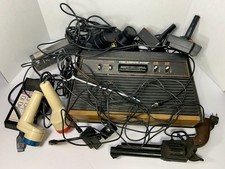
Atari Lot Video Computer System (VCS) Console Lot w/ Controllers, Gun, Touch Pad
$199.99

DEFECTIVE Atari 810 Vintage Computer Disk Drive powers on Unit Only Boo G3D
$55.24
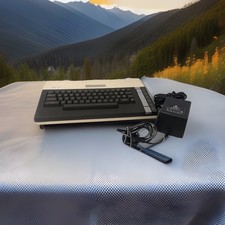
ATARI 800 XL 8-Bit Computer w/ Power Supply
$169.00

UNOCART-2600 SD card Multi Rom Cartridge for ATARI 2600 with CASE
$34.25

Atari 800 Home Computer System 800 Untested
$100.00

Fujinet 1.7.1 Atari 400 800 800XL 130XE 65XE XEGS Assembled, Tested, Working
$99.99

Atari 800 130XE 65XE Color S-Video & Audio Adapter Tested
$24.00
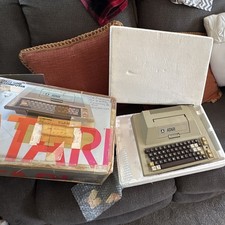
Atari 400 Vintage Home Computer System w/ Original Box MPN Atari 400
$175.00
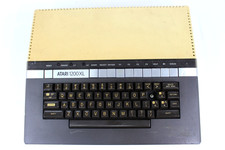
VTG Atari 1200XL Home Computer System 1200 XL ** Tested ** Parts or Repair
$248.75

Atari 400 Computer System console with Power Supply TESTED and Working
$160.00



 Reply With Quote