

 Reply With Quote
Please see answer #7.


OK Im here bcuz I edited the registry and f'ed up windows, I'm tring to get access to my registry.bak on a drive under Win XP.
I have not gained access using this Knoppix 5.0.1
Scsi ntsf partitions are not mounted.
From the Desktop one of the mounted drives gives this error: Mount I was not able to determin the file system type and none was specified.
When I use an application like ShowPhoto I see the drives under storage media; but
errors:
mount: can't find /dev/sda1 in /etc/fstab or /etc/mtab
mount: can't find /dev/sda5 in /etc/fstab or /etc/mtab
mount: can't find /dev/sda5 in /etc/fstab or /etc/mtab
The device /dev/hda1, is mounted.
Forced to continue.
Couldn't mount device '/dev/hda1' : Operation not supported
Windows did not shut down properly. Try to mount volume in windows, shut down and try again.
Mount failed.
I would like to correct my windoz problem Thankyou in advance. Marc
Subsystem: ASUSTeK Computer Inc.: Unknown device 8087
Flags: bus master, medium devsel, latency 32, IRQ 18
Memory at ed800000 (32-bit, non-prefetchable) [size=4K]
0000:00:03.2 USB Controller: Silicon Integrated Systems [SiS] USB 1.0 Controller
(rev 0f) (prog-if 10 [OHCI])
Subsystem: ASUSTeK Computer Inc.: Unknown device 8087
Flags: bus master, medium devsel, latency 32, IRQ 19
Memory at ed000000 (32-bit, non-prefetchable) [size=4K]
0000:00:03.3 USB Controller: Silicon Integrated Systems [SiS] USB 2.0 Controller
(prog-if 20 [EHCI])
Subsystem: ASUSTeK Computer Inc.: Unknown device 8087
Flags: bus master, medium devsel, latency 32, IRQ 17
Memory at ec800000 (32-bit, non-prefetchable) [size=4K]
Capabilities: <available only to root>
0000:00:04.0 Ethernet controller: Silicon Integrated Systems [SiS] SiS900 PCI Fa
st Ethernet (rev 91)
Subsystem: ASUSTeK Computer Inc.: Unknown device 80a7
Flags: bus master, medium devsel, latency 32, IRQ 22
I/O ports at 9800 [size=256]
Memory at ec000000 (32-bit, non-prefetchable) [size=4K]
Expansion ROM at f7ec0000 [disabled] [size=128K]
Capabilities: <available only to root>
0000:00:0c.0 Communication controller: Conexant HSF 56k HSFi Modem (rev 01)
Subsystem: Conexant Dynalink 56PMi
Flags: bus master, medium devsel, latency 32, IRQ 255
Memory at eb800000 (32-bit, non-prefetchable) [disabled] [size=64K]
I/O ports at 9400 [disabled] [size=8]
Capabilities: <available only to root>
0000:00:0d.0 Multimedia audio controller: Creative Labs SB Live! EMU10k1 (rev 07
)
Subsystem: Creative Labs SBLive! 5.1 Model SB0100
Flags: bus master, medium devsel, latency 32, IRQ 21
I/O ports at 9000 [size=32]
Capabilities: <available only to root>
0000:00:0d.1 Input device controller: Creative Labs SB Live! MIDI/Game Port (rev
07)
Subsystem: Creative Labs Gameport Joystick
Flags: bus master, medium devsel, latency 32
I/O ports at 8800 [size=8]
Capabilities: <available only to root>
0000:00:0e.0 RAID bus controller: Promise Technology, Inc. PDC20376 (FastTrak 37 6) (rev 02)
Subsystem: ASUSTeK Computer Inc. A7V8X motherboard
Flags: bus master, 66MHz, medium devsel, latency 96, IRQ 16
I/O ports at 8400 [size=64]
I/O ports at 8000 [size=16]
I/O ports at 7800 [size=128]
Memory at eb000000 (32-bit, non-prefetchable) [size=4K]
Memory at ea800000 (32-bit, non-prefetchable) [size=128K]
Capabilities: <available only to root>
0000:01:00.0 VGA compatible controller: nVidia Corporation NV18 [GeForce4 MX 440 SE AGP 8x] (rev a2) (prog-if 00 [VGA])
Subsystem: Micro-Star International Co., Ltd.: Unknown device 8900
Flags: bus master, 66MHz, medium devsel, latency 64, IRQ 11
Memory at ef000000 (32-bit, non-prefetchable) [size=16M]
Memory at f8000000 (32-bit, prefetchable) [size=64M]
Expansion ROM at f7fe0000 [disabled] [size=128K]
Capabilities: <available only to root>
Please see answer #7.
---
Verifying of md5 checksum and burning a CD at slow speed are important.
Can you make your support answers Stickies in the froum? I thank you for the quik correction.Originally Posted by Harry Kuhman
There is a stickie on this very subject in the General Foum.
I certainly am not going to make all of my support responses stickie, no one wants that clutter. In general I've been discouraging stickies and moving more and more data to the wiki where it is well indexed and easy to find. Sometimes rather than provide support directly in the forums I'll update a wiki article if it needs it and then reference that in the forums so the poster gets their response but it is still easy for others to find.
Still, a lot of stuff gets asked and answered quickly in the forums, by many different people, and so it is important to have meaningful subject lines in the forums. Thanks for editing yours. (Yes, there are fools who even when requested will not edit theirs).
Your problem (now that I read it) looks to be more than a blown registery. A corrupt registery should not keep you from seeing the other files on the drive.
You mention scsi, but you also mention a promise RAID controler. Do you have multiple drives on a Promise controler in a RAID array, which may be looking like a scsi system to Linux? Unfortunately, if you have a raid array set up you may not be able to access it under Linux. The problem is that such "Raid" systems are often not true hardware raid devices that look like one large disk to the os, but rather software hacks that do the raid functions in a special raid driver that you installed into windows. If that's the case Linux can't see the drives as a raid array unless you have a matching driver for Linux which uses the same drive geometry as the Windows driver, and as far as I know such a driver isn't offered.
Your best bet might be to reinstall Windows to a different hard drive, load the raid driver on that, then attach this set of raid drives and try to access the raid drive as a second partition under windows.
 Posting Permissions


Samsung 256GB SSD MZ-JPV256S/0A2 PCIe Solid State Drive SSD SSUBX 655-1959A
$22.02
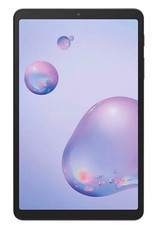
Samsung Galaxy Tab A 8.4" 2020 32GB Wi-Fi+ 4G Verizon Unlocked SM-T307U ~Grade B
$49.99
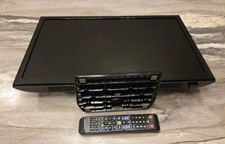
Samsung UN24H4500 24" 720P LED HD WiFi TV Remote AC Power Plays USB video files
$134.87
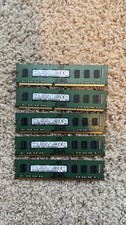
Lot 5 Samsung 8GB 2Rx8 DDR3-1600 PC3-12800U Desktop RAM M378B1G73QH0-CK0 (5x8GB)
$60.00

1 lot of 3 (2)Samsung PM951 SM961 & (1)Intel SSD 600P 256GB M.2 2280 SSD NVMe
$109.00

RAM-HOL-SAM52CPU RAM USB-C Powered Dock Samsung Tab Active4 Pro & Tab Active Pro
$81.99

3 -M.2 2280 512GB SSD - Samsung MZNTE512HMJH, MZNLN512HMJP, Toshiba KSG60ZMV512G
$155.00

Samsung PM961 512GB PCIe Gen 3x4 NVMe 2280 M.2 SSD MZVLW512HMJP-000D1
$60.00

Samsung Galaxy View Tablet 18.4 SM-T670/677A Digitizer 100% Original Oem
$161.49
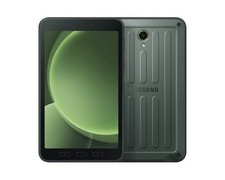
Samsung Galaxy Tab Active5 5G (X306B) GSM Unlocked International Version (New)
$449.99