
how do i run testdisk from the knoppix live cd to check the intergrity of my hdd? i have looked at the testdisk webpage but could not see instructions to follow. thanks


how do i run testdisk from the knoppix live cd to check the intergrity of my hdd? i have looked at the testdisk webpage but could not see instructions to follow. thanks
open root console and enter...
SUDO TESTDISK .
Hope that is what you want, or are you looking for help after it runs ? If it is not the latest version of Knoppx , testdisk may not work. You can run the DOS version after booting with a Win98 boot floppy.
thanks for the reply. when i tried what was suggested i got the following error message:
testdisk: error while loading shared libraries: libntfs.so.9: cannot open shared object file: no such file or directory
i am using the latest version of knoppix
any suggestions appreciated
I've seen so many minor errors during a session load but the desktop will still load
that would have a lot of errors later
yet people swear it's me
cd drives , mainly slightly older ones, have a hard time coping with the large KNOPPIX file it has to read to load a desktop
are you trying to testdisk the knoppix disk ?
this is a boot screen option shown on F2 or F3 at initial boot screen
there is (Knoppix 5.1.1) no libntfs.so.9 (in /usr/lib/) but:testdisk: error while loading shared libraries: libntfs.so.9: cannot open shared object file: no such file or directory
libntfs.so -> libntfs.so.10.0.0
libntfs.so.10 -> libntfs.so.10.0.0
what do you think about this:
rootwindow
now testdisk will runCode:cd /usr/lib ln -s libntfs.so.10.0.0 libntfs.so.9
Thanks for that code. That really helped me out a bunch.
I tried both ways. First one didn't work, the latter gave me an error:
ln: creating symbolic link 'libntfs.so.9' to 'libntfs.so.10.0.0' : Permission denied
My computer recently crashed and I'm desperately trying to access my hard drive to see if I lost everything. Overall this has been the best option by far... I'm so close...
a "Permission denied" would lead me to think that you are not in a ROOT terminal when you run the command. Note: my linux knowledge is very limited.
sudo before the command should help the Permission denied error.
 Posting Permissions

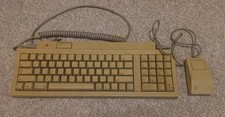
Vintage Apple Keyboard II Model M0487 & G5431 Mouse UNTESTED AS-IS
$59.99

🔥 RARE VINTAGE HP 2112A 21MX M-SERIES 16-BIT MINICOMPUTER HP
$299.99

Vintage Jetway J-620BF Socket 370 Celeron AT Motherboard SiS 620 Brand New
$75.00

Vintage Computer - PC Innovation Intel 486DX2 - Dos Ver 6.2 Windows 3.1
$250.00
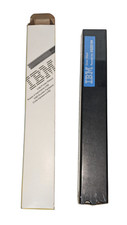
Vintage Genuine IBM 5182 Dot Matrix PRINTER RIBBON Black 6320194 NEW Discontinue
$22.00

Vintage Microsoft Visual Studio.NET Professional Software suite Version 2002 New
$82.00
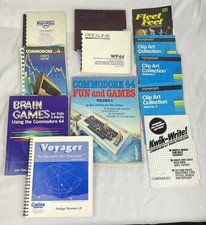
Vintage Commodore 64 C64 Amiga Software User Manuals Books Reference Lot
$1999.00
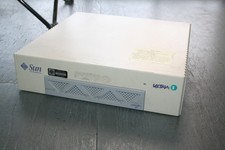
Vintage Computer Sun Ultra 1 UltraSpark Driven - Mystery condition as-is Parts
$49.78

Vintage Teac FD-505 5.25" 3.5" Combo Drive 19307571-00
$199.99

Apple Macintosh Classic M1420 Vintage Desktop Computer Model Macintosh Classic
$100.00

 Reply With Quote