-
How to use ndiswrapper
I have just been working with this, and have found, for my specific case that wireless through the ndiswrapper can still work, if done properly. information on what I did is as follows:
system: hp pavillion zv5000
memory: 512MB
wireless card: Broadcom BCM4306 802.11b/g Wireless LAN Controller
wireless router: linksys wrt54gl
firmware: v4.30.5, Apr. 27, 2006
wireless mode: mixed
disk: 100GB, 3 partitions, hda1 = /; hda2 = swap; hda3 = /home
notes:
I was not able to make bcm43xx work. It seems to fire up and connect, i.e. gets dhcp info, but can not do any thing farther. It seems that there is a one line kernel patch associated with 2.6.19.2 that speaks to this issue. I tried to make this work, by doing an hd (debian type) install, and then work with the kernel patch - but was not successful. Not enough time to pursue that farther. It has been a long time since I have built kernels. However, was able to finally make ndiswrapper to work.
Before I removed microsoft from this machine, I found the wireless driver information and copied that to my hda3 disk partition.
procedure:
boot knoppix 5.1.1 dvd screen=1280x800
open terminal window - issue su - command
mount the hda3 disk partition
#for general purposes:
rmmod bcm43xx
# need MS devide drivers - a variety of sources - bcmwl5a.inf, bcmwl5.sys
#
# in my case, wireless device fairly consistently comes up as eth2
cd to the directory on the hda3 drive where these are stored
ndiswrapper -i bcmwl5a.inf
modprobe ndiswrapper
ifup wlan0
Now, there are a number of more complete discussions about ndiswrapper and how to carry forward the installation to make things more permenant. These can be found in this forum in other places, or a google search on knoppix and ndiswrapper.
As a follow on note, this information is for the live dvd only.
I tried to do an HD install (knx2hd), following the above procesure, but the wireless setup info was not successfully preserved, and I have not figured a way round that yet. (This was the approach that I had used with an HD install of 4.0.2 and it worked great for that version). About the only thing that I can say is that I am understanding more, why the tools need to be re-written.
Finally, the drawback here is that since I was unable to either do an HD install, or to save the system configuration information, this procedure needs to be done each time knoppix 5.1.1 is loaded.
While this information is specific to my case, some of the ideas may be helpful to others.
Good Luck!
Similar Threads
-
By Protocol in forum General Support
Replies: 0
Last Post: 01-21-2007, 03:05 AM
-
By Kaishain in forum General Support
Replies: 0
Last Post: 05-04-2006, 11:16 AM
-
By giant_toaster in forum MS Windows & New to Linux
Replies: 3
Last Post: 11-23-2005, 09:09 AM
-
By cyph3r in forum Networking
Replies: 4
Last Post: 07-25-2004, 08:22 PM
-
By urbster1 in forum Networking
Replies: 1
Last Post: 05-11-2004, 08:27 AM
 Posting Permissions
- You may not post new threads
- You may not post replies
- You may not post attachments
- You may not edit your posts
-
Forum Rules

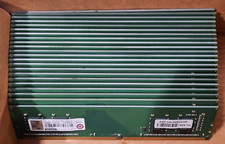
Lot of 88GB (22x4GB) ADVANTECH 1RX16 DDR4 PC4-2400U AQD-D4U4GN24-HP MEMORY RAM
$286.00
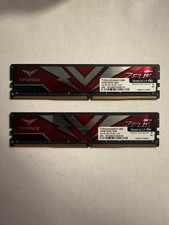
TEAMGROUP T-Force Zeus 64GB (2x32GB) DDR4 2666MHz PC4-21300 Desktop RAM Kit
$199.99

Netac DDR4 32GB 16GB DDR4 3200MHz UDIMM C16 Desktop Internal Memory RAM Kit
$99.99

A-Tech 8GB DDR3 1600 PC3-12800 Laptop SODIMM 204-Pin Memory RAM PC3L DDR3L 1x 8G
$21.68

Major Brand 16GB (2x8GB) PC3-12800U DDR3-1600MHz DDR3-12800 DESKTOP RAM NON-ECC
$29.99
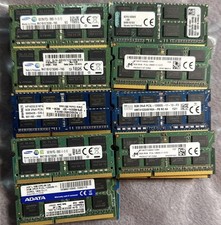
Lot 43 Mixed Brands Micron MT16KTF1G64HZ-1G6N1 8GB 2Rx8 PC3L-12800S-11-13-F3 RAM
$649.99

Crucial DDR3L 16GB 2 x 8GB 1600 MHz PC3L-12800 Laptop RAM Sodimm Memory 1.35V
$41.00

Samsung 16GB LPCAMM2 PC5 7500 DDR5 LPDDR5X CAMM2 M561K1LC4DM0-CCTGM RAM Memory
$189.00

Micron 32GB 1x32GB DDR5 5600 CL46 ECC Unbuffered SO-DIMM MTC20C2085S1TC56BD1
$399.00
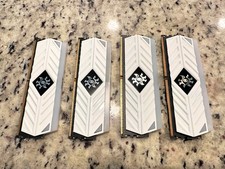
ADATA XPG Spectrix White RGB AX4U320038G16-BW41 32GB DDR4 matching set of 8GB
$149.99



 Reply With Quote