

 Reply With Quote
Just a guess, but try doing a full shutdown to power off, not a warm restart. Still, even if this works, I can't say why it should be needed, since the DVI/analog choice doesn't change between the two systems.


I was using Knoppix to get more info on my "broken" HD and tried to re-mounted it. After I did my job, I processed the shut down, it asked me to remove the CD and hit ENTER. Did that...
Then, when I tried to reboot back to my Windows XP, my LCD monitor connected to the DVI didn't response at all. The standard VGA which is connected as the second monitor is responding. I have no clue. Could this be knoppix issue when shutting down the system?
Any help is much appreciated. I'm really frustrated now. Thanks.
BP-seattle
Just a guess, but try doing a full shutdown to power off, not a warm restart. Still, even if this works, I can't say why it should be needed, since the DVI/analog choice doesn't change between the two systems.
---
Verifying of md5 checksum and burning a CD at slow speed are important.
I did. Even I waited over the night before tried it again. This make me
Is it possible the during configuration, it was set to stanby or sleep which then can't awake? This is so weird.
Yes, it's extremely weird. You might want to post the video card make and model as well as what drivers you are using under Windows. Monitor info wouldn't hurt, but I suspect video card info is much more critical. (Not that the extra info will help me assist you, but I'm hoping that someone else with the card and a DVI setup might spot something).
I do have a friend that found he couldn't use one brand of DVI card because the DVI output was only selected after WIndows started, and he needed to be able to get into the BIOS and make settings, which the idiotic card would not permit. Not being willing to hook up a VGA monitor just for BIOS access and the monitor being DVI only, he made the store buy it back as "defective" (no restocking) and switched brands. But I degress...
Is your monitor both VGA and DVI? Could you connect both (not that you should have to, but it might give you a way to get output on the main monitor by VGA long enough to switch back to DVI, and would help confirm that the output is really VGA and not that there is some other problem). I'm thinking that you assume the main card output is now on VGA because it doesn't seem to be on DVI, but there might be some other issue.
---
Verifying of md5 checksum and burning a CD at slow speed are important.
VCard: ATI Radeon 9800 Pro
Monitor: ViewSonic 2012wb
Output: Analog VGA and DVI
I was stumped when I rebooted, I could hear the HD spinning but my monitor went dark. Another wierd thing, my webcam's always ON.
Then I plugged in my CRT using analog VGA connection, and yes I can see everything in there. I'm bringing VGA cable I'm borrowing from IT Dept in my office and try to connect my box to my LCD using analog insted of DVI.
Indeed. From many years, I've never experienced this issue.
Do anyone know if knoppix actually modify something in BIOS?
Thanks Harry!
I don't think I can be of any help here, but in all of the posts I've seen here I've never seen any (valid) reports that Knoppix ever changed anything in the BIOS. The authors go out of the way to do just the opposite, Knoppix can't even change the disk unless you do it explicity, and it will not check for a persistant home or configuration automatically without the user typing in a code (suposedly to prevent the unlikely event of someone leaving a maliously configured configuration file on your system, which strikes even me as being overly paranoid, and I know everyone is out to get me). Plus, does your BIOS even have a setting that deals with DVI or VGA? How does the BIOS know what add-in card you are using and how to deal with it?
I think you're on the wrong track looking at the BIOS. Maybe the video card is remembering something, but even then it doesn't explain why it apparently works with DVI in Knoppix and then jumps back to analog for Windows. Is it in analog mode during the boot (before windows loads?) How do you tell the card which output to use (since it apparently isn't using both at once)? Now that it's in this mode, can you boot Knoppix again and does Knoppix use the DVI properly again?
You mention that the VGA is connected to a second monitor. I'm wondering what this is about. This is the VGA out on the ATI Radeon 9800 Pro and that's the only video card in the computer, correct? Can you use it as a second monitor in Windows ("dual head")? Might the system behave differently if there was no monitor connected to the VGA connection?
---
Verifying of md5 checksum and burning a CD at slow speed are important.
I tried all possibilities to fixed, failed.
Basically, my DVI from graphic card just died once I shut down my knoppix. I don't know if this is coincident or not, but I think the possibility to have this happened maybe 1 out of million. That's why, I'm still wondering di knoppix did sent some code to the card to sleep.
 Posting Permissions


9300-8i LSI SAS3008 8-Port 12Gb PCIe IT mode ZFS FreeNAS unRAID 2*SFF-8643 US
$49.50

Broadcom 9600-24i Tri-Mode RAID Controller 4.0 NVMe SAS SATA NEW 05-50111-01003
$639.69
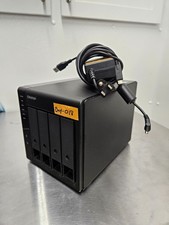
QNAP TR-004 4 Bay USB-C Hardware RAID Enclosure DAS 3.5 2.5 SATA Tested Working
$149.99

Broadcom LSI Avago RAID card MegaRAID SAS 9480-8i8e 05-50031-00
$500.00

WAVLINK RAID 2 Bay Hard Drive Docking Station SATA 2.5''3.5'' SSD HDD USB C 4Bay
$107.99

Dell 3KDWX PERC H755 12G 8GB Cache Front RAID Controller
$999.99

2-Bay/4-Bay Hard Drive Enclosure for 3.5"/2.5'' SATA HDD/SSD 10Gbps USB-C 3.2
$75.99

Broadcom LSI 9305-16i 12Gbps SAS-3 PCIe x8 HBA 16-Ports Raid Controller
$64.99
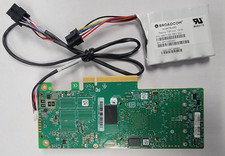
LSI 9461-16i MEGARAID RAID 12GBPS 16 PCIE3.0 PORT KIT W/BATTERY 03-50011-69004
$145.99
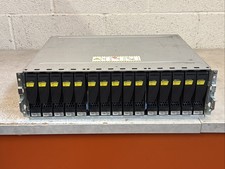
Dell EMC 15-Bay 3.5" SAS Disk Array Enclosure 12Gbps Dual LCC - 2x Power Supply
$249.00