

 Reply With Quote
the 2.6.19 headers are installed on the system at: /usr/src/linux-headers-2.6.19
hope this helps
-Justin
One Mynds Eye


I'm trying to install VMware-player-1.0.3-34682 and everything installs perfectly until it asks for the location of the directory of the C header files that match my running kernel. Here is what I get.
What is the location of the directory of C header files that match your running
kernel? [/usr/src/linux/include]
The path "/usr/src/linux/include" is not an existing directory.
What is the location of the directory of C header files that match your running
kernel? [/usr/src/linux/include]
I heard that I have to point it to /lib/modules/2.6.19/build but I do not have a build folder. Instead build is a file and when I click on it I get the error"File:////lib/modules/2.6.19/build Does not seem to exist anymore". Someone please help me out here. I have tried almost everything I can think of but then again I am new to Linux. I was also told I should try to do a apt-get install linux-headers-2.6.19 but when I do that I get this
root@box:/home/birdsixone# apt-get install linux-headers-2.6.19
Reading package lists... Done
Building dependency tree... Done
Package linux-headers-2.6.19 is not available, but is referred to by another package.
This may mean that the package is missing, has been obsoleted, or
is only available from another source
E: Package linux-headers-2.6.19 has no installation candidate
root@box:/home/birdsixone#
Any help is appreciated.
the 2.6.19 headers are installed on the system at: /usr/src/linux-headers-2.6.19
hope this helps
-Justin
One Mynds Eye
I tried to go to that but their is no such directory on my computer. Is their some way I can search for them or do I have to download them?
birdsixone : Exactly which version of KNOPPIX are you using ? The recent ones in which I have installed VMware-player-1.0.3-34682 are :-
5.0.1 CD :does not have the files; I had to copy over the files from 5.0.1 DVD (see below)
5.0.1 DVD : has the files in :-
/usr/src/linux-2.6.17/arch
/usr/src/linux-2.6.17scripts
For my own convenience I tarballed these to .tar.gz & then alien-ed to .deb package.
5.1.1 CD :does not have the files; you can copy over the files from 5.1.1 DVD (but see below)
5.1.1 DVD : The files are in /usr/src/linux-headers-2.6.19 - as in preceding posting by onemyndseye.
With this there is a bonus; Knoppix have at last included a .deb package
/usr/src/linux-headers-2.6.19_2.6.19-10.00.Custom_i386.deb
This contains the sub-set of necessary files that are in /usr/src/linux-headers-2.6.19 and makes for a much more convenient & compact installation.
I suspect (but NB don't know for certain) that 5.1.0 may be similar to 5.1.1 in this respect.
Addendum: Looks like it - I've found it mentioned in this wiki http://buxus.s31.xrea.com/pukiwiki/p....php?usr%2Fsrc
(NB if you try to get the 'vanilla' sources from kernel.org they do not contain the necessary custom knoppix version data.)
So unless/until Knoppix post headers separately in the mirrors, you have to get the DVD to work with the CD.
If you want to send me your e-mail (click on my name link & send a Private Message) I could send you .deb packages for 5.0.1 or 5.1.1
Good luck
Hi JohnnyH,
I have the same problems during the installation of vmplayer in my Knoppix-DVD 5.1 -system like "birdsixone" published a month ago.
I followed your advices and installed the linux-headers-2.6.19, but anyway - this prompt of the vmplayer installation occurs:
What is the location of the directory of C header files that match your running
kernel? [/usr/src/linux/include]
Which path is now necessary?
Pressing just "ENTER" - the same message occurs.
Can you give me any hind.
Thanks,
Christoph
(You have to reply with the actual path used by your distro - VM set-up does not necessarily know this as many distros are differentWhat is the location of the directory of C header files that match your running
kernel? [/usr/src/linux/include]
Which path is now necessary?)
From memory, for this Knoppix 5.1(.1) it is:
/usr/src/linux-headers-2.6.19/include
(To be sure, open KPackage, find package linux-headers-2.6.19 and look at the File List tab )
Good luck
 Posting Permissions


Fujinet 1.7.1 Atari 400 800 800XL 130XE 65XE XEGS Assembled, Tested, Working
$99.99

Atari 400 / 800 Computer Memory Module 16K RAM PCB CX853 - Works Perfectly
$18.95

Atari 400 Home Computer System includes Power Cord G2U
$159.99

DEFECTIVE Atari 810 Vintage Computer Disk Drive powers on Unit Only Boo G3D
$49.29

Atari 1200 XL home computer with original owners guide and power supply power on
$255.00
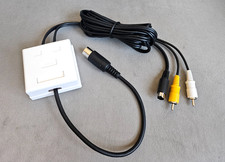
Atari 800 130XE 65XE Color S-Video, Composite Video & Audio Cable Tested
$29.78
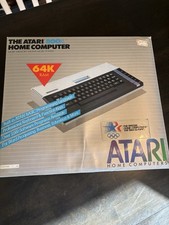
Atari 800XL Home Computer 64K RAM in Original Box 1984 Olympic Edition Untested
$149.99
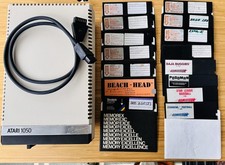
Vintage Atari 1050 Disk Drive w/ SIO Cable & 32 Games/Programs - UNTESTED
$67.76
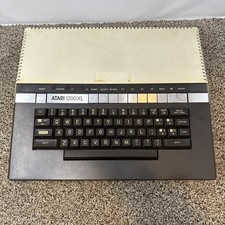
Atari 1200XL Computer Game Console Vintage Rare FOR PARTS OR REPAIR READ
$270.00

GreaseWeazle v4 board USB floppy drive adapter Retro All Formats
$35.00