-
Junior Member

Knoppix rebooting in an endless loop
Hi,
No matter what knoppix version i boot, 4.x or 5.x, it's rebooting in an endless loop.
It's always at the same point of time. It says "APM Bios found, power management function enabled."
Then the system boots up the POST screen again.... and so on.
i tried to boot with "knoppix noapic noapm"
Then it says something like "skipping apm like desired on the command line"
After that -> reboot.
The system usually has no problem with other operating system. I had OpenBSD on it until today.
Then an hour ago i installed Debian, but there is a problem with the MBR, it cannot find any active partitions it says.
So i wanted to fix the mbr with knoppix...
Any suggestions?
-
Administrator
Site Admin-
Re: Knoppix rebooting in an endless loop

Originally Posted by
NullDevice
Then an hour ago i installed Debian, but lilo said it cannot find the harddisk, so i tried to fix that with Knoppix.
Any suggestions?
Greetings.
Can you give any info about the system, particularly what type of hard disk that Debian is having trouble with? Which version of Debian? You say Lilo, but at least Etch of Debain if not all versions default to grub now, is there any reason that you want to use lilo even though you seem to be having trouble with it?
I don't recognize your Knoppix booting problem. More hardware information might help someone spot something.
-
Junior Member
hi harry,
This is a P-II with 350MHz , a common 64MB SDRam, i couldn't figure out yet what brand that mainboard it.
The harddisk is a 2,6 GB Fujitsu MPA3026AT IDE-disk.
I was fiddling with the bios settings in the meantime, i set it to LBA mode, but no success - same result.
The error message is not bootloader-specific, so i did not know which loader it installed. I guessed lilo cause in the older debian versions it was lilo if i remember right.
The errormessage says "Not found any [active partition] in HDD. Disk boot failure"
My debian CD is "testing" from March 2006 (that's Etch maybe, im not sure).
This rebooting-loop problem is weird... i could not find anything in google about it so far ;(
-
Administrator
Site Admin-
Originally Posted by
NullDevice
The errormessage says "Not found any [active partition] in HDD. Disk boot failure"
My debian CD is "testing" from March 2006 (that's Etch maybe, im not sure).
Yea, the rebooting is a strange problem that I don't remember seeing any mention of and I've read most of what has been posted here in the last few years.
I'm pretty sure that Etch does default to grub (I think there is an option during install to use lilo though). I certainly am confused by that problem with a normal IDE drive. Etch gives you lots of options during install on how you want it to deal with the hard drive though, anywhere for letting it just erase and use the entire drive, using available free space, to manually letting you partition the drive as you see fit. I have had a few curious problems with different Etch installers over time when I was working with multi-boot configurations (couldn't convince the installer to put Grub on the Linux partition and not in the MBR, even though it did ofer that option!), but never this.
You didn't say if there were things on the disk that you were trying to keep, but if this is just a simple clean install I would suggest the following:
If you have any way to delete all partitions, do that.
Consider doing a net-install of Etch with the net-install iso from here. That will get you a somewhat newer version of Etch that just might address whatever is going wrong. Also, as long as you have a high speed connection, I like doing a net-install rather than from a CD set; it leaves Debian thinking you have a minimal CD and it will usually not keep asking you to dig out the install CDs every time that you want to apt-get something. That may not be an issue to you, so apply your own experiences and biases if you wish.
In the install process if you let Debian do it's own install and create the Linux partition and swap partition from scratch, then it should certainly make the Linux partition active. If you are manually partitioning then don't forget this step.
Yea, Knoppix should have been able to make the partition active for you. I wonder if there is something very strange about the hard disk that is confusing Knoppix and preventing the boot. A good test of this would be to discoonnect the IDE drive and try booting Knoppix again. (Knopix doesn't need a disk at all as long as you have enough memory, but will try to use a swap file if it thinks there is one out there). Of course, if that does work it still doesn't let you make the partition active, but it would tell you something either way.
I don't think you can make the Linux partition active with any MS DOS tool, but I like the simple partition program called Ranish Partition Manager. You should be able to run it from a DOS floppy and work with your partitions that way if all else fails.
-
Junior Member
A good test of this would be to discoonnect the IDE drive and try booting Knoppix again.
Oh! You are right!
Knoppix boots correctly if i disconnect the harddrive.
Hmm... maybe its broken.
There was something within the bios settings i fiddled with. Where u can set the mode and type of the drive.
But i thought AUTO will work and changed it.
-
Administrator
Site Admin-
Originally Posted by
NullDevice
Oh! You are right! Knoppix boots correctly if i disconnect the harddrive.
Hmm... maybe its broken.
Thanks for the confirmation.
Originally Posted by
NullDevice
There was something within the bios settings i fiddled with. Where u can set the mode and type of the drive. But i thought AUTO will work and changed it.
I'm not clear on when you made this change and if you have put it back to auto or not. Yes, auto should work in almost all cases as. There were some old drives made before IDE drives started reporting their geometry (or lying about their geometry, depending on how you l0ook at it), but any IDE drive over a gig in size should certainly report it's geometry to the BIOS. I would go back to using auto if you can and only use the geometry settings if you are certain you have the proper values.
I suspect, as long as you can get past the IDE bios setup issue, that there is nothing physically wrong with the drive. My theory to try Knoppix without the drive was based on a suspicion that there was something wrong with the swap file and that was why it kept restaring. A dead drive should not cause Knoppix a problem. Of course, I can't completely rule out a hardware issue in this case, but I would completely repartition that drive, replace the MBR boot code and the partition table, and see if things don't get a lot better after that.
-
Senior Member
registered user
have you tried the "nodma" bootcode ?
Similar Threads
-
By imperfectjoe in forum Hardware & Booting
Replies: 0
Last Post: 12-13-2005, 02:31 AM
-
By batigolix in forum The Lounge
Replies: 3
Last Post: 10-10-2005, 08:16 AM
-
By oded in forum General Support
Replies: 0
Last Post: 06-15-2004, 04:08 PM
-
By pmaccabe in forum Hardware & Booting
Replies: 0
Last Post: 03-01-2004, 12:42 AM
-
By Tortoise in forum General Support
Replies: 1
Last Post: 06-26-2003, 12:59 PM
 Posting Permissions
- You may not post new threads
- You may not post replies
- You may not post attachments
- You may not edit your posts
-
Forum Rules


Intel Xeon E5-2699 V4 2.20GHz 55M 22-CORES LGA2011-3 Server Processor 145W SR2JS
$84.49

Dell EMC PowerEdge R440 Xeon silver 4215 2.5GHz 16 GB ram 2x 550W PSU No HDD
$275.00

Dell Precision T5820 950W Workstation 4.00GHz W-2125 No RAM/ GPU/ HDD/ OS
$144.98
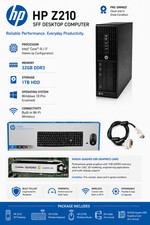
Intel(R) Xeon(R) CPU @ 3.30GHz, 4 Core(s), 32 GB RAM, 1 GB HDD Workstation 3
$145.00
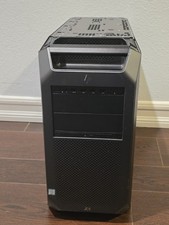
HP Z8 G4 Z8G4 Barebone Workstation w/ Intel Xeon Silver - No HDD No RAM No GPU
$449.99

Matched Pair _ Intel Xeon E5-2698 V4 2.2GHz 20-Core Processor CPU LGA2011 SR2JW
$94.99

Lenovo ThinkStation P520 Intel Xeon W-2123 3.6GHz 900W - NO RAM/ GPU/ HDD/ OS
$189.98

Intel Xeon Gold 6230 2.1 GHz Processor - SRF8W
$29.00

Supermicro 1027GR-TSF 1U Rackmount Server 2x Xeon 2.3GHz 128GB DDR3
$219.99

Intel Xeon Processor E5-2687W V4 SR2NA 3.00GHz Broadwell 160W LGA2011 12-Core
$36.00



 Reply With Quote