-
Benefit of installing to HD
I download the dvd iso to my HD, and burn cd iso to cd. I boot from cd with the bootfrom parameter. That way my systsem is secure that the dvd image provides, I can boot fast because it boots from the hard drive, and my cd/dvd drive is free for other use. Now if I could install a bootloader that would allow me to boot from the iso instead of the CD I would be all set. All my configuration is also saved to an image on my local drive.
What additional benefits would I get from an HD install. I have installed debian, but that install is not as polished as the knoppix. Then I also have to update the software regularily. With the iso, I am free from that. I just download and install new versions as they come out.
Neeraj
-
Senior Member
registered user
You can boot straight from the ISO using the bootfrom cheatcode (i.e. bootfrom=knoppix.iso) so that means you never have to copy or install anything... Just download the new ISO and boot up 
There is ALOT of info about this method in the thread I've posted below along with some files youll probably need.
http://www.knoppix.net/forum/viewtopic.php?t=11796
Take Care,
-Justin
One Mynds Eye
-
Senior Member
registered user
What additional benefits would I get from an HD install. I have installed debian, but that install is not as polished as the knoppix.
My ideal for hard drive is a 'pure' installation of Debian Etch using the minimal 'net install' installer image, then downloading just those packages that I want. But a Knoppix hard-drive 'Debian type' installation configures many things more easily for a non-IT-specialist user (like myself  ) , even though you may have to 'tweak' things as variously advised in these forums. Also if you are interested in re-mastering, an installed Knoppix system provides a representative 'test-bench' .
-
I have sarge installed on a pc that I use for routine stuff and my webserver. But it is nowhere as polished as the knoppix cd which I prefer to use for my daily tasks. I have the dvd iso on my hard drive so I boot with a knppix cd/dvd then at the prompt use the bootfrom parameter to boot my knppix image so that my cd drive is free for other purposes. Plus it boots much faster from the HD.
But I have not installed knoppix to my hd so I still have the security of the dvd. If I could get some bootloader for my hd that would give me the option to boot my knoppix iso image that would be great. Let me review the stuff in the other post and see if I can find anything useful and not too difficult to setup.
Similar Threads
-
By jza in forum Hdd Install / Debian / Apt
Replies: 1
Last Post: 05-03-2003, 11:30 PM
 Posting Permissions
- You may not post new threads
- You may not post replies
- You may not post attachments
- You may not edit your posts
-
Forum Rules


16GB KIT (2x8GB) DDR3 Gamer Desktop RAM PC3 MIXED BRANDS VIPER VENGEANCE FURY
$10.00

Netac DDR4 32GB 16GB DDR4 3200MHz UDIMM C16 Desktop Internal Memory RAM Kit
$99.99

MTC8C1084S1SC56BD1 Micron 16GB DDR5 1Rx8 PC5-5600B 5600Mhz SO-DIMM Memory
$149.99

A-Tech 8GB DDR3 1600 PC3-12800 Laptop SODIMM 204-Pin Memory RAM PC3L DDR3L 1x 8G
$21.68
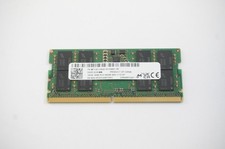
MTC8C1084S1SC56BD1-NF Micron 16GB DDR5 1Rx8 PC5-5600B 5600Mhz SO-DIMM Memory
$149.99

Major Brand 16GB (2x8GB) PC3-12800U DDR3-1600MHz DDR3-12800 DESKTOP RAM NON-ECC
$29.99
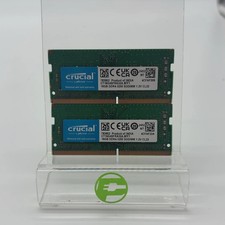
Crucial Laptop Ram 32GB (2x16GB) RAM DDR4 3200MHz CT16G4SFRA32A
$119.99

Samsung 32GB DDR4-2666V-2Rx4-RB2-12 RAM M393A4K40CB2-CTD6Q
$169.00

Corsair Vengeance DDR3 8GB 16GB 32GB 1866MHz PC3-14900 Desktop RAM Memory DIMM
$85.00
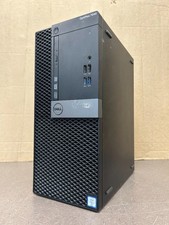
Dell Optiplex 7040 MT, i7-6700 3.40GHz, 16GB DDR4 RAM, NO HDD/OS #95
$65.00



 Reply With Quote