

 Reply With Quote
do su in a console
and then
/etc/init.d/apache start


I'm running Knoppix 5.1 as a LiveCD.
I tried service hhtpd start to start Apache, without success.
Can someone help me please in starting Apache?
do su in a console
and then
/etc/init.d/apache start
Go to a Console and type the following command:
/etc/init.d/apache2 start
Don't omit the 2 after apache, it is easy to do !
to stop, change the start to stop
to get the status of apache, change start to status
to reread the config files, change start to reload
to stop and then restart the server, change start to restart
I believe just giving the command apache2 -V at the console will provide info on
config files and the version of apache
If the above does not work then try this:
sudo vi /etc/apache2/apache2.conf
and add ServerName localhost at the end of the file.
Press 'i' and a big insert shows up at the bottom command line
now add
ServerName localhost
to the end using the arrows.
press the following keys
Esc > colon > x > Enter
this will write and save and exit vi.
now type in su root
apache2 -k start
hth
(check out apache2 -h for info)
 Posting Permissions


Samsung DVI to DVI Cable 6 ft Digital Video Interface Audio Video NEW
$30.89
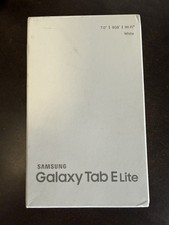
NEW Samsung Galaxy Tab E Lite White 8GB 7.0” SM-T113 Unopened
$60.00
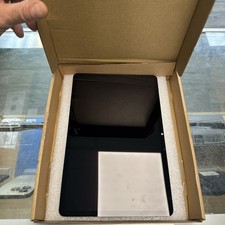
Original For Samsung Galaxy Tab S7 11" SM-T870 SM-T875 LCD Touchscreen Digitizer
$50.00
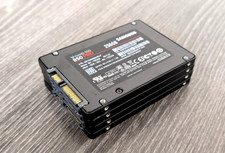
LOT of 4 Samsung V-Nand SSD 850 PRO 256GB 2.5" Solid State Drive MZ-7KE256
$104.95

Kids Case for Samsung Galaxy Tab A9+/A9 plus 11 Inch 2023 Case, with Strap, Shoc
$27.99

Samsung JC95-01514A Cover-Side Roller T2 Compatible
$39.00

Samsung JC93-01078A Transfer Roller T2
$89.00

Samsung PC4-2666V 16GB 2Rx8 RAM DDR4 2666MHz M471A2K43CB1-CTD
$59.99

Samsung Galaxy Tab Active 3/ 64 gig/WIFI
$85.00
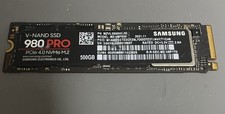
Samsung 980 PRO 500GB M.2 2280 NVMe PCIe 4.0 V-NAND SSD MZ-V8P500
$70.00