

 Reply With Quote
Just install Knoppix CD or DVD and select Install to Master Boot Record (MBR)
And you will have a Bootloader Menu with XP, etc.


Hi,
I've knoppix live CD and would like to install it on my hard-drive. Currently, I'm running Windows xp home (NTFS) and would like to have a boot menu that asks me to either boot linux or windows.
Could someone point me to articles that explain in detail on how this can be done? I've done some googling but of not much help. Please share your experiences, dos & donts that might help me.
Thanks
Just install Knoppix CD or DVD and select Install to Master Boot Record (MBR)
And you will have a Bootloader Menu with XP, etc.
 Posting Permissions


RAM-HOL-SAM60CPU RAM USB-C Powered Dock for Samsung Tab Active5 - 3 - 2
$81.99
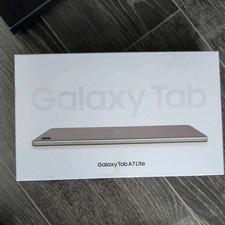
Samsung Galaxy Tab A7 Lite 8.7" 32GB Tablet Wifi+Cellular, Gray
$85.00
Samsung LS32A700NWNXZA 4K UHD LED Monitor 32" A700 Series with HDR, Black
$200.00
Samsung Galaxy Tab A11+Plus 5G 2026 128GB GRAY
$168.00

RAM-HOL-SAM52CPU RAM USB-C Powered Dock Samsung Tab Active4 Pro & Tab Active Pro
$81.99

Cell Phone Smartphone Computer repair banner poster sign iphone Samsung
$89.99

RAM-GDS-SKIN-SAM54-NG-1 RAM Mounts IntelliSkin® Next Gen for Samsung Tab Active4
$93.99

Samsung SCXSTP000, SCX-STP000 (Swingline Staple Cartridge - 3 Refills)
$57.99

Samsung 2.5" 870 EVO SSD SATA III 250GB 500GB 1TB Internet Solid State Drive Lot
$90.00

Samsung Galaxy Tab Active 3/ 64 gig/WIFI
$85.00