-
Hi!
Try looking into
/etc/rc2.d /etc/rc3.d ... /etc/rc{your runlevel}.d directories.
There are links to /etc/init.d/* startup scripts. Here is nearly all the magic.
root@llod-zion:/home/mtodorov# more /etc/rc2.d/README
The scripts in this directory are executed each time the system enters
this runlevel.
The scripts are all symbolic links whose targets are located in
/etc/init.d/ .
To disable a service in this runlevel, rename its script in this directory
so that the new name begins with a 'K' and a two-digit number, where the
number is the difference between the two-digit number following the 'S'
in its current name, and 100. To re-enable the service, rename the script
back to its original name beginning with 'S'.
For a more information see /etc/init.d/README.
root@llod-zion:/home/mtodorov#
Enjoy,
Marvin
Similar Threads
-
By play1962 in forum Hardware & Booting
Replies: 5
Last Post: 05-09-2006, 06:14 PM
-
By bxb32001 in forum Hdd Install / Debian / Apt
Replies: 7
Last Post: 10-24-2003, 06:17 PM
-
By freeballer in forum Customising & Remastering
Replies: 0
Last Post: 09-17-2003, 03:15 AM
-
By GREGC in forum Hdd Install / Debian / Apt
Replies: 4
Last Post: 03-11-2003, 10:46 PM
-
By jforbes in forum Hdd Install / Debian / Apt
Replies: 6
Last Post: 03-04-2003, 06:25 PM
 Posting Permissions
- You may not post new threads
- You may not post replies
- You may not post attachments
- You may not edit your posts
-
Forum Rules


Vintage Apple II Avant-Garde Creations Super Shape Draw And Animate 1981
$295.00

Vintage Apple Monitor IIc 9" Green Monochrome 06/1985 A2M4090 October 1984 Stand
$275.00

Vintage cross Apple computer branded pen rainbow logo In original box
$100.00
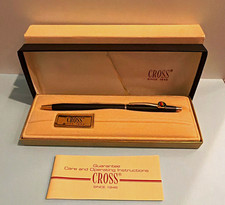
Vintage Apple computer Cross Metal Ballpoint Pen Black Ink Gold Trim
$125.00

Rare Vintage Macintosh Apple Wooden Disk Storage Box Dovetailed
$69.95

LARGE LOT Vintage Apple Macintosh Mouse Cables Accessories SCSI etc - UNTESTED
$80.00

Vintage RARE 1980s Apple Computer Logo Frisbee. Great shape, w/ the usual nicks
$220.00

Vintage Apple Macintosh 128K 512K Carrying Case Rainbow Logo Excellent Cond
$140.00

Vintage Apple iMac G4 15" Lamp 700MHz 512MB Mac OS X 10.4.6 W/ Pro Speakers
$300.00

Vintage Apple Multiple Scan 15av Display Monitor M4681
$299.99



 Reply With Quote