-
How to use Beryl 3d desktop??
I am definitely a noobie linux person and just made a knoppix 5.1 live cd. My teacher at school booted to it and was spinning the desktop on what looked like a cube. I am trying to get the 3d desktop to work but am not sure how to do that. Can someone help? I am trying to get the cube to rotate so that I can just rotate between desktops. I meet all the specs as far as hardware goes just not sure if there are any configuration changes I need to make in the Beryl Settings Manager or not. Thanks again and I am sure you guys will have an answer pretty quick.
-
I believe you should use the cheatcode desktop=beryl.
When you get a screen saying boot: or login: (I can't recall which exactly; I just react), you enter knoppix desktop=beryl. There is a file included with the download, titled knoppix-cheatcodes.txt. The latest version didn't include a beryl cheatcode, but it does work.
One word to the wise; you need at least 512K to run it reliably, or at all. It is a bit of a RAM hog.
Please let me know how it works out.
-
I am able to get it loaded since it comes as part of the knoppix 5.1 live cd but I am not sure how to actually utilize the features of the 3d desktop. I mean, how to you switch between desktops and everything?
Similar Threads
-
By zaiko2000 in forum General Support
Replies: 1
Last Post: 07-21-2008, 07:18 PM
-
By Jamsh in forum General Support
Replies: 5
Last Post: 05-03-2007, 06:54 AM
-
By eadz in forum The Lounge
Replies: 4
Last Post: 03-20-2007, 06:29 AM
-
By Jamsh in forum Hardware & Booting
Replies: 0
Last Post: 02-09-2007, 04:42 PM
-
By Jamsh in forum General Support
Replies: 0
Last Post: 02-09-2007, 03:14 PM
 Posting Permissions
- You may not post new threads
- You may not post replies
- You may not post attachments
- You may not edit your posts
-
Forum Rules


Vintage Apple USB Mouse M4848 Bondi Blue iMac G3 Hockey Puck - Tested Working
$22.99

VINTAGE Apple Mac OS X Computer Monitor
$250.00
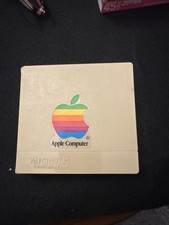
Vintage Apple Computer Rainbow Logo 3.5" Disk Holder Micro/5 Compak 4 Disks
$22.00
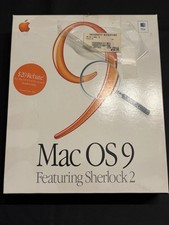
Vintage Apple Mac OS 9 Retail Box 1999 Sherlock 2 Original CD Manuals
$50.00
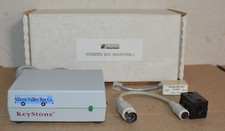
Kineses PS/2 Keyboard to Macintosh Adapter Converter Vintage Interface Apple
$60.00
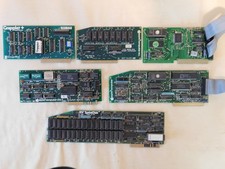
Apple Computer cards Super Serial SCSI AST -Orange Micro ++ Vintage 1980's
$169.00

Rare Vintage Macintosh Apple Wooden Disk Storage Box Dovetailed
$69.95
Vintage apple clock and time card 1984 timemaster 11 H.O. Never tested
$79.00

Apple cloth fabric banner iBook tangerine orange New Old Stock Vintage
$99.00

Vintage Apple Color RGB Color Monitor A2M6014. Used.
$199.99



 Reply With Quote