-
Senior Member
registered user

Originally Posted by
Dave_Bechtel
--With a sufficient number of users, you will eventually run out of available seperate partitions, even with Extended/Logical in effect. Somewhere around 16, 20 or mebbe 24 I think. (Altho I've never had to have that many myself. I think the most I've gone up to is around 12 or 13, and that's on an 80-gig HD.) However, you might get around this limitation with multiple HD's and multiple "home-only" server boxes with NFS.
True....I have never had that many either but certainly it would be possible to run out.
Here is _Shields Up which just scans some commmon ports- note the hilarious dialouge about windows network machines....
----------------------------------------------------------------------------------------------------------
Shields UP! is checking YOUR computer's Internet
connection security . . . currently located at IP:
xx.xx.xx.xx
Please Stand By. . .
Attempting connection to your computer. . .
Shields UP! is now attempting to contact the Hidden Internet Server within your PC. It is likely that no one has told you that your own personal computer may now be functioning as an Internet Server with neither your knowledge nor your permission. And that it may be serving up all or many of your personal files for reading, writing, modification and even deletion by anyone, anywhere, on the Internet!
Preliminary Internet connection refused!
This is extremely favorable for your system's overall Windows File and Printer Sharing security. Most Windows systems, with the Network Neighborhood installed, hold the NetBIOS port 139 wide open to solicit connections from all passing traffic. Either this system has closed this usually-open port, or some equipment or software such as a "firewall" is preventing external connection and has firmly closed the dangerous port 139 to all passersby. (Congratulations!)
Unable to connect with NetBIOS to your computer.
All attempts to get any information from your computer have FAILED. (This is very uncommon for a Windows networking-based PC.) Relative to vulnerabilities from Windows networking, this computer appears to be VERY SECURE since it is NOT exposing ANY of its internal NetBIOS networking protocol over the Internet.
----------------------------------------------------------------------------------------------------------
Now- just for the fun of it let's add these rules to the ipchains:
/sbin/ipmasqadm autofw -A -r tcp 1 65535 -h 192.168.0.99
/sbin/ipmasqadm autofw -A -r udp 1 65535 -h 192.168.0.99
These rules will stealth all ports by forwarding them to a non-existant machine on my network.
Ok let's do the port scan at shieldsup again:
---------------------------------------------------------------------------------------------------------
Your Internet port 139 does not appear to exist!
One or more ports on this system are operating in FULL STEALTH MODE! Standard Internet behavior requires port connection attempts to be answered with a success or refusal response. Therefore, only an attempt to connect to a nonexistent computer results in no response of either kind. But YOUR computer has DELIBERATELY CHOSEN NOT TO RESPOND (that's very cool!) which represents advanced computer and port stealthing capabilities. A machine configured in this fashion is well hardened to Internet NetBIOS attack and intrusion.
Unable to connect with NetBIOS to your computer.
All attempts to get any information from your computer have FAILED. (This is very uncommon for a Windows networking-based PC.) Relative to vulnerabilities from Windows networking, this computer appears to be VERY SECURE since it is NOT exposing ANY of its internal NetBIOS networking protocol over the Internet.
----------------------------------------------------------------------------------------------------------
Here's Sygate's results:
FTP DATA
20
BLOCKED
This port has not responded to any of our probes. It appears to be completely stealthed.
FTP
21
BLOCKED
This port has not responded to any of our probes. It appears to be completely stealthed.
SSH
22
BLOCKED
This port has not responded to any of our probes. It appears to be completely stealthed.
TELNET
23
BLOCKED
This port has not responded to any of our probes. It appears to be completely stealthed.
SMTP
25
BLOCKED
This port has not responded to any of our probes. It appears to be completely stealthed.
DNS
53
BLOCKED
This port has not responded to any of our probes. It appears to be completely stealthed.
DCC
59
BLOCKED
This port has not responded to any of our probes. It appears to be completely stealthed.
FINGER
79
BLOCKED
This port has not responded to any of our probes. It appears to be completely stealthed.
WEB
80
BLOCKED
This port has not responded to any of our probes. It appears to be completely stealthed.
POP3
110
BLOCKED
This port has not responded to any of our probes. It appears to be completely stealthed.
IDENT
113
BLOCKED
This port has not responded to any of our probes. It appears to be completely stealthed.
NetBIOS
139
BLOCKED
This port has not responded to any of our probes. It appears to be completely stealthed.
HTTPS
443
BLOCKED
This port has not responded to any of our probes. It appears to be completely stealthed.
Server Message Block
445
BLOCKED
This port has not responded to any of our probes. It appears to be completely stealthed.
SOCKS PROXY
1080
BLOCKED
This port has not responded to any of our probes. It appears to be completely stealthed.
WEB PROXY
8080
BLOCKED
This port has not responded to any of our probes. It appears to be completely stealthed.
SOURCE PORT
61897
BLOCKED
This is the port you are using to communicate to our Web Server. A firewall that uses Stateful Packet Inspection will show a 'BLOCKED' result for this port.
I think that this should quash any doubts about how secure a Linux router can be. I'd love to see some dlink and netgear results.
I use Coyote Linux which borrows heavily from LRP. In fact some of the LRP add-on packages have been converted for use in Coyote. I can access my router via web browser, make backup copies of my router floppy, ssh, restart firewall rules with a simple command of firewall-r and a host of other features.
Of course I'll need to unstealth a port for ssh to work again.
Similar Threads
-
By prelude in forum Networking
Replies: 7
Last Post: 09-15-2004, 04:17 AM
-
By lordb in forum Hdd Install / Debian / Apt
Replies: 1
Last Post: 05-02-2004, 06:43 AM
-
By alxdotnet in forum Hdd Install / Debian / Apt
Replies: 0
Last Post: 02-12-2004, 05:57 PM
-
By Bd84 in forum General Support
Replies: 12
Last Post: 05-27-2003, 04:16 PM
-
By WT in forum General Support
Replies: 1
Last Post: 12-31-2002, 09:21 PM
 Posting Permissions
- You may not post new threads
- You may not post replies
- You may not post attachments
- You may not edit your posts
-
Forum Rules


Genuine Cisco SFP-10G-SR 0-2415-03 10 Gigabit Transceiver
$5.40

NEW Sealed Cisco SFP-10G-LR 10GBASE-LR SFP+ 1310nm 10km *US Shipping*
$24.00

Dell Intel X710-DA2 5N7Y5 Dual-Port 10GbE SFP+ PCIe 3.0 x8 Network Adapter
$27.50

CISCO SFP-10G-SR V03 10-2415-03 NEW SEALED
$39.99

SFP TO RJ45 TRANSCEIVER SFP MODULE COPPER SFP OPTICAL PORT TO RJ45 ETHERNET PORT
$7.99

HP 560SFP+ 10GB 2-port PCIe NIC Ethernet ADAPTER 669279-001 w/ (2) 10GB SFP+
$16.99

Lot of 500 Cisco 10-3145-02 QSFP-100G-CWDM4-S 100G CWDM4 QSFP28 Transceiver
$1500.00
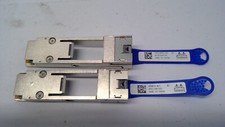
Mellanox 655874-B21 655902-001 QSFP to SFP+ Adapter Kit MAM1Q00A-QSA 00D9678
$13.99

Cisco Meraki MA-SFP-1GB-SX Network Tranceiver Module
$89.00

Cisco Meraki OEM MA-SFP-1GB-LX10 1000Base-LX 1GbE SFP Module 1310nm 10km SMF LC
$95.00



 Reply With Quote