-
Knoppix 5.1 LiveDVD - mouse dead during bootup process
I am new to Linux and was interested in trying Knoppix. I downloaded the DVD and was able to get most of the boot accomplished, although the boot process stalled on trying to identify the DVD Drive of the LiveDVD. Both my mouse (Logitech Marble Mouse) and keyboard (standard US - HP) do not work correctly after I boot into the main window of Knoppix. The mouse is stalled and totally dead. The keyboard does not produce the correct letters, etc., that normally belong to the keys. Both of these pieces of hardware are PS/2.
My use of commands is very limited but I would like to experience a proper boot-up of the Live DVD Knoppix 5.1 version.
Which cheat codes are most applicable and how do I use them properly? Thank you for your assistance. The priority problem is the dead mouse -- a real hinderance to operating and exploring Knoppix. 

-
Administrator
Site Admin-
Re: Knoppix 5.1 LiveDVD - mouse dead during bootup process

Originally Posted by
nancy
.... The mouse is stalled and totally dead. The keyboard does not produce the correct letters, etc., that normally belong to the keys. Both of these pieces of hardware are PS/2....
I have no idea what the mouse problem is. I've seen a report of a mouse problem when running in a virtual machine, but I'm assuming that you're running from actual hardware.
As to the keyboard, it might help if we knew what keys are wrong and what they now type. Without more information, it sounds like you might have downloaded the German ISO (one with a DE in the name) rather than an English ISO (with EN in the name). If so you have your choice of two fixes, use the EN ISO, or type knoppix lang=us or knoppix keyboasrd=us at the boot prompt. (Ues en instead of us if you use pound signs instead of dollar signs) One little extra challange about the cheat code approach, until you give the code the system will still think you have a German keyboard, and the = isn't in the same place as it is on a us keyboard. You'll have to search for it, I think it's shift-zero, but maybe it's shift-9.
---
Verifying of md5 checksum and burning a CD at slow speed are important.
-
Thank you for the apt information
I did inadvertently download the German instead of the English 5.1 Knoppix version. I am downloading the English LiveCD presently. I will see if I can resolve the "mouse problem" and will also try the suggestions that you made regarding the German ISO. The learning experience will be interesting.
-
Administrator
Site Admin-
On the mouse, you might try knoppix nowheelmouse to see if you can coax it into believing a mouse is there. I would also try an experiment and boot with some other mouse plugged into the ps2 mouse port to learn if it's the Logitech Marble Mouse in particular that Knoppix is having trouble with or if it's something else about your hardware.
---
Verifying of md5 checksum and burning a CD at slow speed are important.
-
I have the same problem - mouse is dead with knoppix 5.1.1 on a dell latitude D600
When 5.1.1 boots, it detects the mouse as an alps touchpad. Following boot, the touchpad, the mouse-stick and a USB mouse I have plugged in are all dead. Also, during boot, I note some errors relating to not being able to find the modules directory.....
When 5.0.1 boots, it tells me that the mouse is unknown, but the touchpad, mouse-stick and USB mouse all work.
specifying knoppix nowheel has worked for me in the past when I've had a laptop where the mouse wasn't detected. It does not work for this problem.
Any more ideas?
-
Mouse Still Dead
Thanks for your input. The knoppix nowheel doesn't work regarding my present dead mouse problem either. Perhaps someone will be able to supply some workable ideas. 
-
Administrator
Site Admin-
I'm still wondering if you were able to try an alternate mouse. Also, check you BIOS for any mouse related settings and if you find any make changes and try again. As a last ditch effort you could boot in expert mode and step through all of the hardware settings. Make note of anything that is said when you get to anything about the mouse, particularly any error messages.
---
Verifying of md5 checksum and burning a CD at slow speed are important.
-
Alternate Mouse had the same effect
I tried an alternate PS/2 mouse and it had the same effect of non recognition by Knoppix. I'll check the Bios and perhaps try the expert mode. Thanks again. 
Similar Threads
-
By Miszcz in forum Networking
Replies: 2
Last Post: 06-02-2008, 07:13 PM
-
Replies: 6
Last Post: 06-16-2006, 10:52 AM
-
By Steven2ic in forum Hardware & Booting
Replies: 1
Last Post: 01-18-2005, 05:11 PM
-
By mco in forum Hdd Install / Debian / Apt
Replies: 0
Last Post: 12-19-2004, 04:33 PM
-
By metzelplik in forum Customising & Remastering
Replies: 5
Last Post: 08-23-2004, 08:11 PM
 Posting Permissions
- You may not post new threads
- You may not post replies
- You may not post attachments
- You may not edit your posts
-
Forum Rules


Macintosh Platinum Mouse - Apple 128K 512K 512Ke Mac Plus Lisa IIe M0100 - NEW
$49.99
Apple Macintosh 512K 1MB MacSnap SCSI 128K ROM 800K + 400K Drive Keyboard Mouse
$995.00
Apple Macintosh 128k 1984 upgraded to Plus includes keyboard mouse
$450.00

1984 APPLE MACINTOSH 128K MATCHING # BOX Set Original Mac Model M0001 WORKS RARE
$6299.00
Apple IIe Platinum 128k Computer A2S2128 (Powers On)
$250.00
Apple IIe Platinum 128k Computer A2S2128 ~ Powers On
$250.00
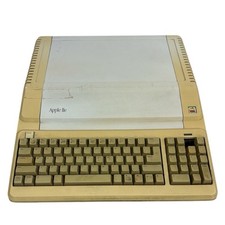
Vintage Apple IIe Platinum 128k Computer A2S2128 ~ Powers On
$250.00
Apple IIe Platinum 128k Computer A2S2128 ~ (Powers On)
$250.00

EARLY 1984 Apple Macintosh 128K Original ROM SET Dated 1983 TESTED Very RARE
$179.99

VINTAGE Apple Mac OS X Computer Monitor
$250.00



 Reply With Quote