-
Junior Member
registered user
Samba Nuttiness
I've been trying to get Samba set up on my HDD-install for a while now, and to be honest, it's pissing me off -- mainly because it doesn't work as advertised in the FAQ or other posts in the forum.
Here's the setup:
Knoppix box & WinXP box on the same network (192.168.2.10, 75)
/etc/samba/smb.conf:
security = share
....
[myshare]
Comment = My Share
path = /home/knoppix (I know, accessible thru Homes, bear with me)
writeable = yes
smbpasswd:
contains entries for both "knoppix" and "draco" (name of the XP box)
When I try to access this from my WinXP box, I can see everything, but get permission denied errors every time I try to write anything.
Strangely enough, when I change the above path to /tmp, it works like a charm.
This seems like an issue with filesystem permissions on the /home/knoppix directory...but I have to admit I don't want to make my home directory world writeable and then share it via Samba. How can I fix this?
Thanks,
Alex Kirk
-
Alex,
I'm not a Samba wiz but I do use it quite a bit in the Security=Domain mode, so I'm not up on Security=Share.
I took a quick look at the Samba FAQ here and it looks like it is creating a public share, thus your ability to write to /tmp.
Using Security=Share I believe you must try to access the share using the username/password that has has write access to the directory (knoppix user name with the knoppix user passowrd on the knoppix box).
So try this: Create an account on your XP box with the same user name and password (knoppix) as you would use to write to the /home/knoppix directory, or map the drive using the knoppix user and password.
I believe samba is going to look at the /etc/passwd file to make sure the user trying to use the share has the appropriate rights and is a valid user.
Check this to: http://us3.samba.org/samba/docs/man/....html#SECURITY
and look at the section on Security=Share. You might want to try changing the security to Security=User.
Rememebr to restart samba after changes to smb.conf (/etc/init.d/samba restart)
Hopefully someone with more Samba knowledge can give you better instructions.
Mike
Similar Threads
-
By ghostblaze in forum General Support
Replies: 4
Last Post: 11-04-2004, 03:14 AM
-
By jimbo62 in forum Networking
Replies: 4
Last Post: 08-15-2004, 03:22 AM
-
By smarchand291 in forum General Support
Replies: 0
Last Post: 11-08-2003, 11:41 PM
-
By juan_sck in forum General Support
Replies: 2
Last Post: 10-17-2003, 01:36 PM
-
By Tovi in forum General Support
Replies: 4
Last Post: 04-21-2003, 08:42 AM
 Posting Permissions
- You may not post new threads
- You may not post replies
- You may not post attachments
- You may not edit your posts
-
Forum Rules


Genuine OEM Apple MagSafe 2 45W AC Adapter Charger for Macbook Air 2015 11" 13"
$16.00

Genuine Apple OEM A2164 30W USB-C AC Power Adapter with USB-C Cable, Very Good
$20.59
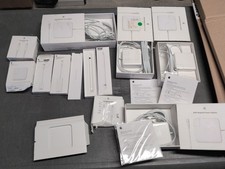
Lot Of Apple Cords And Accessories All OEM Genuine Apple Pencil, Magsafe Power
$109.99
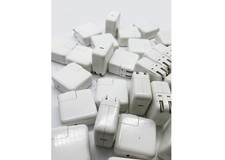
Lot of 30 Genuine OEM Apple 30W USB-C Power Adapter for iPhone iPad MacBook Air
$419.59

OEM 45w T-Tip Power Adapter charger for Apple macbook air 2012-2017 A1436 A1466
$19.99

Genuine OEM Apple 60W MagSafe Power Adapter A1344 ~ FREE S/H
$12.99

OEM Genuine For Apple MacBook Air Magsafe 2 45W Power Adapter Charger A1436 NEW
$26.79

OEM Apple 45W A1436 Power Charger AC Adapter for MacBook Air MagSafe 2
$12.99

Genuine Apple Power Adapter Extension Cable 6FT White OEM MacBook MK122LL/A
$10.99
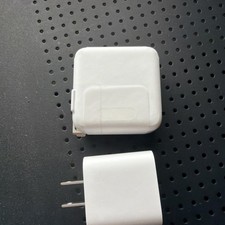
Apple 30W + 20W USB-C Power Adapter Lot – Brand New OEM
$50.00



 Reply With Quote