-
Senior Member
registered user
How to Disable Konqueror at startup?
I have the 5-16-2003 version and unlike the previous ones the Konqueror opens at startup. I am using the poor man's installation and did not include index.html so at startup the file is always "missing".
So how can I prevent Konqueror from starting?
-
Senior Member
registered user
I have 100 networked PCs with a lot of varied hardware all using the Poor Man's Dual Boot installation as well as the fast DOSbootdisk. Since the only KNOPPIX files on hda1 are
/mnt/hda1/KNOPPIX/KNOPPIX
/mnt/hda1/KNOPPIX/minroot.gz
/mnt/hda1/KNOPPIX/vmlinuz
not only is the KNOPPIX info index.html file missing, but Konqueror does not start up. Have you installed yours differently?
Regards,
-
Senior Member
registered user
I may have a solution if you are using configs.tbz when you boot.
This file is created by K --> KNOPPIX --> Configure
--> Save KNOPPIX configuration
Unfortunately configs.tbz won't fit on your boot floppy but you can put in
a second floppy as soon as boot is done, or on a second CDROM,
or on a Hard_drive, or even burned onto you KNOPPIX CD.
The key is to know that KNOPPIX has put the start up in
KDE Autostart. To see it you must click View --> Show Hidden Files
click .kde --> Autostart and there is the showindex.desktop
Now for the trick. K --> Settings --> Control Center
--> (+) System Administration --> Pathes
Change Atostart path to you own folder or just
/home/knoppix/tmp so nothing autostarts.
Of course, this setting must be saved in configs.tbz and be
available (cheat code pointing to it) at boot time.
Best Wishs
paradocs
-
Senior Member
registered user
To Paradocs,
I don't boot from floppy,I use loadlin. As I have stated I am using the poor man's install and I boot knoppix thu a batch file that uses loadlin.exe. For this reason I don't have the option to select a cheat code during boot.
Using a floppy to boot for me is a step backward as I am already used to my manner of hd booting.
Anyway I will try out your suggestion-perhaps doing some modifications on the batch file.
To Jorge,
I have the same files and directories that you have. But this time I had to add the index.html file so as to get rid of the error message about that file being missing.
-
Senior Member
registered user
Okey it worked-set autostart to /home/knoppix/tmp.
Thanks!
-
Senior Member
registered user
Hello all,
I just want to add a word of warning
about my "quick and dirty solution." 
Do not ever put a dangerous script
file in tmp or when you start up you
could do great damage.
I do not know if the path could be blank
but I have my path pointing to a hidden
file .kde_autostart. I have files here that
set up the confiugration of my IDSN
connection and modifiy setting in
/etc/sane.d/epson.conf to let my scanner work.
Since you are at root, script files can
do a lot.
Best Wishs and safe computing
paradocs
Similar Threads
-
By medwards67 in forum Customising & Remastering
Replies: 0
Last Post: 10-20-2004, 03:36 PM
-
By tempo in forum General Support
Replies: 0
Last Post: 10-05-2004, 04:46 PM
-
By canadian_psyko in forum General Support
Replies: 3
Last Post: 05-19-2004, 05:01 AM
-
By MaTh2k in forum Networking
Replies: 0
Last Post: 09-04-2003, 10:28 AM
-
By rec9140 in forum General Support
Replies: 4
Last Post: 07-29-2003, 04:12 PM
 Posting Permissions
- You may not post new threads
- You may not post replies
- You may not post attachments
- You may not edit your posts
-
Forum Rules

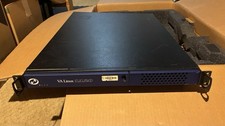
VA Linux 1120 1U Rackmount Server
$100.00

Ubuntu Server 26.04.1 LTS Bootable USB Flash Drive – Latest September 2026
$12.99

OPNsense pfSense 8-Core Atom C3758 2.2GHz 8GB DDR4 64GB SSD 8x NIC QAT AES VPN
$115.00

OPNsense Firewall VPN QAT 8-Core Atom C3758 2.20GHz 16GB DDR4 128GB SSD 8xNIC
$175.00

All New Ubuntu 26.04 LTS Linux Bootable USB Flash Drive
$15.95

Start9 Server Pure 32GB 4TB Intel i7 Node StartOS — Box + PSU
$649.00

ZimaBoard 2 1664 Home Server 16GB
$350.00
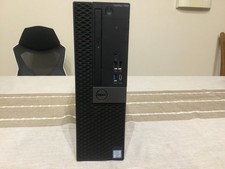
Dell Optiplex 7050 SFF Server (256GB NVME, 8GB RAM, i5-7500 @ 3.8Ghz)
$75.00
LG PCS200S Pro:Centric Server Hospitality TV Management System 1U Rackmount
$350.00
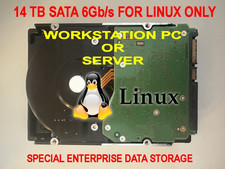
Hitachi 14TB SATA 6Gb/s, 3.5”, 7200 RPM, Linux Only Hard Drive. 100% HEALTH.
$197.00



 Reply With Quote