

 Reply With Quote
you first need to generate host keys and start the daemon with "/etc/init.d/ssh start" (as root).


Hi,
I'm live booting on machine with view to doing an HD install
Machine is currently running (almost, refusing to boot anymore) Xandros linux.
Problem:
SSH to the live boot machine(DHCP'd 10.1.0.44 ) doesn't work.
No error message, just ssh hangs forever ( does even show a login prompt )
Tried from a Windows machine using putty and from DamnSmall Linux using just ssh
Both machines can ping 10.1.0.44 and it can ping them.
ssh on 10.1.0.44 to DamnSmall linux machine also hangs ( Window putty to DSL works ).
Netstat on machine shows I have started sshd and it's listening ( 10.1.0.44:ssh *:* LISTEN )
KNOPPIX Firewall is reporting as "Firewall Active? no"
from 10.1.0.44 I can do: ssh 10.1.0.44 and it connects okay.
Running a Port Scan from 10.1.0.44 to 10.1.0.44 shows ssh open.
Running a Port Scan from 10.1.0.44 to DSL machine also shows ssh open.
Any ideas?
Is there another firewall somewhere?
NOTE: Also Icewasel is not able to connect to web server on DSL machine. It's looking like it TCP that's not working a UDP/ICMP is? (ie ping works)
Is it something in the /etc/ssh/sshd-config that I can't spot that's stopping it working?
you first need to generate host keys and start the daemon with "/etc/init.d/ssh start" (as root).
I believe those keys were created when I ran the sshstart script.
In /etc/ssh I have:
moduli
primes
ssh_config
ssh_host_dsa_key
ssh_host_dsa_key.pub
ssh_host_key
ssh_host_key.pub
ssh_host_rsa_key
ssh_host_rsa_key.pub
sshd_config
I reboot and started again and re-run that script, changed root passwd and it's made no difference.
Can still ping but not ssh to or from the live boot machine.
Try ssh -v . This increases the verbosity of the client - perhaps it will tell you what's missing.
Good suggestion, not sure if this helps anyone.
This is trying to ssh to the live boot Knoppix 5.1.1 ( Current Linux Mag Cover disk. Issue 77 )
Trying from DamnSmall Linux:
root@0[root]# ssh -v 10.1.0.44
OpenSSH_3.6.1p2 Debian 1:3.6.1p2-9, SSH protocols 1.5/2.0, OpenSSL 0x0090705f
debug1: Reading configuration data /etc/ssh/ssh_config
debug1: Applying options for *
debug1: /etc/ssh/ssh_config line 17: Deprecated option "FallBackToRsh"
debug1: /etc/ssh/ssh_config line 18: Deprecated option "UseRsh"
debug1: Rhosts Authentication disabled, originating port will not be trusted.
debug1: Connecting to 10.1.0.44 [10.1.0.44] port 22.
debug1: Connection established.
debug1: read PEM private key done: type DSA
debug1: read PEM private key done: type RSA
debug1: identity file /root/.ssh/identity type -1
debug1: identity file /root/.ssh/id_rsa type -1
debug1: identity file /root/.ssh/id_dsa type -1
Try to go from Knoppix back back to the DamnSmall linux machine:
# ssh -v 10.1.0.10
Basically the lines with errors are:
debug1: An invalid name was supplied
Cannot determine realm for numeric host address
debug1: An invalid name was supplied
A parameter was malformed
Validation error
debug1: SSH2_MSG_KEXINIT sent
-----------------------------------------------------------
Giving the machines names in /etc/hosts made no difference.
>debug1: An invalid name was supplied
I don't know if 'name' means username, but just to make sure try
ssh [email protected]
where 'username' is a valid account on 10.1.0.10 .
You might also try to step up ssh's verbosity by increasing the amount of 'v's
up to three (ssh -vvv).
Consider running sshd on 10.1.0.10 with -D or -d options (man sshd for details)
to see what's going on on the other side of the connection.
(P.S. I won't be reading this forum before Mon 12th again, just in case you
wonder why I've stopped responding :-)
 Posting Permissions


IBM System X3850-X5 Server w/4x Intel Xeon E7-4870 CPU , 512 GB DDR3 RAM,NO HDD
$1599.99

Unused IBM 09P0037 MAINBOARD For RS/6000 7044-170 P-Series
$375.00

IBM 7915 AC1 M4 E27R704 Server Intel 2650V2 32GB RAM NO HDD w/ 2x 750w PSU
$225.00

IBM QRadar xx29 2x Xeon E5-2650v4 2x 900W PSU M5120 12x 3.5" Bay Server No RAM
$179.99

IBM Power 8 S822L Server 8247-22L POWER8 Enterprise 256GB RAM 2x 00KV626 CPU
$999.99
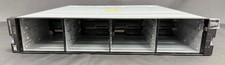
IBM Storwize V5000E V5030E SAN Storage Control Enclosure Server w/ Dual 02PX517
$1249.99

IBM SYSTEM X3500 M3 SERVER 7380AC1 TOWER Server XEON E5620 8GB RAID SEE NOTES
$110.30

IBM System x3550 M3 1U Server 2x Xeon E5645, 192GB RAM, 2x 300GB HDD (7944-AC1)
$150.00

IBM ADP Server Type 7870 AC1 NO HDD | 128GB RAM PC3L | 2 x Xeon E5620
$199.99

IBM EMC 091-000-091 17 Inch Rackmount LCD Keyboard KVM Console 03N7012
$109.99