

 Reply With Quote
Thanks for your post. It was exactly what I was looking for. Now I have XP and Linux coexisting in peace!
Thanks again
-extole


Hi
Much of the past few days since I installed Knoppix was spent trying to get a decent bootloader setup. Looks like I just managed it! I'm posting some info on what I did in case it can be of help to others. But first, some info on my setup and my requirements:
Disks/Partitions
- /dev/hda1 - Win 2000 System (NTFS)
/dev/hda5 - Win 2000 Data (NTFS)
/dev/hdb1 - Linux (ReiserFS)
/dev/hdb2 - Linux Swap
Requirements
- - Boot between the two OSes (of course!)
- Easily modifiable for additional kernels, etc.
- Microsoft-proof (unlikely to be wiped by a Windows app, and able to survive a Windows reinstall)
Personally, I much prefer GRUB to LILO, so that's what I used. It became clear that to prevent Windows from affecting the bootloader, I'd have to install GRUB onto the MBR of the second drive - which Linux calls hdb, and what GRUB refers to as (hd1).
NOTE: In order for this to work, you must also set your BIOS to boot from the second disk. My BIOS allows me to choose IDE-1 to make it boot from the second physical device.
Essentially, what we're doing is putting Windows in quarantine on the first driveThe computer boots from the second drive, and GRUB and Linux will also reside on the second drive. Windows can happily do whatever it likes to the first disk without hurting our bootloader.
I followed the GRUB installation tips in the GNU-GRUB documentation. Specifically, I used the info on Installing GRUB Natively Assuming you've just done a clean Knoppix HD install onto a fresh hard disk (I used hdb), and are logged in as root, here's the steps to install GRUB:
You've now installed GRUB's 'stage' files, and run the GRUB shell. You're now in GRUB itself.Code:mkdir /boot/grub cp /usr/lib/grub/i386-pc/* /boot/grub grub
Before continuing, read the section in the GRUB docs on how it refers to disks and partitions. You'll need to know this to adapt the following instructions to your system.
To install GRUB onto the boot-block of hdb, I entered the following commands at the GRUB prompt:
Note that after the 'root' command, GRUB will tell you the file system it's found. If you've got the right disk, it'll say ReiserFS or ext3 (or whatever you used when you installed Knoppix). If it says unknown then you're on the Windows NTFS partition, and you've got the wrong disk.Code:root (hd1,0) setup (hd1)
Okay - so that's GRUB installed onto the disk. The next step is to create a file to tell it how to boot our two OSes. Instead of re-writing the documentation, or detailing all the trial and error I went through, I'll skip to describing my working configuration.
To play along at home, use your favourite text editor to create the /boot/grub/menu.lst file.
From this point on, text in 'code' blocks should be entered into the file - the text inbetween is me describing what it does...
Now, if you've not fallen asleep, you should be saying "Hey - I thought you said Linux was on the second drive? Shouldn't all those (hd0,0)'s above be (hd1,0)?" That's what I though too. But, it seems that when you set the BIOS to boot from the second drive, that drive then appears to be the first disk - effectively swapping the disks. So, now, Linux is on (hd0,0) and Windows is on (hd1,0).Code:title GNU/Linux root (hd0,0) kernel (hd0,0)/vmlinuz root=/dev/hdb1 vga=0x317 lang=us noapic initrd (hd0,0)/boot/initrd.gz
The 'kernel' line tells GRUB where to load the Linux kernel from, and what parameters to pass to it. An important one is root=. Make sure this points to the partition containing you Linux root filesystem, otherwise the kernel will halt and complain during boot.
The noapic option is just something I need to use to get Knoppix working on my system - you probably won't need it. The vga= line sets the vdeo mode to the one Knoppix usually boots with (complete with penguin logo and lovely crisp text)
Next up, the Windows 2000 option. This took a bit of work. Bearing in mind that the BIOS has swapped the drives on us, I tried just 'chainloading' the Win2k boot block on the first drive, which is now (hd1,0). This caused the machine to just reboot.
Eventually, I found that this worked:
The key to making it work was the two 'map' commands. What this does is swap the disks back to their normal order just before handing over to Windows' boot code.Code:title Windows 2000 rootnoverify (hd1,0) makeactive map (hd0) (hd1) map (hd1) (hd0) chainloader +1
That's it! Save the file, and reboot. GRUB should now do your bidding.
A quick note about troubleshooting: I found it useful to add a 'pause' statement at the end of each 'title' block just so I could read what GRUB had output as it was setting up the boot.
Hope this helps some people out there. Now I've got the basics sorted, I'm off to add the bells 'n' whistles
Thanks for your post. It was exactly what I was looking for. Now I have XP and Linux coexisting in peace!
Thanks again
-extole
Hey - glad it worked!
I've just come across this thread again because I'm reinstalling a system I thoroughly borked when attempting a kernel 2.6 update. Oops.
Thank $DEITY these boards are archived!
I wish I looked at this earlier. I b0rked my boot loader trying to install GRUB (good thing I had Slack 9.1 lying around so that I could reinstall lilo).
This is the line I was missing:
initrd (hd0,0)/boot/initrd.gz
Mine booted up into GRUB, and from there I didn't know how to get it to load. Thanks!
(I found the GNU documentation confusing, so I tried to do it from Gentoo's install manual -- that initrd line was in there... wonder why I didn't use it)
 Posting Permissions


Genuine OEM Apple MagSafe 2 45W AC Adapter Charger for Macbook Air 2015 11" 13"
$14.24

OEM Apple Data Migration Toolkit for A1706 A1707 MacBook Pro PN 076-00236
$549.99

Genuine Apple Power Adapter Extension Cable 6FT White OEM MacBook MK122LL/A
$10.99

Genuine Apple OEM A2164 30W USB-C AC Power Adapter with USB-C Cable, Very Good
$21.05

OEM 45w T-Tip Power Adapter charger for Apple macbook air 2012-2017 A1436 A1466
$19.99
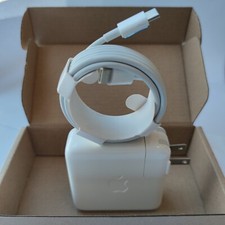
Genuine OEM 61W USB-C Power Adapter Charger For Apple MacBook PRO 13 inch A1718
$22.00
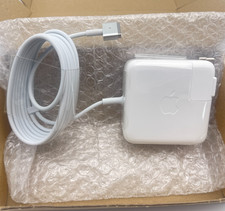
OEM 45W Charger For Apple MacBook Air 11-inch 13-inch Early 2012 2013 2014 2015
$26.98

OEM Apple 45W A1436 Power Charger AC Adapter for MacBook Air MagSafe 2
$12.99
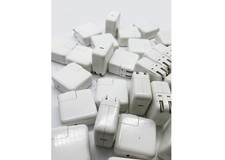
Lot of 30 Genuine OEM Apple 30W USB-C Power Adapter for iPhone iPad MacBook Air
$419.59

$6.99