

For the last 2 hours I have been trying to get beryl working on my system. I have finally solved the problem and I have no blurred font, a 3D cube and acceleration, but just one question, each time I start at a terminal I see the error:
No GLXFBConfig
* Beryl system compatibility check *
************************************************** ************
Detected xserver : NVIDIA
Checking Display :0.0 ...
Checking for XComposite extension : passed (v0.3)
Checking for XDamage extension : passed
Checking for RandR extension : passed
Checking for XSync extension : passed
Checking Screen 0 ...
Checking for GLX_SGIX_fbconfig : passed
Checking for GLX_EXT_texture_from_pixmap : failed
No GLX_EXT_texture_from_pixmap
beryl: No GLXFBConfig for default depth, falling back on visinfo.
anc@orac:~$ beryl-manager
anc@orac:~$ ************************************************** ************
* Beryl system compatibility check *
************************************************** ************
Detected xserver : NVIDIA
Checking Display :0.0 ...
Checking for XComposite extension : passed (v0.3)
Checking for XDamage extension : passed
Checking for RandR extension : passed
Checking for XSync extension : passed
Checking Screen 0 ...
Checking for GLX_SGIX_fbconfig : passed
Checking for GLX_EXT_texture_from_pixmap : failed
No GLX_EXT_texture_from_pixmap
beryl: No GLXFBConfig for default depth, falling back on visinfo.
Sending reload event...
Sending reload event...
Sending reload event...
I'm not sure what the error means or if I'm missing any features, but Beryl appears to work, my card is a Sparkle Geforce 5700 Ultra
root@orac:/home/anc# lspci -vv | grep nVidia
01:00.0 VGA compatible controller: nVidia Corporation NV36.1 [GeForce FX 5700 Ultra] (rev a1) (prog-if 00 [VGA])
The Cure
I started beryl from a terminal, and the main problem each time was a garbled, display with distorte fonts and colours. Each time I could restart the x server with ctl-alt-backspace, to cut a long story short my xorg.conf was starting at 16bit colour depth. I changed the depth to 24 bit and now beryl works.
I will add an autorun entry for kde
This may help someone else, but thanks in advance for any views on the error message.
 Posting Permissions

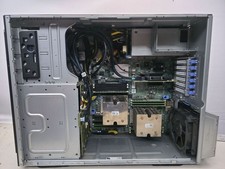
Dell PowerEdge T440 Tower Server 2x Intel Gold 5118 and 128GB 2400MHZ DDR4
$1840.00

Dell EMC PowerEdge R440 Xeon silver 4215 2.5GHz 16 GB ram 2x 550W PSU No HDD
$275.00

867959-B21 HPE ProLiant DL360 G10 CTO Server W/ 2x 865414-B21 1x 840140-001
$225.00

Windows Server 2025 Standard✔ 24-CORE✔ 10 CALs✔ 50 RDS✔ Remote Desktop EP2-25205
$317.56

Dell EMC PowerEdge R740 8 Bay Server w/ 32GB RAM 2x GOLD 6132 2x 1600W PSU H730p
$499.88

Dell PowerEdge C4130 1U AI GPU Server | 2x E5-2680 v3 | 32gb Ram | 2x 1600W
$409.99

Dell PowerEdge R730XD 28 Core Server 2X Xeon E5-2680 V4 H730 32GB RAM No HDD
$381.93

Dell PowerEdge C4130 1U AI Barebone CTO GPU Server 2x Heatsinks 2x 1600W PSU
$319.99

RDS CAL - Remote Desktop Services Windows Server 2019 50 User/Device Connections
$63.00
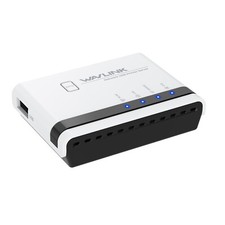
USB 2.0 Network Print Server LAN Print Share Server USB Wireless Print Server
$25.19


 Reply With Quote