

 Reply With Quote
Anybody?
There must be some program or something to download, to get access? Or some way to do it. I'm desperate.


After my Win XP crashed, I've been using a Knoppix boot CD. All my HD-files are accessable, except from My Documents. Probably because they were limited to my user account in XP. (?) The "guest" profiles My Documents is showing, but not mine.
Does anyone know how I can access these files? It's really important to me. (My XP crashed WHILE backup'ing them.)
Help is very highly appreciated!
Thanks
Howie
Anybody?
There must be some program or something to download, to get access? Or some way to do it. I'm desperate.
try this:
/media/hda2(whatever hard drive number)/Documents\ and\ Settings/(your main acct)/My\ Documents/
hth
I would like to backup some windows xp NTFS files from Knoppix 5.1.1-CD but I do not see the location:
In /media/hda2/Documents and Settings/ I see: All users;Default User;LocalService;NetworkService
But I can not see "martin aurélie" user directory.
I do not know why. Is it due to accent in user name or is this hidden or I miss something?
Could someone help me?
Thank you,
Henri
Use the Linux equivalent of either a search or a directory with recursion command. Search for either a specific file name which you remember or for *.doc. or *.xls
I would try first in the Documents and Settings folder. If that doesn't work search the whole hard drive. There is also
the possibility that your folder is stored on another partition or drive. The fact you see only the basic system folders:
All users;Default User;LocalService;NetworkService in Documents and Settings leads me to suspect your profile
and files are stored elsewhere.
The my documents under all users is shared documents. The default user is the template used to generate a new user.
One tool that works is either a Windows PE or a Bart PE live disk. The Bart PE disk can be easily made from the Windows install disks or i386 or similar install directory on a Windows drive. It can be made with many tools that would enable some level of file recovery and hardware drivers to access internal or external storage devices. A good example of this would be certain Raid drivers that don't work in Linux and don't have an acceptable equivalent.
I would also look in the "Default User" directory. Some machines are set up so that is the active account for the main user.
If Windows crashed while accessing the drive, it is possible that the drive may be corrupted and some files and directories may not be visible or accessable. Using one of the PE disks to repair the drive or connecting it to a working Windows machine as a second or external drive might be the best "first step" option. That would allow you to use any Windows tools to check and repair it first. Linux does not always do well writing to or repairing NTFS partitions.
I found a way to see "martin aurélie" user directory!
You "just" have to start Knoppix in French using "knoppix lang=fr"
I do not know why this directory is not showing in standard but in French it does!
I succeed to backup all my data!
...KNOPPIX is really GREAT
Do you have any idea how to be able to read accent in "standard" (English) Knoppix
Thank you for your support,
Henri
PS:I am actually a Windows user but for my next config I will use Knoppix or Debian (I do not know yet..)
I'm having the same problem. After a 0x00000024 error, my Windows XP is unable to boot and the computer restarts over and over. I have used knoppix to recover data previously, and it worked fine, with no trouble.
This time, for some reason, I can't get into my user profile. Everything else on the hard drive seems to be fine, and is accessible. When I type in the adress manually, I am told that the folder does not exist. Documents and Settings only contains 'All Users', 'Default User', 'Generic' (my 'guest' profile), 'LocalService', and 'NetworkService'. I've tried starting knoppix in french, and when that failed, german, but got nowhere.
I don't want to start trying to repair my computer until I have a backup of My Documents, so what should I do? I'm using Knoppix 5.0, would trying a different version help? I've never used Bart PE before, but I'll give it a go if it's the only way.
I would think Ultimate Boot CD for Windows would be a better tool for that task:
http://www.ubcd4win.com/
But I don't see how a better tool would get around the problem you are having. I doubt that Knoppix would see the Documents and Settings directory, but fail to see some specific subdirectory, if that directory is there.
If you somehow moved the profile elsewhere during a previous recovery, it should be easy to find the profile by serching the whole file system for some file that you know was in the profile.
With UBCD4win there are registry tools that would let you open the registry of that file system and find the registry entries that tell where Windows thought the profile was.
If the profile directory has been deleted, I don't know enough about undelete tools (that scan free blocks to find and recover deleted things) to tell you whether Knoppix or UBCD4win or both have any decent chance of recovering that.
BTW, because of licensing issues, you need another working XP system in order to create the .iso file for UBCDwin. You can't download the .iso file.
UBCD booted up fine, but, for whatever reason, it couldn't read the disk at all. It simply told me that my hard drive was 'corrupted and unreadable' and wouldn't open it at all. I assume that this is the same problem Knoppix is having when it says 'volume is dirty, forced to continue', but somehow manages to read the disk O.K. I don't know anything about the registry at all, so I couldn't try that option. I found the undelete tools easily enough, most of them didn't work, but one called 'recuva' worked perfectly, it managed to track down pretty much everything I've ever deleted off my hard drive, and there was no sign of stuff from my documents being deleted. In fact, a lot of the deleted stuff there had been overwritten by stuff from My Documents, so I am pretty certain that my profile still exists and has not been deleted. Unfortunately 'recuva' didn't tell me where to find it.
Is there some way to manually 'force' UBCD windows to read the hard drive, like Knoppix seems to do automatically? Can I still use the registry to track down my profile? If so, how? Is there a better way entirely to access a 'corrupted' disk?
 Posting Permissions


Lenovo ThinkPad E14 Gen 2 Laptop 14” HD Ryzen 5 16GB RAM 512GB SSD Win 11 Pro
$334.99

Lenovo ThinkPad L15 Gen 3 15.6" 16GB, Thunder Black
$241.50
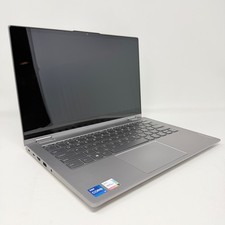
Lenovo Thinkbook 14s Yoga ITL 14” Core i7-1165G7, 16GB RAM, 512GB SSD Touch
$379.00

Lenovo ThinkPad E14 Gen 3 Laptop 14” FHD AMD Ryzen 5 16GB RAM 512GB SSD Win 11
$374.99

Lenovo Legion 5 Gaming 15.1" WQXGA OLED 165Hz Core i9-14900HX 16GB 1TB RTX 5070
$1469.00

Lenovo ThinkPad T14 Gen 1 14" AMD Ryzen 5 16GB 256GB SSD
$219.99

Lenovo ThinkPad X13 Gen 1 i5-10310U 16GB 512GB SSD Touch Win 11 Pro Good
$222.99

Lenovo - IdeaPad Slim 3i 15.3" 2K Touchscreen Laptop - Intel Core 7 350 2026 ...
$679.99

Lenovo ThinkPad L15 Gen 3 15.6" 16GB, Thunder Black
$241.50

Lenovo ThinkPad T14s Laptop 14” Laptop Core i5 8GB RAM 256GB SSD Windows 11 Pro
$249.99