-
Junior Member
registered user
Same, exact problem with my optical mouse with Knoppix 5.1.1
I'm having the same exact problem with my optical mouse. I have to (very slowly) pull the usb mouse cord out of the usb port that is located on the back of my computer, then, (very slowly) plug the cord back into the usb port that is located on the back of my computer. This way, the mouse cursor will move when I move the mouse instead of staying motionless in the middle of the screen after I boot up to Knoppix 5.1.1 desktop.
I do this slowly because I don't want to cause a spark between the usb port and the usb mouse cord connector. I have been told by competent technicians that we shouldn't connect or disconnect any electrical wires or hardware without first turning the computer off and disconnecting the power cord from the back of the computer's power source box.
I really would like to know why my optical mouse never initializes until I unplug it and then plug it back in after completely booting up to Knoppix 5.1.1?!!!
US
Similar Threads
-
By im_a_noob in forum Tips and Tricks
Replies: 1
Last Post: 02-26-2008, 12:33 AM
-
By kn0pp1x in forum MS Windows & New to Linux
Replies: 0
Last Post: 08-19-2007, 01:09 PM
-
Replies: 1
Last Post: 05-16-2007, 08:56 PM
-
By kenblood in forum MS Windows & New to Linux
Replies: 7
Last Post: 09-07-2004, 09:24 AM
-
By rec9140 in forum Hardware & Booting
Replies: 3
Last Post: 02-26-2003, 09:07 PM
 Posting Permissions
- You may not post new threads
- You may not post replies
- You may not post attachments
- You may not edit your posts
-
Forum Rules

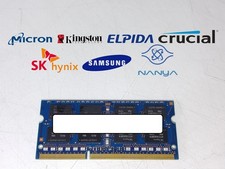
Major Brand 8 GB PC3L-12800 (DDR3-1600) 2Rx8 DDR3L Laptop Memory RAM
$10.99
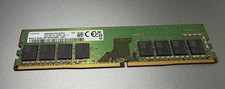
SAMSUMG 16GB 1Rx8 PC4-3200AA UA3-11 DDR4 M378A2G43BB3-CWE Memory RAM
$90.00

Corsair CMK32GX4M2B3000C15 Vengeance LPX DDR4 3000mhz Memory Kit - 32GB (2x16GB)
$164.95
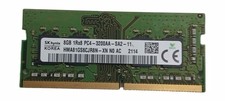
Sk Hynix 8GB PC4-3200AA PC4-3200 260-Pin SO-DIMM Laptop RAM
$37.99
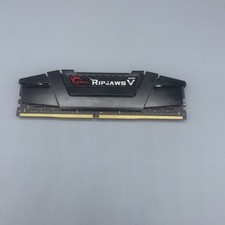
G.Skill Ripjaws V 16GB (1x16GB) RAM DDR4 3600MHz F4-3600C16D-32GVKC Ram
$78.00

Corsair Vengeance DDR3 8GB 16GB 32GB 1866MHz PC3-14900 Desktop RAM Memory DIMM
$43.00

RAMAXEL Lenovo 32GB LPDDR5X CAMM2 7500MHz Laptop RAM | UNTESTED
$445.00
Micron MTC4C10163S1UC48BA1 8GB RAM DDR5 4800MHz
$87.00

LOT OF 23 Ram Sticks-Corsair Vengeance CMZ8GX3M2A1600C9 4GB (4GBx23=92GB Total)
$129.99

P43330-0A1 HPE 32GB 2RX8 PC5-4800B DDR5 SERVER RAM P43328-B21 / HMCG88MEBRA107N
$1100.00



 Reply With Quote