-
D drive or HDB1 not there
using knoppix live cd ... just to get a feel for how it works, but ive got a slight problem
i cannot get knoppix to see the d drive in my computer, its not in the FSTab file, it is however in the dev/hdb and dev/hdb1 but both throw up a "permissions" error of some sorts, if i press ctrl-alt-F1 then i can see that it has recognised the drive at boot up and its assigned HDB to it (or whatever it does) but i just cant view any files on it, or even access it from knoppix
if tried going to disks admin and it shows the HD in there, just unavailable, ive tried formating it from there ... nothing, drive still shows inactive or unavailable or somehting like that
theres nothing on the drive, well nothing worth keeping, its just a back up drive really, but i was wanting to instal knoppix or debian, but knoppix-installer doesnt work and debian just sits at a blue screen for ever
any way i can get knoppix to see this drive, PLEASE help
PS its a slave drive in an IDE port ... main drive works fine HDA1
thanks
-
Senior Member
registered user
Hey Mr sandman! Weird indeed. The drive is working under windows and assigned D: there, is that right? Perhaps you can try booting with "knoppix nodma" and see if it gets you any further. Also, from a console (<Alt><F1>) try "dmesg | grep hdb" and see whatever the kernel had to report regarding the drive... Finally try connecting to the secondary IDE channel (a/o as master). Off the top of my head, hope it can help.
-
Administrator
Site Admin-
Re: D drive or HDB1 not there

Originally Posted by
sandman112
but i just cant view any files on it, or even access it from knoppix
if tried going to disks admin and it shows the HD in there, just unavailable, ive tried formating it from there ... nothing, drive still shows inactive or unavailable or somehting like that
.....
PS its a slave drive in an IDE port ... main drive works fine HDA1
First of all, you want to get the terms right. The main drive is not hda1, the main drive is hda, the first partition on the main drive (which is what you want) is hda1. This concept is pretty important in Linux.
I would strongly sugget that you don't partition the drive under Knoppix at all. It is not clear to me what it's current status is, although it sounds like it may not be partitioned.
First of all, just to be safe, I would make sure that the hdb drive is properly configured as a slave drive, not as a master. Linux expects the hardware to be set up properly; some versions of windows tolerate mucked up configurations.
If you are comfortable that you have one master and one slave drive, the the next question is what do you want out on the second drive. If you want one or more FAT partitions than I would create then from Windows or even DOS. If you want to install Knoppix, I will not be a part of that blasphemy. If you want to install Debian, then I would suggest Debian etch, and doing a net-install as long as you have a high speed connection. A properly made Debian install CD should offer you a number of options about how to configure the disks. The simplest way to deal with space selection, if the primary drive is full, might be to simply delete any partitions that are on the slave drive from windows or even DOS (I'm assuming you are more comfortable with those partitioning tools than Linux partitioning tools, I know I am). Then when Debian gives you you space choices let it use all available space on hdb. Allow it to partition it as it sees fit, it will create a reasonable sized swap partition and use the rest as a Linux partition.
Originally Posted by
sandman112
...debian just sits at a blue screen for ever...
It would be helpful here to know at just what point you sit at this blue screen. Is the CD booting at all? Which version of the Debian installer is it? Are you sure that you have the master and slave settings correct?
-
thanks kirol i'll try your suggestion and see if i can get anywhere ...
harry ... ive tried installing debian stable ... net-install it gets past the first section i think up to 100% takes for ever to get past some IDE modules loading stage at 84% but it eventually gets to 100% then all i get is a blue screen with while bar allong the bottom, i can type stuff in on the keyboard, but nothing happens
drive is NTFS just now (as is the other c drive) its only got 1 partition ... and im pretty sure ive set up the master slave thing ... checked it a few times
-
Administrator
Site Admin-
I've installed Sarge (stable), but it's been a very long time since then. Sarge is quite acient by almost any standard (in fact Etch was to become stable last year, and isn't yet because the Debian group moves so slow and quibbles amoung itself. Etch is actually getting pretty old now.) I'm not clear on why you install is hanging, I thought it might be the master/slave issue but if you are getting past the partitioning question I no longer think that.
If you don't want the NTFS partition out there, I would just delete it before starting the install (wint a Windows or DOS tool). And I still suggest the net-install of Etch. the installer for Etch is much more advanced than the installer for Sarge.
---
Verifying of md5 checksum and burning a CD at slow speed are important.
Similar Threads
-
By Lintu in forum Hdd Install / Debian / Apt
Replies: 1
Last Post: 10-20-2005, 06:13 PM
-
By mjman in forum Hardware & Booting
Replies: 9
Last Post: 10-25-2004, 09:46 PM
-
By kidsatacrux in forum MS Windows & New to Linux
Replies: 19
Last Post: 08-03-2004, 07:41 AM
-
By /Knoppix/Knewbie/ in forum General Support
Replies: 2
Last Post: 09-15-2003, 10:28 AM
-
By neotheonlyone in forum Hdd Install / Debian / Apt
Replies: 2
Last Post: 06-30-2003, 03:24 PM
 Posting Permissions
- You may not post new threads
- You may not post replies
- You may not post attachments
- You may not edit your posts
-
Forum Rules


(2) Seagate SAS Hard Drive Exos 7E8 3TB 7200RPM 128MB 12Gb/s 3.5 ST3000NM0035
$49.99

Dell EMC WD-HITACHI H5H72101CLAR10T0 10TB 7.2K SAS 12Gb/s SED 3.5in A POH 0-50k
$189.99

Seagate BarraCuda ST3000DM008 3TB Internal SATA 6Gb 3.5" Hard Drive 7200RPM 64MB
$91.99

WD Ultrastar DC HC530 14TB SATA 6G 3.5" 7200RPM Enterprise HDD - WUH721414ALE604
$329.99

Toshiba 14TB MG07 MG07ACA14TEY 7.2K RPM SATA 6Gb/s 512e 3.5" Enterprise HDD
$299.00

Seagate ST28000NM001C 28TB 256MB 7200RPM 3.5" SATA 6.0Gb/s Enterprise Hard Drive
$669.99

Seagate Exos ST10000NM002C 10TB CMR 7200RPM SATA6Gb/s 3.5" Enterprise Hard Drive
$279.99

Western Digital WD Black 4TB 3.5" SATA hard drive – WD4004FZWX 128MB cache
$70.00

Seagate 6TB HDD ST6000NM0034 7.2K 3.5" SAS 12Gb/s (NOT FOR PC - FOR SERVER ONLY)
$87.00
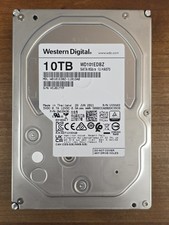
WD101EDBZ WD 10TB 7.2K SATA 6Gb/s 3.5in HDD
$235.00



 Reply With Quote