-
Junior Member
registered user
<SOLVED> Using XMMS
I'm trying to play cd's on XMMS player. I have configured both the cdplayer plugin and the oss output plugin to make /media/cdrom the default player. When I press the play buttton, i get a dir/file screen. I navigate to /media/cdrom, which brings up the cd tracks as files. I then press add all files in directory. Nothing happens when I press play in that screen. When I go back to the player and press play, the player disappears. I put in another cd, and it defaulted to Kaffeine, which plays fine. Is there something else I can do to make XMMS work or should I be satisfied with Kaffeine?
-
Senior Member
registered user
Playing CDs in XMMS
I use XMMS to play CDs using the CD plug in. I guess I must be old fashioned that I like XMMS. But then what of the other players offers Goom?
Anyway, when you bring up the play menu, you should see a selection "Play audio CD". Select that. That's all you should have to do..
SakiZ
-
Junior Member
registered user
Using XMMS
My menu doesn't have play cd. It has file, directory or location. Anyway, by also configuring the CD Reader plug-in, I was able to get the tracks loaded to the playlist editor, and play everything from there. Am I still missing something?
It seems like there should be an easier way. As you noted, it should just play, without me having to load files.
-
Senior Member
registered user
XMMS Versions
OK, I know what's going on. Unfortunately, the latest versions of XMMS are not compatible with the CD plug in. I've had this happen to me. I should have thought of that last night.
What you're going to have to do is uninstall XMMS. Then reinstall it forcing a down grade from testing to stable.
That should give you your play a CD menu back.
See if that works.
SakiZ
-
Junior Member
registered user
Using XMMS
Thanks, SakiZ, but I think I'll just leave it the way it is, rather than go through a re-install. It's a little inconvenient, but relatively easy now that I know how to do it this other way.
-
Senior Member
registered user
Elwood,
Dont be afraid of the ` apt ` tool.... its really easy 
to perform the operation that SakiZ recomended simply issue the follow commands in a terminal window AS ROOT:
Code:
apt-get update
apt-get --purge remove xmms
apt-get -t stable install xmms
All done!
Whole operation will probably take less than 2min
Take Care,
-Justin
One Mynds Eye
-
Senior Member
registered user
Guys, I have the same problem too on my laptop running Debian Etch (testing). I have purged xmms and the audio player plugin libaudioplayer1 and reinstalled using the stable branch.
On my other desktop with Suse, a right click over Xmms brings up a context menu with option to play a CD,
on this version I just see, play file, play directory, play location and view file info.
Is it possible that some of the plugins will also have to be uninstalled and purged as well, or is there another way round this. My desktop is multibooting with knoppix 5.1.1 so I will try the commands on that machine as well.
Thanks in advance for any help.
Similar Threads
-
By harryhood in forum General Support
Replies: 0
Last Post: 04-30-2005, 05:21 PM
-
By pulsar in forum General Support
Replies: 0
Last Post: 05-16-2004, 05:28 PM
-
By evirus in forum General Support
Replies: 0
Last Post: 05-03-2004, 08:06 PM
-
By bob58 in forum General Support
Replies: 0
Last Post: 03-26-2004, 02:18 PM
-
By Zuggy in forum General Support
Replies: 1
Last Post: 06-19-2003, 05:10 AM
 Posting Permissions
- You may not post new threads
- You may not post replies
- You may not post attachments
- You may not edit your posts
-
Forum Rules


Dell 6P85J 4TB ST4000NM0063 7.2k 6Gb/s 3.5” SAS SED Hard Drive with Tray
$39.99

Western Digital HUS726T4TAL5204 4TB 7.2K SAS 12Gb/s 3.5" 512e HDD NetApp X375A
$64.00

Western Digital 1TB 3.5" SATA III 7200RPM Desktop Hard Drive
$34.99

(ST8000NM0045) SEAGATE ENTERPRISE 8TB 7200RPM 4Kn SATA 6Gb/s 3.5" HARD DRIVE
$199.99
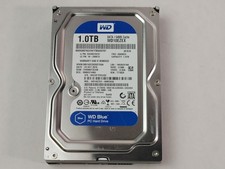
Western Digital WD Blue WD10EZEX 1 TB 3.5" SATA III Desktop Hard Drive
$23.99

Dell ST6000NM0034 1HT27Z-150 NWCCG 6TB SAS 3.5 7.2K ENTERPRISE SERVER DRIVE
$68.99

Seagate Exos ST2000NX0253 HDD 2TB SATA 7.2K 2.5" 512b/s
$55.00

Toshiba 14TB MG07 MG07ACA14TEY 7.2K RPM SATA 6Gb/s 512e 3.5" Enterprise HDD
$339.00

DELL 2TB Enterprise HDD (7200RPM, 3.5", SATA III, 128MB Cache) HUS722T2TALA600
$49.95

Seagate ST12000NM0127 12TB 256MB 7200RPM 3.5" SATA 6.0Gb/s Enterprise Hard Drive
$318.99



 Reply With Quote