-
Help mounting FBSD partitions
I have inherited someone else's giant cluster F*&^ of a FBSD server and unfortunately, I can't change the server setup at this time. However, I REALLY need to connect an external hard drive to this server to copy a HUGE amount of data. I did this before by hiring a guy I know to help me with it and now I am lost.
I have been successful in booting to the Knoppix CD and getting to the "desktop". I can ping the external hard drive ok (which is a samba mountable drive). I see on the desktop an icon for a mount, but when I try to open it, it throws some error about not being able to mount the drive or something. I *think* this is the server's raid drive, though being such a noob, I am not sure.
Basically, the hard drive RAID is set up and has a LOT of data on it. One of the partitions is called usr2/. I need to get that freebsd partition mounted in order to start copying the data via the network.
Can anyone point me the right direction? I would appreciate any help I can get on this.
Another alternative would be for me to connect this external drive up to the Firewire connection, but it is a 400 GB windows format drive. Is it possible to connect this drive to firewire and mount it as a windows drive? If so, how?
Thank you all for your help!
-
So there are two types of mounts that you are looking at. One is an NFS mount and the other is a local mount.
This is a snippet from http://www.debianadmin.com/mount-net...in-ubuntu.html
Mount NFS and smb File systems
Network filesystems use slightly different syntax than ordinary partitions.Specifically, the syntax you use to describe the filesystem is different.
For this example, we have an NFS share on host server1 at /mnt/apps, and a SMB file share on host server2 called accounts. We want to mount the NFS share at /mnt/software and the SMB share at /mnt/music.
Before mount these file systems we need to create a directory where we are going to mount these shares, In this example i am going to create software and music two shares using the following commands
sudo mount /mnt/software
sudo mount /mnt/music
To mount both of these partitions at boot time you need to add the following lines to your /etc/fstab file
server1:/mnt/apps /mnt/software nfs defaults 0 0
//server2/music /mnt/music smb defaults 0 0
In the above example explained as follows
For NFS shares follow the hostname:/path/to/share syntax,
For SMB shares follow the //hostname/share syntax.
Other than that, the remaining fields are same for this example and If you want to use NFS or SMB options you can use in the options field.
If you don’t want a partition to mount at boot time , add the noauto option to the list of options.
If you want to know more available options you can check fstab man page and mount man page
Tags: fstab man page, mount man page, mount network file systems in ubuntu, mount nfs ubuntu, mount samba file system in ubuntu, Other Linux
This snippet is taken from http://gentoo-wiki.com/HOWTO_Mount_Windows_partitions_(DOS,_FAT,NTFS) This would be used to mount locally attached to the server.
Mounting Partitions
If you haven't yet, read man mount for some really good information on what your options and limitations are in mounting each filesystem type.
Once support is added into your kernel, you're ready to go. If you want to mount some existing partitions on your harddrives, the first thing to do is find out what their device names are listed as. A good way to find out is to run fdisk -l (that's l as in list) as root. That command will simply list your disk partitions and exit.
Below is a sample output:
Code: fdisk -l
Device Boot Start End Blocks Id System
/dev/hda1 * x xxxx xxxx+ 7 HPFS/NTFS
/dev/hda2 xxxx xxxx xxxx b W95 FAT32
In this example, the harddrive running Windows has its C:\ drive formatted as NTFS and its D:\ drive formatted as Windows 95 FAT32 (VFAT). And, from the Device column, we can see that they are listed as /dev/hda1 and /dev/hda2.
Now you should have everything you need to mount the filesystems.
[edit]Basics
Assuming you are root, create a directory to access your drive in /mnt. For this example, we'll use ntfs as the directory name for the NTFS drive.
# mkdir /mnt/ntfs
Next, mount the partition using the mount command. When using mount, use the -t argument to specify the filesystem type (ntfs, in this case), then the device name (/dev/hda1 from the example) and the directory to access the drive (/mnt/ntfs):
# mount -t ntfs /dev/hda1 /mnt/ntfs
If you were going to mount a FAT32 partition, the -t type would be vfat.
# mount -t vfat /dev/hd<xX> /mnt/vfat
For MS-DOS partitions, the option would be msdos instead.
# mount -t msdos /dev/hd<xX> /mnt/msdos
Now you will only need to execute the mount commands, don't worry about changing the fstab files as this will be lost when you shutdown the live CD.
I hope this is what you were looking for.
Similar Threads
-
By michapma in forum General Support
Replies: 4
Last Post: 07-24-2006, 12:41 PM
-
By dysfunctional in forum Hardware & Booting
Replies: 3
Last Post: 06-07-2006, 09:39 AM
-
By Chefren in forum Hdd Install / Debian / Apt
Replies: 0
Last Post: 01-29-2005, 02:30 AM
-
By lilpaul in forum General Support
Replies: 2
Last Post: 09-17-2004, 11:41 AM
-
By xolstis in forum General Support
Replies: 7
Last Post: 06-29-2003, 06:29 AM
 Posting Permissions
- You may not post new threads
- You may not post replies
- You may not post attachments
- You may not edit your posts
-
Forum Rules

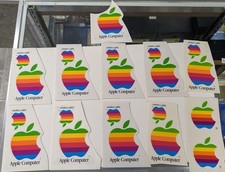
Vintage LOT 1980s Rainbow Apple Computer Sticker/Decal - 21
$49.99

Vintage Apple iMac G4 15" Lamp 700MHz 512MB Mac OS X 10.4.6 W/ Pro Speakers
$300.00
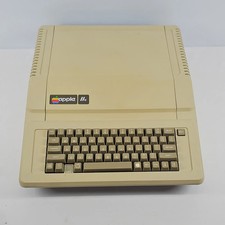
Apple IIe Vintage Personal Computer A2S2064
$199.99

Lot of 3 VIntage Apple Computer Rainbow Logo Sticker Decal Macintosh 1980s NOS
$7.00
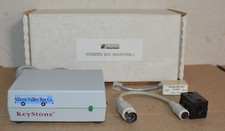
Kineses PS/2 Keyboard to Macintosh Adapter Converter Vintage Interface Apple
$60.00

Rare Vintage Macintosh Apple Wooden Disk Storage Box Dovetailed
$69.95
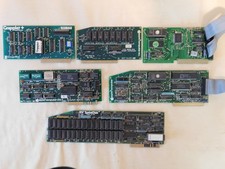
Apple Computer cards Super Serial SCSI AST -Orange Micro ++ Vintage 1980's
$169.00

LARGE LOT Vintage Apple Macintosh Mouse Cables Accessories SCSI etc - UNTESTED
$80.00

VINTAGE Apple Mac OS X Computer Monitor
$250.00

Vintage Apple Color RGB Color Monitor A2M6014. Used.
$199.99



 Reply With Quote