-
Administrator
Site Admin-

Originally Posted by
Levi32
. Why the adapter is called a "wireless USB adapter", I have no idea.
Wireless adapters generally connect to the computer in one of 4 ways:
- 1) They can be built into the computer, usually this is the case in newer notebooks. As long as there is Linux support for the chip used this is generally OK, but there can be issues turning the wireless adapter on and off. Sometimes it's done with a hardware switch in the computer, which is great. But sometimes it's done by software control for the adapter and some keystroke combination. If this keystroke is processed by the BIOS you're still ok, but if it's done by some software loaded in Windows it my be hard or imposable to turn this type of wifi adapter off or on.
2) Wifi adapters for desktop systems are commonly available as PCI cards. As long as you have an available PCI slot, this is the way to go, as long as the chipset used is supported by Linux.
3) Wifi adapters for notebooks are commonly available in PCMCIA card format (also called PC cards). Good solution for a notebook as long as the chipset used is supported by Linux, but some PC are no longer comming with PCMCIA slots (particularly some from HP and Compaq, which provide an alternate expansion slot that there are virtually no cards made for).
4) USB wifi adapters that connect to the computer by USB. USB is a bad choice for high speed networks, and the USB complicates getting the network interface working. Also, I have a Blekin 802.11b PCMCIA card card, a Belkin 802.11g PCMCIA card and a Belkin 802.11g USB adapter (I bought the last on asale just to experiment with). Knoppix 4.0 has recognized and worked with the 802.11b adapter. It has never worked with either of the 802.11g adapters. The 2 902.11g adapters use the same ship set and should work about the same. While Knoppix does not recognize either, BackTrack 2 live CD recognizes both and identifies the chips. It seems to talk to both just fine. But while BackTrack2 can receive signals with the PCMCIA card just fine, it never seems to receive anything with the USB adapter, even though it clearly is talking to the chipset and the USB adapter gives me much greater flexability in positioning the antenna.
Similar Threads
-
By Canard blanc in forum Networking
Replies: 2
Last Post: 06-18-2009, 04:24 AM
-
By toppshatta in forum Networking
Replies: 14
Last Post: 06-30-2006, 07:10 PM
-
By Zeliard in forum Networking
Replies: 7
Last Post: 11-05-2005, 11:04 AM
-
By achilles in forum Networking
Replies: 2
Last Post: 10-15-2005, 09:31 PM
-
By jlmcw18 in forum Networking
Replies: 3
Last Post: 08-18-2005, 03:35 AM
 Posting Permissions
- You may not post new threads
- You may not post replies
- You may not post attachments
- You may not edit your posts
-
Forum Rules

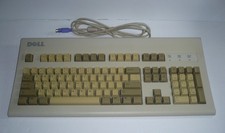
Vintage Dell AT101W GYUM90SK 6780D ps/2 'Clicky' Mechanical Beige Keyboard
$79.00

Vintage Jetway J-620BF Socket 370 Celeron AT Motherboard SiS 620 Brand New
$75.00

Vintage HP Hewlett Packard 2112A 21MX 1000 M-Series 16-Bit Minicomputer
$419.99
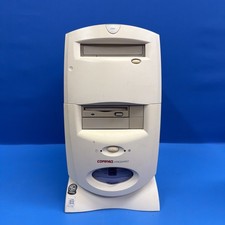
Compaq Presario 7594 Vintage Desktop PC Windows 98 SE 64MB Floppy CD-ROM
$129.00
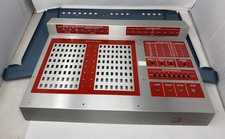
Vintage NRI Model 832 Microcomputer Case - See Photos
$295.00
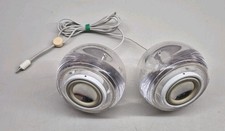
Vintage Clear M6531 Apple Pro Speakers by Harman Kardon For iMac G4
$59.45
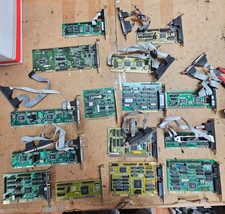
15x Vintage ISA Controller Card Lot IDE MFM RLL Floppy I/O 8-Bit 16-Bit PC XT AT
$149.95
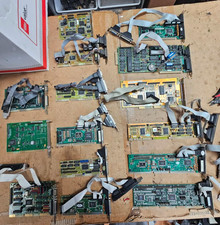
Lot 15 Vintage ISA Controller Cards IDE MFM RLL Winchester Floppy I/O PC XT AT
$179.95

Vintage ECS Micro-ATX Desktop Case | Beige/Dark Grey | *READ*
$80.00

Vintage 1986 Goldenrod Research Corp CP/M Desktop Computer Syste w/Keyboard
$350.00



 Reply With Quote