-
Administrator
Site Admin-
The most common way to setup a network when using a Linksys router is not to make any settings at all, just do DHCP to the router and let it make the assignments. One down side to this is that it may be hard to lock particular local IP addresses to particular computers, and this makes port forwarding for servers a pain. But if that's not an issue I would certainly try to go with DHCP.
I'm mystified as to where the 172.16 addresses are coming from. This is a private unroutable range, so it can't have anything to do with your ISP's real DNS servers. I'm not even clear if it's coming from your router or from something else. I don't really expect that it is coming from the router, but I would do the following: Enter the router setup and see what DNS servers it says it is using; confirm they are real routable addresses. Consider using them instead of the router's 192.168.x.1 address. Check if there is a newer version of firmware for that router. If not, at least reset the router and see if that helps. Or if you have an alternate router that you could try, use it temporarly and determine if the router is a factor at all.
I'm not really concerned about the type of Knoppix install you did. I've seen enough reports of strange problems after any type of Knoppix install (except perhaps the "poor man's install"), and particularly networking problems, that I have come to believe it's always a questionable idea. I have never had a problem like this into any of my routers with real Debian installs.
Similar Threads
-
By Hunkah in forum The Lounge
Replies: 7
Last Post: 08-16-2011, 08:57 PM
-
By hal8000 in forum Hdd Install / Debian / Apt
Replies: 2
Last Post: 01-11-2007, 11:00 PM
-
By A. Jorge Garcia in forum General Support
Replies: 7
Last Post: 01-30-2004, 12:30 AM
-
By jeramy in forum Hdd Install / Debian / Apt
Replies: 4
Last Post: 12-02-2003, 05:12 PM
-
By maddany in forum Hdd Install / Debian / Apt
Replies: 1
Last Post: 04-16-2003, 02:19 AM
 Posting Permissions
- You may not post new threads
- You may not post replies
- You may not post attachments
- You may not edit your posts
-
Forum Rules


Intel Core i7-9700 Octa-Core 3 GHz Desktop Processor LGA 1151
$79.99
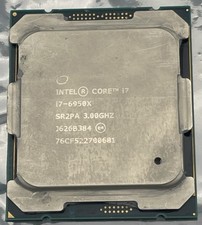
Intel Core i7-6950X Extreme Edition 3.0GHz Processor SR2PA LGA2011 10 Core CPU
$162.95
Intel Core i7-8700T SR3WX 2.40GHz Processor
$65.00

INTEL CORE I9-10940X X-SERIES PROCESSOR | 3.30GHZ | SRGSH
$179.99

AMD Ryzen 5 5500 Processor ( read Description)
$59.00

Intel Core i7-3770K 3.5 GHz Processor
$39.00

Intel Core i5-12500T SRL5W 2GHz 18MB 6 Core Socket LGA1700 Desktop CPU Processor
$114.99

Intel i7-8700 Coffee Lake 3.2GHz 6-Core Max Turbo 4.6GHz Processor
$67.99

Intel Core i7-4770 3.40GHz Quad Core SR149 LGA 1150 CPU Processor tested
$35.00
intel core ultra 7 265
$210.00



 Reply With Quote