
hello .....
need help with my internet connection, it connects but browser doesnt display any pages on request .....
someone tell me what and how to configure
thanks
mahdi


hello .....
need help with my internet connection, it connects but browser doesnt display any pages on request .....
someone tell me what and how to configure
thanks
mahdi
mahdi- A suggestion if I may, you'll do better to use a descriptive subject line instead of 'help!'.
Anyway...........you provide us with no information about how you connect. Dail-up? - is your modem working? cable, ADSL- what about your home LAN? Router? A desktop as a gateway?
Open a term and do this:
ifconfig -a
What does it tell you? Here's mine:
Do you have an i.p. address?Code:$ ifconfig -a eth0 Link encap:Ethernet HWaddr 00:60:B0:05:AD:AB inet addr:192.168.0.100 Bcast:192.168.0.255 Mask:255.255.255.0 UP BROADCAST RUNNING MULTICAST MTU:1500 Metric:1 RX packets:9781 errors:0 dropped:0 overruns:0 frame:0 TX packets:7636 errors:94 dropped:0 overruns:0 carrier:94 collisions:0 txqueuelen:100 RX bytes:11123532 (10.6 MiB) TX bytes:772021 (753.9 KiB) Interrupt:11 Base address:0xf800 Memory:d4000-dc000 lo Link encap:Local Loopback inet addr:127.0.0.1 Mask:255.0.0.0 UP LOOPBACK RUNNING MTU:16436 Metric:1 RX packets:32 errors:0 dropped:0 overruns:0 frame:0 TX packets:32 errors:0 dropped:0 overruns:0 carrier:0 collisions:0 txqueuelen:0 RX bytes:2056 (2.0 KiB) TX bytes:2056 (2.0 KiB)
If so can you ping by i.p. address?
If that works.....Code:$ ping 204.71.200.69 PING 204.71.200.69 (204.71.200.69): 56 data bytes 64 bytes from 204.71.200.69: icmp_seq=0 ttl=242 time=56.1 ms 64 bytes from 204.71.200.69: icmp_seq=1 ttl=242 time=62.3 ms 64 bytes from 204.71.200.69: icmp_seq=2 ttl=242 time=54.8 ms 64 bytes from 204.71.200.69: icmp_seq=3 ttl=242 time=54.8 ms 64 bytes from 204.71.200.69: icmp_seq=4 ttl=242 time=61.1 ms --- 204.71.200.69 ping statistics --- 5 packets transmitted, 5 packets received, 0% packet loss round-trip min/avg/max = 54.8/57.8/62.3 ms
Trouble shooting network problems is still the same in Linux my friend.Code:$ ping www.yahoo.com PING www.yahoo.akadns.net (216.109.125.73): 56 data bytes 64 bytes from 216.109.125.73: icmp_seq=0 ttl=51 time=79.7 ms 64 bytes from 216.109.125.73: icmp_seq=1 ttl=51 time=53.9 ms 64 bytes from 216.109.125.73: icmp_seq=2 ttl=51 time=51.3 ms 64 bytes from 216.109.125.73: icmp_seq=3 ttl=51 time=53.5 ms --- www.yahoo.akadns.net ping statistics --- 4 packets transmitted, 4 packets received, 0% packet loss round-trip min/avg/max = 51.3/59.6/79.7 ms
hello
thanks for replying ...
well i have a modem that connects to the internet perfectly with Kppp but the issue is that when trying to reach a site , it just ' cant resolve it " and doesnt show it ..
One post said that I have to configure the browser so that it 'has my user name and pass' in some way .... but I dont know how to configure it .... I tried preferences in Mozilla but couldnt find a place for username /passwd ......
so basically what I'm asking is how to configure things so that my internet works ??
Thanks alot
Mahdi
Connects to the internet perfectly eh? mahdi- read my above post, do ifconfig -a, do some pings- let us know what happens. AFAIK there is no place to enter a username in a browser but you may need to enter your ISP's DNS (domain name server) in /etc/resolv.conf. Here's mine:
search clspco.adelphia.net
nameserver 24.53.86.14
nameserver 24.53.86.13
I am unaware of the wimpdoze equivalent to /etc/resolv.conf.
Hi,
here is what I did .... what you asked for ....
eth0 Link encap:Ethernet HWaddr 00:20:78:E0:E6:24
inet addr:192.168.0.1 Bcast:192.168.0.255 Mask:255.255.255.0
UP BROADCAST RUNNING MULTICAST MTU:1500 Metric:1
RX packets:0 errors:0 dropped:0 overruns:0 frame:0
TX packets:0 errors:0 dropped:0 overruns:0 carrier:0
collisions:0 txqueuelen:100
RX bytes:0 (0.0 b) TX bytes:0 (0.0 b)
Interrupt:5 Base address:0xc800
lo Link encap:Local Loopback
inet addr:127.0.0.1 Mask:255.0.0.0
UP LOOPBACK RUNNING MTU:16436 Metric:1
RX packets:20 errors:0 dropped:0 overruns:0 frame:0
TX packets:20 errors:0 dropped:0 overruns:0 carrier:0
collisions:0 txqueuelen:0
RX bytes:1304 (1.2 KiB) TX bytes:1304 (1.2 KiB)
ping 204.71.200.69 (204.71.200.69) : 56 bytes returned
ping www.yahoo.com doesnt return anything at all.
The /etc/resolve.conf file contains this :
nameserver 192.168.0.254
hope you can identify the problem ....
thanks
Mahdi
Since your i.p. address is 192.168.0.1 I presume you are on a LAN correct?
I would find out what your DNS ip addresses are and enter them in /etc/resolv.conf
hi,
well im not really on LAN, as I said im on modem . Pratically speaking my ISP is my university , in windows I dial it up with username and pass and nothing more ...
So like that , what will be the DNS IP addresses ? they are supposed to be automaticly detected somehow ...
Mahdi
mahdi- You have an ip right? You can ping by ip right? But you cannot ping by domain name right? Doesn't that tell you something? Linux doesn't know where your domain name servers are. DNS When you established your account at school did they provide you with anything necessary to connect to the internet?
Based on your ip alone you are on a LAN- just because you use a modem to connect is entirely irrelevant.
LAN=Local Area Network-my home, your school
WAN=Wide Area Network-the internet
(it's not quite as simple as that but you get the idea).
Now of course nothing is absolute and certainly I have been mistaken before but I think that's what you need to do. What happens in windwos when you do this:
ipconfig
Maybe it's
ipconfig /all
ipconfig /release_all
ipconfig /renew_all
The exact syntax varies with your version of windows.
I don't know- there's a way to find out. Have you looked around in windows? Control center>Network???
Control Center>Internet Options>Connections
Have you used the search function in windows?
 Posting Permissions


Juniper EX2300 12-Port Gigabit PoE+ Managed Network Switch P/N: EX2300-C-12P
$149.99
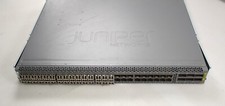
Juniper QFX5100-48S Switch 48x SFP+ 6x QSFP Ports w/ 30x SFP modules 1*DC PSU
$151.80

Juniper Networks AP33 Wireless Access Point Bluetooth WiFi 6 Cloud Managed NIB
$54.99

Juniper Networks EX2200-C 12T-2G 12 Port Gigabit Switch Compact + Cord Tested
$64.99

Juniper EX4100-F-12P Switch 12x 1GbE PoE 2x 10GbE Uplinks 4x 10GbE Stack Ports
$900.00

Juniper EX2300-C 12 Port Compact Gigabit Switch EX2300-C-12p
$99.99

Juniper EX2300-C-12P 12 Port Gigabit PoE+ 2x10G SFP+ Managed Compact Switch
$179.99
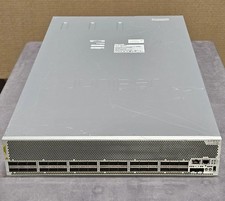
Juniper QFX10002-36Q 36-Port 40GbE QSFP+ 24x 100G Ethernet Switch
$649.99
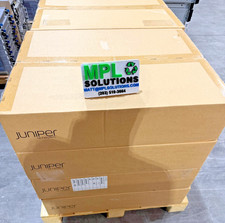
Juniper QFX5100-48T-AFO 48-port 1G/10G RJ-45 ports 6 QSFP ports BRAND NEW SEALED
$999.97

Juniper Networks EX2300-48P 48-Port Gigabit PoE Managed Ethernet Switch
$79.99

 Reply With Quote