-
Administrator
Site Admin-
It certainly looks like your hardware on eth2 is connected and got a proper DHCP setup, although why you seem to have a eth0 and eth2 but not eth1 isn't clear. Once again I'm wondering if you are not really connecting just fine but don't realize it, in the past some people have thought they were not conneced when indeed they were. Alternately, it might be an ip6 vs ip4 issue, I can't rule that out but I see no sign it is. Another fix for ip6 problems tends to be to change dns servers.
You ping an ip address or url by typing ping and the address at a shell prompt, as in ping www.knoppix.net or ping 72.36.188.40
You should also try accessing the knoppix.net site by both the above url and the above ip address. If the ip address works but the url does niot then it is a DNS issue.
---
Verifying of md5 checksum and burning a CD at slow speed are important.
Similar Threads
-
By garrincha in forum Networking
Replies: 7
Last Post: 05-24-2006, 04:33 AM
-
By -=Unstoppable=- in forum Networking
Replies: 2
Last Post: 12-10-2005, 10:12 PM
-
By P.Enguin in forum Hdd Install / Debian / Apt
Replies: 1
Last Post: 09-26-2004, 06:31 PM
-
By Randomi in forum General Support
Replies: 3
Last Post: 01-19-2004, 12:16 AM
-
By samboy in forum Networking
Replies: 6
Last Post: 11-10-2003, 09:45 AM
 Posting Permissions
- You may not post new threads
- You may not post replies
- You may not post attachments
- You may not edit your posts
-
Forum Rules

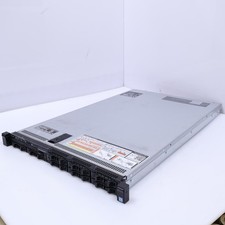
Dell Poweredge R630 2x Intel Xeon E5-2650 v4 64GB RAM No Drives/OS Server
$490.00

Dell EMC PowerEdge R440 Xeon silver 4215 2.5GHz 16 GB ram 2x 550W PSU No HDD
$275.00

Dell Poweredge R630 2x Intel Xeon E5-2650 v4 32GB RAM No Drives/OS Server
$325.00

Dell Poweredge R630 2x Xeon E5-2680 v3 2.5ghz 24-Cores / 64gb / Raid / 2x 1Tb
$374.99

Dell PowerEdge R730XD 28 Core Server 2X Xeon E5-2680 V4 H730 32GB RAM No HDD
$378.93

Dell Poweredge R810 4x Xeon X7560 2.26ghz 32-Cores | 256GB | 3x Trays | H700
$289.99

Dell Poweredge R630 2x Xeon E5-2680 v3 2.5ghz 24-Core | HBA330 | No RAM or HDD
$149.99

Dell PowerEdge R240 Intel Xeon E-2224 3.50GHz 8GB DDR4 ECC NO HDD 250W
$285.97

Dell PowerEdge R530 2x E5-2630v4 H330 iDRAC8 Port Card Riser No PSU/RAM/HDD
$99.99

Dell Poweredge R630 2x Xeon E5-2680 v3 2.5ghz 24-Cores | 32gb | HBA330 | 2x 1...
$324.99



 Reply With Quote