
The only way I can boot up Knoppix 5.1 DVD on my machine is to disable my GFORCE FX 5500 PCI card and use my onboard video. Is there a way around this or am I stuck with having to do this. Thanks


The only way I can boot up Knoppix 5.1 DVD on my machine is to disable my GFORCE FX 5500 PCI card and use my onboard video. Is there a way around this or am I stuck with having to do this. Thanks
Sounds like a strange problem. What happens when running from the PCI graphics card? Maybe the problem is something as simple as the PCI card running at resolutions and/or scan rates beyond the range of the monitor (most likely a too high scan rate, in which case you should be able to use a cheat code to force the scan rate to one acceptable for the monitor). And short of removing the PCI card, how do you "disable" it and use the on-board video? Beyound these thoughts you'll likely have to give us a better idea of what is happening and a breakdown of all the hardware including the monitor before we can guide you well.
---
Verifying of md5 checksum and burning a CD at slow speed are important.
and just Well my Fx 5500 works with my monitor (E-Machine Flat CRT) running xp just fine. On xp i have it on 1024x768 and only 60 hertz but it can do 85htz at that setting. I just go into my bios-cmos and disable the PCI video card and enable the onboard video which is an intel extreme. My machine runs a 1.8ghz celeron, 756mb of pc2100, 60gig HD and I am using the DVD version 5.1. Hope this gives you a little more info and THANKS!
Well, I hope someone else usig a fx 5500 joins in here, but have you tried using cheat codes to force a resolution and scan rate that you know that you can work with? You could even test the use of cheat codes in you present on-board confguration and then once you were comfortable that it was working as desired switch to the PCI card and see if the codes corrected the problem.
---
Verifying of md5 checksum and burning a CD at slow speed are important.
Cool I will try that. I let you know how it goes. Thanks
got the same problem, as soon as there're 2 graphic cards (one onboard and one "real") installed, knoppix doesn't boot any longer.
as i've said in another thread, i can't disable the onboard vga completely ...
any solution ?
 Posting Permissions


INTEL XEON E5-2680V4 SR2N7 2.40GHZ CPU
$11.00

Dell Precision Tower 7810 Xeon E5-2630 v3 @ 2.40GHz , 32GB Ram, NO HDD, NO OS
$239.99

Dell Precision T7820 2x Xeon Silver 4114 2.20GHz 950W No RAM GPU HDD 4x SATA
$350.48

Dell Precision T5820 950W Workstation 4.00GHz W-2125 No RAM/ GPU/ HDD/ OS
$144.98

Dell Precision T5820 Workstation 3.70GHz W-2135 No RAM/ GPU/ HDD/ OS
$179.98

Intel Xeon E5-2699 V4 2.20GHz 55M 22-CORES LGA2011-3 Server Processor 145W SR2JS
$84.49

DELL Precision 5820 Workstation Xeon W-2123 3.6ghz/NO RAM/NO SSD/P400 Vid
$139.99
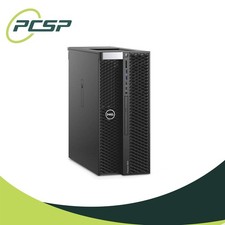
Dell Precision T5820 Workstation 3.70GHz W-2135 32GB No GPU/ HDD/ OS DISCOUNTED
$363.94

Dell PowerEdge FX2s + 8x FC430 Blades 16x E5-2630v4 160 Cores Rails No PSU/RAM
$699.00

Dell EMC PowerEdge R440 Xeon silver 4215 2.5GHz 16 GB ram 2x 550W PSU No HDD
$275.00

 Reply With Quote