-
Bad ISO file?
Hi to all,
I'm totally a newby to linux. I saw knoppix at a pc service while the technician booted it from the CD. I liked it and decided to download and try it on my PC. I immediately knew if it can be booted from CD it can be booted from the hard drive also (must be much faster). When I downloaded the ISO file I unpacked it (with WinRar) to see the contents and unfortunately deleted the original ISO file since I thought it can be booted by simply editing the boot.ini in XP and point to the cdrom.ico or edit the autorun.inf file, write it on CD and when booting from CD the autorun.ico file to run the cdrom.ico file.
But never mind now. Now as I've read trough how to boot from the hard drive I managed to have a menu list and a startup schreen upon choosing "Knoppix 5.01 from hda1 ISO". This is how far I got. Then the page says somthing like "error inserting KNOPPIX/modules/cloop.ko"
I read trough the forum on this error message and most say it is either because of a bad ISO file or a bad hard drive. It is propably a bad ISO file because...
The ISO file I'm using now is what I rewrote with NERO and it is now 730MB. I remember the file being under 700MB (about 695) when I downloaded it so this is what makes me think the error message is because the original ISO file was different than the current one I have done with NERO.
I even tried with different programs like "MagicISO" but I couldn't manage to push the file-size lower than 730MB whatever configuration I choose in the ISO making options.
My question is... How can reconvert the unpacked Knoppix content to ISO and with which program. Can this be done or I need to download Knoppix again. I don't have broadband connection so this last option could be quite frustrating.
In a nutshell... I have Knoppix unpacked on the hard drive but I don't have the original ISO file. How can I reconvert it to it's original state (ISO).
I use Win-XP-sp2, NTFS filesystem
-
Administrator
Site Admin-
Re: Bad ISO file?

Originally Posted by
fehers_78
... When I downloaded the ISO file I unpacked it (with WinRar)....
The ISO file I'm using now is what I rewrote with NERO and it is now 730MB. I remember the file being under 700MB (about 695) when I downloaded it so this is what makes me think the error message is because the original ISO file was different than the current one I have done with NERO.
You never "unpack" the ISO if you plan on using it.
You can know completely that you have a good ISO by running the md5 sum test against the md5 file that came down with Bittorrent (or is available from the mirrors i you still use 20th century technology).
See answer #1 for details.
---
Verifying of md5 checksum and burning a CD at slow speed are important.
-
Re: Bad ISO file?
Originally Posted by
Harry Kuhman
Originally Posted by
fehers_78
... When I downloaded the ISO file I unpacked it (with WinRar)....
The ISO file I'm using now is what I rewrote with NERO and it is now 730MB. I remember the file being under 700MB (about 695) when I downloaded it so this is what makes me think the error message is because the original ISO file was different than the current one I have done with NERO.
You never "unpack" the ISO if you plan on using it.
You can know completely that you have a good ISO by running the md5 sum test against the md5 file that came down with Bittorrent (or is available from the mirrors i you still use 20th century technology).
See
answer #1 for details.
Thanks for the reply. I made the download of the ISO with "E-mule" but never mind. I erased the file and downloaded it again with Bittorrent. To my greatest happyness made the test sum with md5summer and it did not mach on the ISO file. The size is 730,177,536 bytes (looking at the properties of the file) and in the md5sumer window it says somthing like 713,064.00 Kb.
I copyed the file to the /boot/knoppix.501 folder and at startup the exact schreen appears like with the previous ISO file. I'll take a photo of the schreen and post it.
-
Administrator
Site Admin-
Re: Bad ISO file?
Originally Posted by
fehers_78
Thanks for the reply. I made the download of the ISO with "E-mule" but never mind. I erased the file and downloaded it again with Bittorrent. To my greatest happyness made the test sum with md5summer and it did not mach on the ISO file. The size is 730,177,536 bytes (looking at the properties of the file) and in the md5sumer window it says somthing like 713,064.00 Kb.
I copyed the file to the /boot/knoppix.501 folder and at startup the exact schreen appears like with the previous ISO file. I'll take a photo of the schreen and post it.
There is no official e-mule distribution, so I have no idea what you got that way. I certainly wouldn't trust it.
I've downloaded a lot ofKnoppix ISOs by BitTorrent, and have talked many others through the downloads also. The only case I ever know of a bad ISO was when one person stopped BT as soon as it reached 100% rather than let the download really complete. BitTorrent has pretty extensive error correction built into the protocol. However, if you do have a bad ISO that is failing the md5 test, try this: restart BitTorrent with the same torrent file. It will examine all of the files it downloaded and get just the segments it needs to fix the file. You should have the good file in a matter of minutes. This is certainly a reason why the md5 test is important, even with BT.
I have no idea what you copied to a /boot/knoppix.501 folder. Or why you would have done anything with a bad iso. Or even what a /boot/knoppix.501 folder is. The steps you want to do are: Download a good ISO, verified with the md5 test. Let BT fix it if the ISO is bad. Then burn that ISO as an image to a CD. Boot that CD.
---
Verifying of md5 checksum and burning a CD at slow speed are important.
-
Re: Bad ISO file?
Originally Posted by
Harry Kuhman
Originally Posted by
fehers_78
Thanks for the reply. I made the download of the ISO with "E-mule" but never mind. I erased the file and downloaded it again with Bittorrent. To my greatest happyness made the test sum with md5summer and it did not mach on the ISO file. The size is 730,177,536 bytes (looking at the properties of the file) and in the md5sumer window it says somthing like 713,064.00 Kb.
I copyed the file to the /boot/knoppix.501 folder and at startup the exact schreen appears like with the previous ISO file. I'll take a photo of the schreen and post it.
There is no official e-mule distribution, so I have no idea what you got that way. I certainly wouldn't trust it.
I've downloaded a lot ofKnoppix ISOs by BitTorrent, and have talked many others through the downloads also. The only case I ever know of a bad ISO was when one person stopped BT as soon as it reached 100% rather than let the download really complete. BitTorrent has pretty extensive error correction built into the protocol. However, if you do have a bad ISO that is failing the md5 test, try this: restart BitTorrent with the same torrent file. It will examine all of the files it downloaded and get just the segments it needs to fix the file. You should have the good file in a matter of minutes. This is certainly a reason why the md5 test is important, even with BT.
I have no idea what you copied to a /boot/knoppix.501 folder. Or why you would have done anything with a bad iso. Or even what a /boot/knoppix.501 folder is. The steps you want to do are: Download a good ISO, verified with the md5 test. Let BT fix it if the ISO is bad. Then burn that ISO
as an image to a CD. Boot that CD.
I don't know what happened with the download. The md5test did not pass. I did not interrupt the download. I just leave it overnight and in the morning the file was finished but I couldn't access Bittorrent in the system tray. I restarted the computer and when lunched Bittorrend there was a green beside the filetransfer indicating the file has finished downloading.
Here's the schreen I get when I try to boot from the hard drive. Those of you who use Linux certainly know. Is this message because of a bad ISO file? 'Dropping you to a very limited Shell'

-
Administrator
Site Admin-
If the md5 sum is bad then there's no point in further trying to define a problem. You could indeed have multiple problems, but the md5 has to be correct before you can expect to go further. My best recomendation is still to restart the torrent with the files all still in place, BityTorrent will check the files and repair any damage.
---
Verifying of md5 checksum and burning a CD at slow speed are important.
-
Originally Posted by
Harry Kuhman
If the md5 sum is bad then there's no point in further trying to define a problem. You could indeed have multiple problems, but the md5 has to be correct before you can expect to go further. My best recomendation is still to restart the torrent with the files all still in place, BityTorrent will check the files and repair any damage.
Thank's Harry. I restarted the torrent and the md5 is matching now. Browsed the forums and updated couple of things according to the recomedations however still not able to boot.
At boot when I choose 'KNOPPIX' (I edited the boot.ini to point to grub) I have the menu list and when choosing boot from hda1 there is the following error message:
Accessing KNOPPIX CD&DVD at /dev/hda2/...insmod:error inserting '/modules/cloop.ko': -1 Bad file found
Heres my menu list (the files and folders on the hard drive C:\ are placed like in the menu list maching character case):
title Knoppix 5.01 from sda1 ISO
kernel (hd0,0)/BOOT/knoppix.511/linux ramdisk_size=100000 init=/etc/init vga=791 bootfrom=/dev/hda1/BOOT/knoppix.511/KNOPPIX.iso lang=us
initrd (hd0,0)/BOOT/knoppix.511/minirt_511.gz
boot
There are couple of thing I don't understand although I read trough the froums:
1. What is the "init=/etc/init"? I don't have such directory in the root of hda1 (should I?)
2. Why the error message "at /dev/hda2/" when in the menu the bootfrom is defined to hda1
3. What is that "vga=791" in the menu list. That was not in the list by default. I edited the list after reading the forums and saw in many cases it is there.
Just to mention again. My OS is WinXP SP2, three partitions (all NTFS with 6 gigs free space on hda1 - C:\
eco2geek says he managed to boot without CD:
http://www.knoppix.net/forum/viewtop...?p=53128#53131
Hey! Just got it to work with no CD! (Posting from it now.) The drawback is that the loopback file (the big /KNOPPIX/KNOPPIX file on the CD) has to be on another partition.
What is that 'loopback and/or big file he's mentioning? According to the menu list the /*.iso is on the same partition as the grub, menu.lst etc...
I'm sure I overlooked somthing. Any help would be greatful.
-
Similar Threads
-
By bonkas in forum General Support
Replies: 1
Last Post: 10-20-2005, 11:07 AM
-
By ghoststrike in forum General Support
Replies: 2
Last Post: 08-16-2005, 10:46 AM
-
By sepekte in forum General Support
Replies: 0
Last Post: 05-11-2005, 11:48 PM
-
By lilsirecho in forum Knoppix DVD
Replies: 0
Last Post: 10-05-2004, 07:25 PM
-
By dmedici in forum General Support
Replies: 2
Last Post: 10-21-2003, 09:22 PM
 Posting Permissions
- You may not post new threads
- You may not post replies
- You may not post attachments
- You may not edit your posts
-
Forum Rules


USB 3.0 Flash Drive 32GB 64GB 128GB Memory Stick Thumb Stick Lot Pack
$826.09

SMART(Micron)SafeStor 32GB(1X32GB) 1RX4 NN4-3200AA(DDR4) HPE Server Memory
$159.98

TF/SD Card Adapter Camera Reader Android Type-c For iPhone17 Pro Max Plusm lot
$573.98

SK Hynix 32GB 2RX4 PC4-2666V DDR4 RDIMM Server Memory RAM, HMA84GR7AFR4N-VK
$169.95
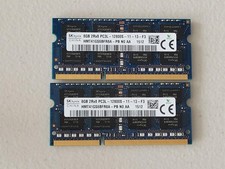
16GB Total of SK hynix PC3L-12800S 2 sticks of 8GB each = 16GB Laptop Memory
$27.95

Server Memory: Samsung 32GB 4DRx4 PC4-2133P ECC LRDIMM DDR4 M386A4G40DM0-CPB
$124.95
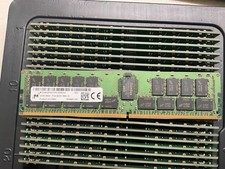
MTA36ASF4G72PZ-2G9E2 MICRON 32GB (1X32GB) 2RX4 PC4-2933Y MEMORY
$229.00
96GB DDR5 48GBx2 SO-DIMM 262-Pin Laptop RAM PC5-5600B 2Rx8
$1199.00

Micro SD Adapter To SD HC SDHC Memory Card Adapter Reader NEW
$1.39
Microsoft Windows 11 Home 64-Bit USB Flash Drive + Key Retail Box - Original
$39.98



 Reply With Quote