

 Reply With Quote
well did a 1x burn speed and same thing happened. Is this an indication of failing hardware? possibly ram or HDD?


Computer is an old dell 8200 2.2ghz pent 4, 512 mb rambus, 80 gig ide hdd.
When I go to run the live cd i get this nice little message after it recognizes my dvd drive:
insmod:error inserting' /cdrom/knoppix/modules/cloop.ko:-/ invalid module format
On the second try i got this:
Accessing knoppix cd at /dev/hdc...insmod: can't read' /cdrom/knoppix/modules/cloop.ko': I/O error
can't find knoppix filesystem.
Any ideas other than md5ing the iso file or burning a new cd? And yes the current cd works on my other 2 no dvd burner computers, but as I've read here that really doesn't mean crap. I'm gonna try a slower burn near 1 x and see wha happens.
Thanks,
Tony
well did a 1x burn speed and same thing happened. Is this an indication of failing hardware? possibly ram or HDD?
Very unlikely a hard disk problem, Knoppix can run just fine on systems without a hard disk.
Rather than wonder about RAM, boot the CD and type memtest at the boot prompt. I doubt it will be memory though, but I certainly don't know it isn't and we have indeed caught a few memory problems this way.
It might be the optical drive. Or maybe reading throught the cheat code documentation will give you some things to try.
hehe already ran memtest for a day nothing showed upbut seeing as my computer was crashing with xp during memory intensive operations i think it could just be that mem test isn't hitting the ram hard enough to cause it to fail??? First i thought it was just xp, but seeing how i am now having trouble even booting a live cd I believe hardware problems are the key. Oh and i just put in another hdd same problem. I think my comp might be shot...........
I am getting the same errors, I am running it on a dell 6000 Inspiron Pentium M. Any advice?
 Posting Permissions

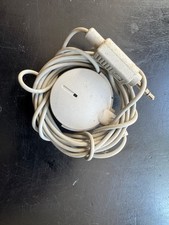
Vintage 1991 Apple Computer Omni Directional Microphone 590-0617-A
$17.00

Vintage Apple Multiple Scan 15av Display Monitor M4681
$299.99
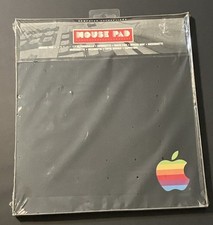
vintage Rainbow Apple Logo Mouse Pad-Sealed New
$79.00

Lot of 3 VIntage Apple Computer Rainbow Logo Sticker Decal Macintosh 1980s NOS
$7.00
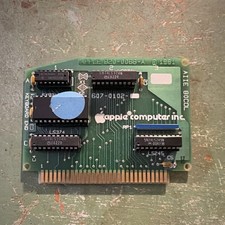
Apple Vintage 80-Column Interface Card UNTESTED
$29.99

Vintage Apple USB Mouse M4848 Bondi Blue iMac G3 Hockey Puck - Tested Working
$22.99
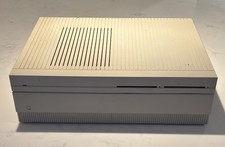
Vintage APPLE MACINTOSH II Desktop PC EMPTY CASE & Power Supply Only UNTESTED
$39.90

Vintage Apple Extended Keyboard- M0115 - no cord
$44.99
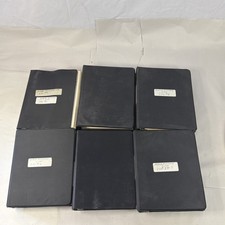
Vintage Apple Assembly Line Newsletter Vol: 1,2,3,4,5,6,7 From 1984
$179.99
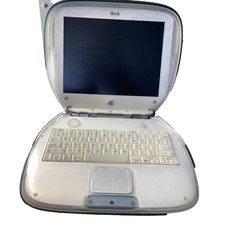
Vintage Apple iBook G3 Clamshell M2453 Dead HDD For Parts As is
$189.99