-
Why knoppix doesn't load my imagefile automatically?
First of all the image-script refers to the wrong cheat-code for loading images:
However its not: home=/dev/[whatever]
Or in my case: home=/dev/sda1
It's: home=/media/sda1
I've spent hours with testing and wondering... I don't know if there's someone here in charge, but when there's someone: Fix it! I was nearly at the point of throwing the towel! - I have a slight clue about linux but what does somebody without? - And it's absolutely unusual to use pathnames of the mounted devices. - I think the maintainer of the script thought the same way as I... 
But well, it's not over yet:

Why do I have to check overwrite? How can I fix this?
Thanks!
Just for the protocol:
KNOPPIX has found an image file ([...]). This image
contains the components listet below, which can be activated
seperately.
If you do nothing, the image will be activated in 10 secons.
[x] home Mount persistent Knoppix-Homedirectory
[x] system Add as persistent, writable system area
[ ] overwrite Overwrite/update stored system configuration
[x] init Start INIT-botscripts (network, printer etc.)
-
I check and uncheck by pressing the space bar. But why would you want to overwirte your configuration. If you do not want to save your configuration, just dont use the persistent disk image. I save all my ohter data in a fat32 partition, and the disk image is only for holding configuration items. If I made an error, I just delete the image file and re-create it. If I want to test something, I make a copy of the file, then if it goes wrong, I just copy back from my backup.
Neeraj
-
Hopefully I've understood you right...
If I do not check overwrite my system configuration is also not updated: Read the Configuration-Box: overwrite Overwrite/update stored system configuration
This means that no personal adjustments will be applied. No Programs installed, no apt-sources updated, KDE-Desktop shows Spitsbergen as background -> default Knoppix... - Maybe it's an bug that it works that way but I would also prefer that configuration-changes are applied automatically too like in a normal OS. I prefer using backups when I screw thing up instead of rebooting all the time to strip off the safeguard. 
Im not using the configuration-files: I thought this was integrated in the image (it seems that it is so, when you check overwrite  ).
).
-
All my configuration changes are automatically saved. I think checking that box would delete whatever you have and save a brand new configuration. That means your printers, application history, network drive mappings, desktop configuration changes would be reset and your old configuration lost.
I really have not played around with it that much. I just accept the defaults and let it go. All changes that I make are saved without that checkbox.
I would like it to load automatically instead of my having to click yes everytime. I would also like it to use my iso file to bootfrom as well as a deault or a short startup option so that I do not have to wait for the prompts to come up and then answer. I would like to boot up, go get my coffee and when I come back, everything is up and ready.
Neeraj
-
mine for come reason doesn't wait 10 seconds 
-
Similar Threads
-
By ncsuapex in forum Hardware & Booting
Replies: 1
Last Post: 12-29-2005, 07:49 AM
-
By n()()dle in forum General Support
Replies: 4
Last Post: 12-23-2004, 01:39 AM
-
By Medicate in forum General Support
Replies: 3
Last Post: 11-26-2004, 07:08 AM
-
By TheSpider in forum General Support
Replies: 3
Last Post: 02-04-2004, 05:00 AM
-
By dimkal in forum Networking
Replies: 1
Last Post: 10-27-2003, 09:04 PM
 Posting Permissions
- You may not post new threads
- You may not post replies
- You may not post attachments
- You may not edit your posts
-
Forum Rules


INTEL XEON E5-2680V4 SR2N7 2.40GHZ CPU
$11.00

Dell EMC PowerEdge R440 Xeon silver 4215 2.5GHz 16 GB ram 2x 550W PSU No HDD
$275.00

Dell Precision Tower 7810 Xeon E5-2630 v3 @ 2.40GHz , 32GB Ram, NO HDD, NO OS
$239.99

Dell Precision T7820 2x Xeon Silver 4114 2.20GHz 950W No RAM GPU HDD 4x SATA
$350.48

Dell Precision T5820 Workstation 3.70GHz W-2135 No RAM/ GPU/ HDD/ OS
$179.98

Intel Xeon E5-2699 V4 2.20GHz 55M 22-CORES LGA2011-3 Server Processor 145W SR2JS
$84.49

Intel Xeon E5-2690 v4 SR2N2 14 Core 2.6GHz 35MB LGA2011-3 CPU *km
$15.99
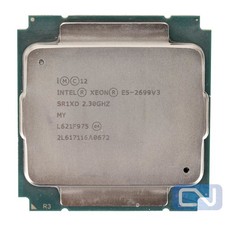
Intel Xeon E5-2699 v3 18 Core 2.3 GHz 45MB SR1XD LGA 2011-3 B Grade
$15.95

DELL Precision T3420 | Xeon 1240v6 | 525GB SSD |16GB RAM |Nvidia GPU |Win11
$149.00

Lenovo ThinkServer TS460 Part Number: 70TS-S01U00
$279.00



 Reply With Quote
 Originally Posted by corester


