-
windows odd shutdown won't reboot - heard knoppix might help
Sorry to just show up with a question and hope for an answer, but it is an odd situation and not my computer (to risk losing data on).
Here's the situation:
- The PC is from Fry's electronics, store-built.
- Warranty is expired.
- Windows XP Media Center (2003 I think) is the only OS loaded.
- The primary harddrive is a 40 gig and the only other drive contents are program files.
- Media is all loaded on a secondary harddrive.
- Yes, I mean harddrive, not partition.
While burning a dvd, the PC dumped an error message (no, he didn't write it down or remember the verbaige). The system was locked up - nether the keyboard nor mouse responded, so he hard-rebooted (held down the power button for five seconds and then cycled the power). Windows refused to boot (I don't know exactly how far it gets).
Since it is store-built, it didn't come with the original OS disk, but hard a system recovery disk. He tried using it, but Windows still refused to boot properly. He tried botting into safe mode, but it wouldn't load.
Then he decided to try using tools from old Windows 95 and 98 disks, including recovery files (not sure what he mean't by that last bit). Nothing worked... He also seems to think there may be some issue with the disk drive since he couldn't get the programs working the way he wanted (may be user error, but if it *is* another hardware failure, the problem may be bigger than originally thought).
One thing that did work for him was to run a disk scan, and the result was a vague message that there were bad sectors, but not the quantity or locations. If it is just a bad harddrive, we're ok trying to fix it by buying a new primary harddrive and seeing if we can reload the OS onto it from the store's provided recovery disk. But if it is something more, like a bad motherboard, or combination of hardware failures, he decided he'd rather just get a new PC.
So he called me, and I've got a copy of Knoppix (version 3.something - using it now searching for utilities to help out, and got stuck...), but I can't figure out what utilities may be on this disk that would help out.
So what I'm really trying to figure out right now is if this Knoppix disk has some kind of utility that allows me to scan the hardware for failures to see if it just a bad harddrive or more. He doesn't want to buy a whole new PC if it can be fixed by simply replacing the harddrive.
Thanks for any insight you may be able to provide, and your patience. This is all the data I was told over the phone...
-
Administrator
Site Admin-
I'm not really following your status. Have you tried to boot the Knoppix CD on the computer? If so, did it boot?
If you got that far then pretty much the main parts with the exception of the hard drive are likely good (you can run memtest to confirm that's good too). And from my XP experience I would say it's more likely that the data on the hard drive is mucked up than the drive itself (I can't assure you that the drive is good, just I've seen windows muck up the disk so it becomes unbootable more times than I would like). You might even be able to read the disk with Knoppix and recover any files that you want before doing a complete reinstall or installing a better operating system.
---
Verifying of md5 checksum and burning a CD at slow speed are important.
-
Sorry, I wasn't very clear.
When I found out about the issue, I thought Knoppix might help (no need to install and run from the HD which may be faulty, comes with troubleshooting apps, etc). But I am unfamiliar with the apps, so I booted it up on my own system and dug around, but couldn't figure out what might be useful from the available programs that come with the Knoppix live disk. I'm not familiar with the acronyms and terminology, and opening each program one by one didn't really tell me how to use them or what their intended purposes were.
That's the help I need - what tools are on the disk that might address the issue of determining possible hardware failure? Is there anything on the disk that acts like Sisoft's Sandra, or Everest's software (both for windows, they provide hardware [and other stuff] diagnostics).
Thanks again for any ideas.
-
no one has any idea what utilities come bundled with knoppix to troubleshoot hardware failure issues and to verify if, indeed, sectors on a harddrive have gone bad?
is there an official forum somewhere else in english that might be useful?
-
Senior Member
registered user
Knoppix is a live CD based on the Linux operation system. It does contain some utility programs that might diagnose whats wrong with your hardware, however it is not a rescue CD, rather a potpourri of Linux programs for various purposes.
If you are unable to diagnose the fault with either your windows boot disk or system utilities designed for windows, you might want to look at Linux based live CD's made expressly for forensics like Helix, for example http://www.e-fense.com/helix/index.php
BTW , try entering acronyms and terminology in a google bar, many times a wikipedia or manual page or howto will be returned in the results.
HTH.[/url]
-

Originally Posted by
kinrik
Sorry, I wasn't very clear.
When I found out about the issue, I thought Knoppix might help (no need to install and run from the HD which may be faulty, comes with troubleshooting apps, etc). But I am unfamiliar with the apps, so I booted it up on my own system and dug around, but couldn't figure out what might be useful from the available programs that come with the Knoppix live disk. I'm not familiar with the acronyms and terminology, and opening each program one by one didn't really tell me how to use them or what their intended purposes were.
That's the help I need - what tools are on the disk that might address the issue of determining possible hardware failure? Is there anything on the disk that acts like Sisoft's Sandra, or Everest's software (both for windows, they provide hardware [and other stuff] diagnostics).
Thanks again for any ideas.
Actually, Knoppix can be a big help. 1st, Knoppix will make your PC operational again, simply bec it comes w/ virtually everything one needs to get going: networking, office apps, Internet apps, etc. You can use it as a basic platform from which you can branch out into other things. (This, of course, assumes the PC isn't fundamentally fried at the hware level.) For example, as far as hware diags go, I think the System Rescue CD is where you want to start. It has TestDisk to thoroughly examine your hdrive, MemTest to check RAM, etc. You can (theoretically) d/l this ISO via Knoppix, then burn it using K3B, which is included. K3B compares very favorably to Nero, if that's meaningful.
Your principal issue is common of many Linux newbies, that is, you've decided to take the Linux plunge in the midst of a major crisis. Not a recipe for success. Linux is very much oriented twds the PC DIYer and while most things are documented, it usu takes patience to find that info via GOOGLE and other indirect means, like trial-and-error. Good luck....Jet
Similar Threads
-
By PlantPerson in forum General Support
Replies: 1
Last Post: 11-24-2005, 12:00 AM
-
By NeoAnderson in forum Customising & Remastering
Replies: 1
Last Post: 09-05-2005, 07:42 PM
-
By ThE_R_o_B in forum General Support
Replies: 5
Last Post: 04-22-2005, 04:20 AM
-
By xxskuzzxx in forum Other Live CDs
Replies: 3
Last Post: 01-28-2005, 11:02 PM
-
By timread in forum Hdd Install / Debian / Apt
Replies: 6
Last Post: 05-06-2004, 05:35 AM
 Posting Permissions
- You may not post new threads
- You may not post replies
- You may not post attachments
- You may not edit your posts
-
Forum Rules


Dell Poweredge R630 2x Xeon E5-2680 v3 2.5ghz 24-Cores / 64gb / Raid / 2x 1Tb
$374.99

Dell EMC PowerEdge R440 Xeon silver 4215 2.5GHz 16 GB ram 2x 550W PSU No HDD
$275.00

Dell PowerEdge R530 2x E5-2630v4 H330 iDRAC8 Port Card Riser No PSU/RAM/HDD
$99.99

Dell PowerEdge R730XD 28 Core Server 2X Xeon E5-2680 V4 H730 32GB RAM No HDD
$378.93

Dell Poweredge R630 2x Xeon E5-2680 v3 2.5ghz 24-Core | HBA330 | No RAM or HDD
$149.99

Dell Poweredge R730xd 12LFF 2*2660v4 4*1Gbe h730 2x 750W Server CTO
$248.00

Dell PowerEdge C4130 1U AI GPU Server | 2x E5-2690 v3 | 64gb Ram | 2x 1600W
$524.99

Dell PowerEdge C4130 1U AI GPU Server | 2x E5-2680 v3 | 32gb Ram | 2x 1600W
$409.99
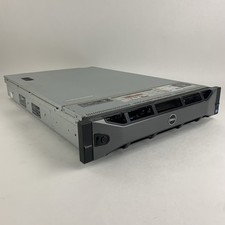
Dell PowerEdge R720 Server 2x Xeon E5-2670 2.6 GHz 64 GB RAM No OS No HDD Read-
$239.95

Dell PowerEdge FX2s + 8x FC430 Blades 16x E5-2630v4 160 Cores Rails No PSU/RAM
$699.00



 Reply With Quote