-
Senior Member
registered user
Re: Knoppix 5.1.1 installed, but problems remain.

Originally Posted by
klerg
Well, that can't be too good news, Guess i should convert to Ext3 or Reiser4 then. You wanna know what's weird; the 'knoppix-installer said it would format the partition as reiserfs, even AFTER i formatted it as Ext3 in QTParted prior to installing. What did it insist on formatting the partition as reiserfs in the first place?
Just a guess (as I don't use the "Beginner" type HD install) - It could be that the "Beginner" installation dialogue doesn't offer you the choice ("Debian" mode does).
Originally Posted by
klerg
Would you mind posting a link so i can find it?
Could take a week - there must be hundreds ! Your best bet is to Google-around to find ones that are up-to date (although the fundamental structure of Linux doesn't change, many significant details do evolve with time) and where you find the editorial style congenial. Focussing on key-words related to specific questions can be a good lead-in. Also, some details may be specific to Debian-based systems, as distinct from RedHat/Fedora and other derived systems.
There is a handy Debian reference card at http://people.debian.org/~debacle/refcard/
Originally Posted by
klerg
Took me a bit to get it going. Had to type 'lspci' to get info about the PCI code the program wanted. Afterward, everything else was self-explanatory, for the most part. I have 1280x1024 resolution now, but 1152x864 and 1280x768 is NOT available (i selected these modes, too) BOTH of these are available in XP SP2, so i know my graphics card & monitor supports them. Could it be the driver i chose? I selected 'i810' because that was the closest match i could find to the GMA 900.
Could be. You might also want to try other systems such as SimplyMEPIS or Freespire; these are configured to be easier to use 'out of the box' and sometimes include proprietary drivers (for which the licensing conditions may be too constrained for 'pure Free' systems such as Knoppix). If these do the job that you want, then fine, however to go beyond a minimal level of development of the configuration I have found that Knoppix or pure Debian allow you easier access to the system.
Originally Posted by
klerg
I haven't had time to install a program yet, but which one of them also lets you UNinstall programs, too?
Code:
apt-get remove packagename
will remove the top-level package of a 'program' . You could then type
which will tell you which library packages, if any, are no longer needed and could also be removed.
It won't let you remove libraries still needed by another program unless you force it to remove that as well.
BTW as you have the KDE desktop, KPackage is a nice front-end to apt.
Similar Threads
-
By param85047 in forum Hdd Install / Debian / Apt
Replies: 3
Last Post: 11-03-2006, 03:31 PM
-
By posmanet in forum Hdd Install / Debian / Apt
Replies: 2
Last Post: 09-25-2006, 08:53 AM
-
By drippyhippie in forum Hdd Install / Debian / Apt
Replies: 9
Last Post: 02-24-2005, 05:57 AM
-
By keyvisuals in forum Hdd Install / Debian / Apt
Replies: 4
Last Post: 05-17-2004, 04:38 PM
-
By Megagun in forum General Support
Replies: 1
Last Post: 09-13-2003, 01:09 PM
 Posting Permissions
- You may not post new threads
- You may not post replies
- You may not post attachments
- You may not edit your posts
-
Forum Rules


Vintage Timbuk2 Crossbody Messenger Bag Forest Green/ Black Y2k USA Made
$85.00

Vintage Computer - PC Innovation Intel 486DX2 - Dos Ver 6.2 Windows 3.1
$250.00

Vintage Jetway J-620BF Socket 370 Celeron AT Motherboard SiS 620 Brand New
$75.00

Vintage HP Hewlett Packard 2112A 21MX 1000 M-Series 16-Bit Minicomputer
$419.99

Vintage Cherry W. Germany G80-0486H/05 Mechanical 25-Pin D-Sub Keyboard M8
$170.99

Vintage cross Apple computer branded pen rainbow logo In original box
$100.00
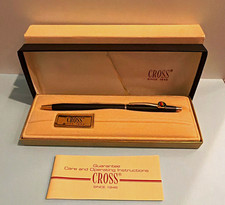
Vintage Apple computer Cross Metal Ballpoint Pen Black Ink Gold Trim
$125.00
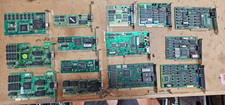
Lot 14 Vintage ISA VGA Video Cards Trident CHIPS UMC 8-Bit 16-Bit 286 386 486
$199.95
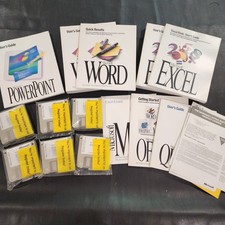
Vintage Microsoft Office 4.2 for Windows Original Floppy Disks & Manuals 1994
$119.99
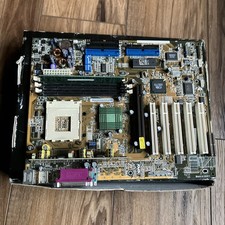
ASUS A7V333 Vintage Motherboard | Untested | For Parts
$44.89



 Reply With Quote