

 Reply With Quote
Step 1 is to list your hardware. From a linux terminal type
lcpci -v
and post the output


Hey I just switched to Knoppix and am really new to linux, I dont know how to find or install drivers but Knoppix does not detect my WLAN card, the only real info I have is that the card is a Broadcom 802.11b/g WLAN I dont know if there is more information that I can provide to make finding a driver easier but any help would be greatly appreciated. I hate windows but cannot really make the switch until I have my wireless up...
Thanks for all your help.
Fletch
Step 1 is to list your hardware. From a linux terminal type
lcpci -v
and post the output
I am sure this is a rediculously newbie question, trying to use that command and it says...
"bash: lcpci: command not found"
really dont know what to do at this point, it seems that the pci might refer to a mcpci card that would have wifi, but my wireless card is internal if that helps. Is there possibly another command where I can run through the hardware I have?
Thanks again for your help...
Sorry, mu mistake a typo:
the command should be:
lspci -v
this will list the pci bus on your computer.
 Posting Permissions


Intel Core i7-3770K 3.5 GHz Processor
$39.00

Intel Core i7-9700 3.0 GHz Octo-Core (SRG13) Processor
$79.00
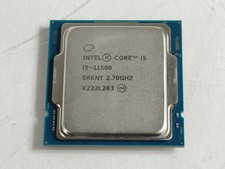
Intel Core i5-11500 2.70 GHz LGA 1200 Desktop CPU Processor SRKNY
$94.99

Corsair RM750e 750W Fully Modular 80 Plus Gold ATX 3.1 PSU Certified Refurbished
$44.99

Intel 4th Gen Core i7-4790 SR1QF 3.60GHz (Turbo 4.00GHz) 8M 4-Core LGA-1150 CPU
$39.99

Intel i7-8700 Coffee Lake 3.2GHz 6-Core Max Turbo 4.6GHz Processor
$69.99

Intel Core i7-7700T 2.9GHz 8MB Socket LGA1151 Quad Core Processor SR339
$39.99
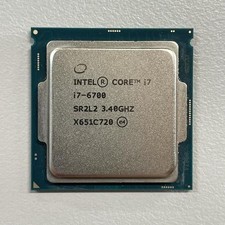
Intel Core i7-6700 3.40 GHz QUAD Core (4 Core) Desktop Processor 8MB LGA 1151
$29.99
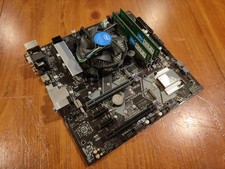
COMBO: ASUS Prime H370M-PLUS MOTHERBOARD + i5-9400F CPU /w Heatsink + 16GB DDR4
$169.95

GAMING COMBO: ASUS Prime H470M-PLUS MOTHERBOARD + i5-10600KF CPU + 16GB DDR4
$229.95