

 Reply With Quote
since you added ram recently, you might run a memory diagnostic,
when you boot the knoppix disc, type "memtest" at the boot prompt, that should run a memtest86 memory diagnostic


Greetings.
I have an IBM Think-Centre-A50. Yesterday a friend installed an extra 512 mg of RAM for me and all worked fine.
Later on I restarted the machine, setting it to boot from the DVD drive which contains the knoppix 4.0 live CD.
During the booting process it related the following (I copied it onto paper as best I could):
Creating unionfs and symlinks on ramdisk... /knoppix/bin/ln=error while loading shared libraries;
knoppix/bin/ln: cannot open shared object file: no such file or directory.
/ linux rc: mv: not found
[this was followed by more lines of “not foundâ€? items, then...)]
>>Read only CD/DVD system successfully merged with read-write/ ramdisk
/linux xrc : chown : not found
/linux rc: cannot create /var/mn/utmps directory nonexistent
kernel panic – not syncing; vfs: unable to mount root fs on unknown block (1,3)
at which point it hung.
I switched the machine off and repeated the process with a knoppix 5.1.1 live DVD with the same result.
repeated with a dsl iso in the same dvd drive and it worked fine.
Incidentally the CD booted fine when I put it in the other CD drive and booted from that.
Now here is the strange part:
When I tried again this morning, everything booted perfectly from the DVD drive!
I'd be grateful if anyone could tell me what they think was going on.
I made no changes to the system.
I am a 'newbie'.
Kind regards,
john
since you added ram recently, you might run a memory diagnostic,
when you boot the knoppix disc, type "memtest" at the boot prompt, that should run a memtest86 memory diagnostic
Thank you, I shall certainly try that tomorrow.Originally Posted by don999
I'll log back in to report what happened.
Kind regards
john
It very well could be memory.
Another potential source of problems could be a high speed burn, low quality media, or dirty optics, the prime canidate here being a high speed burn. We have seen many cases where if the CD or DVD is burnt at high speed it will behave eratically, but when burnt at 4x it will work fine.
---
Verifying of md5 checksum and burning a CD at slow speed are important.
Thanks to all for your replies.
The two discs used were
1) The one printed one in the back of the book called Knoppix for Dummies (4.0)
and
2) The one I bought from linuxsales.co.uk (5.1.1)
Both seem to be good versions which I asume were not high-speed burns.
I am currently running the memtest on the machine, and it is taking ages.
Currently it's been over 4 hours.
I don't know how long it will take.
So far, all tests have passed.
Regards
John[/i]
The one from the back of the book is pressed, not burnt. I would expect it to be good if mastered properly. The one from the Linux seller is likely burnt and past experience (although I have none with that particular vendor) tells me to expect it was burnt at high speed and to not trust it.
---
Verifying of md5 checksum and burning a CD at slow speed are important.
[quote="Harry Kuhman"]...possibly. However the proprietor in this instance is a retired gentleman who tends an organic vegtebale plot as a hobby; his CD's and DVD's have a professional logo on them. I'd expect from his life pattern that he is in no particular hurry about anything.
The memtest has now been going on for over 5 hours, and looks as though it will go on forever
I suppose I shall have to leave it running overnight?
Regards
John
Well that test has been running for just over 14 hours now. I'm beginning to wonder if it will ever stop.
In the final row it says:
Cached 1015m / RsvdMem 8924K MemMap e820-Std / Cache on / ECC off / Test Std / Pass 60 / Errors 0 / ECC Ers 0
Regards
John
It stops if the power goes off or if you stop it. Otherwise it loops. You seem to have made 60 passes already. I can't quite tell which options you used, there are some agressive tests that you can opt-in or out of, but it does seem like your memory is fine.
---
Verifying of md5 checksum and burning a CD at slow speed are important.
Well, Sir, with 22 and a half hours on the clock, with 96 passes, this news certainly comes as a blessed relief. I was beginning to doubt my sanity watching all this
I think that for all intents and purposes we can assume that the memory is fine.
You'd think, that some sort of information might be given out as to what the test-cycle entails...
Anyway, most grateful for the info. I shall now take great pleasure in hitting that "Esc" button.
Kind regards,
John
 Posting Permissions


Macintosh Platinum Mouse - Apple 128K 512K 512Ke Mac Plus Lisa IIe M0100 - NEW
$49.99

1984 APPLE MACINTOSH 128K MATCHING # BOX Set Original Mac Model M0001 WORKS RARE
$6299.00

1984 APPLE MACINTOSH 128K FIRST MAC Model M0001 PICASSO KIT Discs Harvard Rare
$1800.00
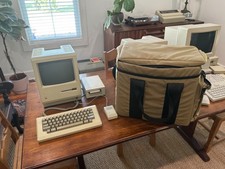
Apple Macintosh 512K 1MB MacSnap SCSI 128K ROM 800K + 400K Drive Keyboard Mouse
$995.00

Vintage Apple Macintosh Classic 128K Game Pack 5 On New 400K Double Density Disk
$39.99
Macintosh Platinum Mouse - Apple 128K 512K 512Ke Mac Plus Lisa IIe M0100 - NEW
$59.99

Vintage Apple Macintosh 128K 512K Carrying Case Rainbow Logo Excellent Cond
$140.00

Vintage Early Week 12 1984 Apple Macintosh 128K Computer M0001 w/Analog Board+
$209.99

Apple Macintosh Mac 128k - 512k Boot / Diagnostics 2 Disk Set for Classic Macs
$14.99

Apple Macintosh 128k Desktop computer. Upgraded to 512k
$300.00
