-
from:
http://ndiswrapper.sourceforge.net/m...index.php/List
Try this:
There will be 3 files net8185.inf net8185.sys net8185.cat. Open a terminal and change to user root with su and root password, then type ndiswrapper -i net8185.inf in the folder where you extracted the driver files hit enter. next ndiswrapper -l shows net8185 driver installed we now have to get the device id from root prompt type lspci -n at the bottom of the list is the belkin card card ID info 1799:701f write this down you will need it for the next portion of the installation. Now from root prompt type ndiswrapper -a 1799:701f net8185 hit enter this associates the net8185 driver with the device ID of the belkin card. from root ndiswrapper -l should now show
net8185 : driver installed
device (1799:701f) present
from root prompt type modprobe ndiswrapper . Then iwconfig. Notice the association of driver and device with ndiswrapper -a
option.
Similar Threads
-
By maestrobwh1 in forum Networking
Replies: 2
Last Post: 09-08-2009, 08:50 PM
-
By sputnjik13 in forum Hardware & Booting
Replies: 0
Last Post: 02-15-2008, 08:58 AM
-
By miami797 in forum Networking
Replies: 1
Last Post: 06-04-2006, 06:46 PM
-
By Arbol in forum Hardware & Booting
Replies: 3
Last Post: 01-05-2006, 06:53 PM
-
By knop in forum Networking
Replies: 1
Last Post: 01-30-2005, 03:11 AM
 Posting Permissions
- You may not post new threads
- You may not post replies
- You may not post attachments
- You may not edit your posts
-
Forum Rules


Vintage Apple II Avant-Garde Creations Super Shape Draw And Animate 1981
$295.00

Vintage Apple Monitor IIc 9" Green Monochrome 06/1985 A2M4090 October 1984 Stand
$275.00

Rare Vintage Macintosh Apple Wooden Disk Storage Box Dovetailed
$69.95

LARGE LOT Vintage Apple Macintosh Mouse Cables Accessories SCSI etc - UNTESTED
$80.00

Vintage Apple Macintosh 128K 512K Carrying Case Rainbow Logo Excellent Cond
$140.00
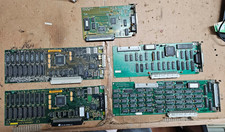
5x Vintage Apple Macintosh II NuBus Cards 630-4179 NI GPIB DIO Asante Ethernet
$239.95
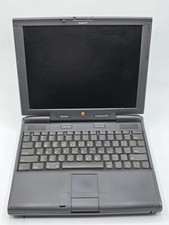
Apple PowerBook 3400c TFT LCD RARE Vintage Laptop untested
$139.99
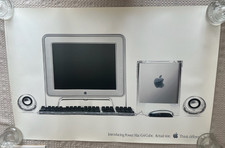
Vintage Apple Power Mac G4 Cube Poster (2000) 36 x 24 - Think Different
$29.99

Vintage Apple Multiple Scan 15av Display Monitor M4681
$299.99
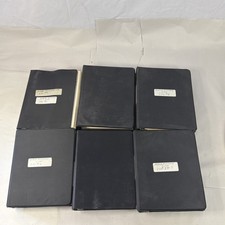
Vintage Apple Assembly Line Newsletter Vol: 1,2,3,4,5,6,7 From 1984
$179.99



 Reply With Quote