-
The method that I have found to be easiest is
1. From root shell run "kwifimanager"
2. From settings select configuration editor
3. Enter your ssid in network name
4. Check use encryption and enter password
5. Select the configuration where you entered the information and press the activate button
6. Press the ok button to close the configuration window
7. from root shell type in "ifconfig wlan0 up"
8. from root shell type in "pump -i wlan0 to get dhcp address.
You should be good to go
Similar Threads
-
By nmaster64 in forum Other Live CDs
Replies: 5
Last Post: 08-25-2006, 08:34 PM
-
By bsaber in forum Laptops
Replies: 2
Last Post: 01-01-2005, 05:43 PM
-
By enemorales in forum Hardware & Booting
Replies: 0
Last Post: 11-26-2004, 04:41 PM
-
By sparticus in forum Laptops
Replies: 9
Last Post: 10-23-2004, 12:55 AM
-
By nolisaurus in forum Hardware & Booting
Replies: 1
Last Post: 09-23-2003, 07:51 AM
 Posting Permissions
- You may not post new threads
- You may not post replies
- You may not post attachments
- You may not edit your posts
-
Forum Rules

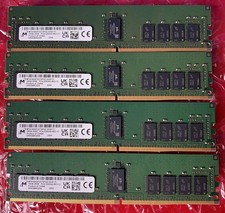
SK Hynix DDR4 ECC 3200 memory in batches of 8. 128gb Used&Tested
$700.00

1/ 10/ 100pcs USB 2.0 2GB, 4GB ,8GB ,16GB ,32GB ,64GB 128GB USB Flash Drives Lot
$459.00
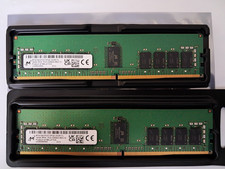
Micron 32GB (16GB x 2) PC4-25600 DDR4-3200MHz ECC RDIMM Memory (sku 0054)
$199.00

2 in 1 USB 3.0 Card Reader Micro TF card Reader usb adapter High Speed Cardreder
$3.99
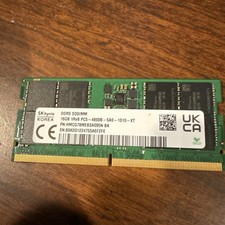
PARTS/repair SK Hynix 16GB 1Rx8 PC5-4800B DDR5 4800MHz SODIMM Laptop Memory
$75.00

Kingston 32GB 64GB 128GB 256GB USB 3.0 Flash Drive Thumb Memory Stick Pen lot
$285.90

USB 3.0 Flash Drive 32GB 64GB 128GB Memory Stick Thumb Stick Lot Pack
$826.09

Samsung 96GB LPCAMM2 PC5 9600 FE1 E1 LPDDR5X CAMM2 M561K6LC3CL1-CCV DDR5 Memory
$2150.00
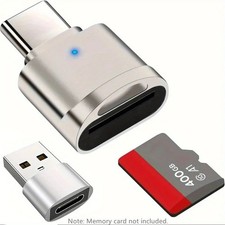
2 Pack USB C SD TF Card Reader Adapter Zinc Alloy USB-C to USB for iPhone 15-17
$3.35
Kingston 32GB DDR4-3200MHz DIMM RAM KTH-PL432D8P/16G (2X16GB STICKS) sku 0055
$179.00



 Reply With Quote