

 Reply With Quote
To be more precise, if I do
mount /dev/sda2 /mnt/sda2
It says:
special device /dev/sda2 does not exist
and yes, I did create /mnt/sda2
Frank


Hello,
I have a SATA drive as my PRIMARY MASTER on my computer. I would like to mount the /dev/sda2 partition. I can't do it in Knoppix 5.1.1 but it used to work in Knoppix 4.0 with
mount -rw -t ext3 /dev/sda2 /mnt/sda2
What's the new way?
To be more precise, if I do
mount /dev/sda2 /mnt/sda2
It says:
special device /dev/sda2 does not exist
and yes, I did create /mnt/sda2
Frank
If you type:Originally Posted by transistortoaster
cat /etc/fstab
what mountpoints have been found by KNOPPIX?
Thanks for your response,
Here's fstab:
I added the last two lines myself.Code:# /etc/fstab: filesystem table. # # filesystem mountpoint type options dump pass /dev/hdd2 / ext3 defaults,errors=remount-ro 0 1 proc /proc proc defaults 0 0 /dev/fd0 /floppy vfat defaults,user,noauto,showexec,umask=022 0 0 usbfs /proc/bus/usb usbfs devmode=0666 0 0 sysfs /sys sysfs defaults 0 0 tmpfs /dev/shm tmpfs defaults 0 0 /dev/cdrom /media/cdrom iso9660 defaults,ro,users,noexec,noauto 0 0 /dev/cdrom1 /media/cdrom1 iso9660 defaults,ro,users,noexec,noauto 0 0 /dev/cdrom2 /media/cdrom2 iso9660 defaults,ro,users,noexec,noauto 0 0 /dev/cdrom3 /media/cdrom3 iso9660 defaults,ro,users,noexec,noauto 0 0 /dev/dvd /media/dvd iso9660 defaults,ro,users,noexec,noauto 0 0 # Added by KNOPPIX /dev/hdd1 /media/hdd1 ntfs noauto,users,exec,umask=000 0 0 # Added by KNOPPIX /dev/hdd5 none swap defaults 0 0 # Added by KNOPPIX /dev/sr1 /media/sr1 auto ro,noauto,users,exec 0 0 # Added by KNOPPIX /dev/sr0 /media/sr0 auto ro,noauto,users,exec 0 0 #added by Frank for Knoppix 5.1.1 #/dev/sda2 /home auto rw,auto,users,exec 0 2
On the KDE background, I have the sr1 device icon. If I try to mount it, mount reports "No medium found"
The 5.x.x versions uses the media file instead of the mnt file so try this:
# mount -rw -t ext3 /dev/sda2 /media/sda2
hth
Waka,
Thanks for your advice. I tried it and it still does not work. The problem is more the device itself - not the mount point. The error message says that the "special device" /dev/sda2 does not exist.
Basically I need to figure out how to get the SATA device recognized by the OS, as Knoppix 4.0 did sucessfully.
Here are some interesting lines from dmesg:
Code:Loading iSCSI transport class v2.0-724.<7>ata_piix 0000:00:1f.2: version 2.00ac6 ata_piix 0000:00:1f.2: MAP [ P0 P1 IDE IDE ] ACPI: PCI Interrupt 0000:00:1f.2[A] -> GSI 18 (level, low) -> IRQ 17 PCI: Setting latency timer of device 0000:00:1f.2 to 64 ata1: SATA max UDMA/133 cmd 0x1F0 ctl 0x3F6 bmdma 0xF000 irq 14 ata2: PATA max UDMA/100 cmd 0x170 ctl 0x376 bmdma 0xF008 irq 15 scsi0 : ata_piix ata1: SRST failed (status 0xFF) ata1: SRST failed (err_mask=0x100) ata1: softreset failed, retrying in 5 secs ata1: SRST failed (status 0xFF) ata1: SRST failed (err_mask=0x100) ata1: softreset failed, retrying in 5 secs ata1: SRST failed (status 0xFF) ata1: SRST failed (err_mask=0x100) ata1: reset failed, giving up scsi1 : ata_piix ata2.00: ATAPI, max UDMA/33 ata2.01: ATAPI, max UDMA/33 ata2.00: configured for UDMA/33 ata2.01: configured for UDMA/33
Using the fstab file, you need to remove the # from the front of the last line, (as well as mounting to /media/sda2 as pointed out above for the command line case).
You might need to create the mount point manually first :Then try fstab with the last 2 lines as follows (details as inferred from your configuration) :Code:mkdir -p /media/sda2
Code:... TRUNCATED ... #added by Frank for Knoppix 5.1.1 /dev/sda2 /media/sda2 ext3 rw,auto,users,exec 0 0
 Posting Permissions


Dell ST6000NM0034 1HT27Z-150 NWCCG 6TB SAS 3.5 7.2K ENTERPRISE SERVER DRIVE
$68.99

Western Digital HUS726T4TAL5204 4TB 7.2K SAS 12Gb/s 3.5" 512e HDD NetApp X375A
$64.00

Toshiba 1TB 2.5" SATA HDD MQ01ABD100V 5400RPM 9.5mm Laptop Internal Hard Drive
$53.99

Seagate ST8000NM0075 Enterprise Capacity 3.5 HDD 8TB SAS Hard Drive 8TB EXOS
$184.99
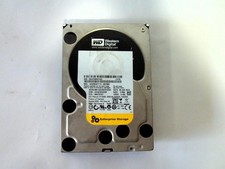
Western Digital WD2003FYYS-05T9B0 2TB 7.2K SATA 3.5'' Enterprise Hard Drive
$30.76
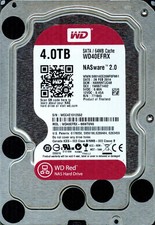
Western Digital WD Red 4TB NAS Hard Drive WD40EFRX SATA 64MB 3.5" HDD
$145.00

HGST HUA723030ALA640 3TB SATA 7200 RPM 3.5 in Enterprise HDD | 0F14044 (100%)
$45.00

HGST HUS724040ALA640 4TB 7200 RPM SATA 3.5" Internal Desktop Drive 100% Health
$78.00

HDD 3.5" SATA Hard Drive with Windows 10/Win 11 64x Installed Legacy
$35.00
HGST HUS726060AL5210 0F22791 6TB 7.2K 3.5" SAS HDD Enterprise Storage Drive
$78.99