-
-
I think that should be lang=us or perhaps lang=en
but if that doesn't help I don't know what's wrong.
Pete
-
One question is how you got the knoppix cd - did you buy it or burn it yourself. If you burned it yourself, you have to choose the slowest speed to ensure a good copy.
There's also another cheat you can use: knoppix testcd, which will check the CD data integrity and md5sums.
Good luck, and keep us posted.
-
Senior Member
registered user
Hi,
Try using vga=normal as a cheatcode, I had a similar experience some time ago and that worked. YMMV
-

Originally Posted by
ndb
One question is how you got the knoppix cd - did you buy it or burn it yourself. If you burned it yourself, you have to choose the slowest speed to ensure a good copy.
There's also another cheat you can use: knoppix testcd, which will check the CD data integrity and md5sums.
Good luck, and keep us posted.
Thanks for the responces everyone! I burned the cd myself and it runs perfectly on my laptop 
I did the knoppix testcd and it said the cd was ok.
Idk It's really wierd.
I have tried the VGA codes and they remove the you have passed an undefined mode number. code but it still malfunctions right after fully loading knoppix
-
Administrator
Site Admin-
Originally Posted by
CRK
Thanks for the responces everyone! I burned the cd myself and it runs perfectly on my laptop
I did the knoppix testcd and it said the cd was ok.
Idk It's really wierd.
Actually, I don't think that this is a bad CD, but this needs to be responded to. We have seen over and over and over again that a high speed burn can be a problem and that working on one computer is no indication at all that a disc will work when moved to another computer with slightly different optical drive parameters if the burn was done at high speed. If you want the advice of the people here who have gone through this before, then take it when offered. A response that says you burnt the CD yourself but fails to mention at what speed seems to be an indication that you did a fast burn. If so, would it be so hard to do another burn properly? Even if it doesn't resolve this issues (and as I say I don't expect it will), there might be other benefits, such as faster booting speed. And it just might resolve this issue, or some other issue that is likely to come up later if this disc was burnt at high speed.
Originally Posted by
CRK
I have tried the VGA codes and they remove the you have passed an undefined mode number. code but it still malfunctions right after fully loading knoppix
After the low speed burn doesn't resolve anything and you have said "I told you so", then it's time to look at other things. It seems extremely likely that this is an issue where you'll need to come up with the proper cheat codes to pass at boot time, likely monitor frequencies and resolutions. I suggest that you post both you monitor make and the operational parameters for it (min and max horizontal and vertical scan frequencies and range of acceptable resolutions). Also it might be helpful if we knew what video card was in use (or in the case of a laptop, video chip set). There are cheat codes to force various combinations of scan rates and resolutions. I suggest that you start with something extremely basic, such as 800x600 at 60 hz vertical scan (or even 640x480) and see if you can make that work. Try simple settings like this even if you "know" that your system will support higher and that you will not be happy running at low resolutions or slow scan rates. Once you see Knoppix come up at a simple setting, then you can try varying the boot parameters to approach the setting that you want to use.
-
-
Or maybe I'll find an exsisting topic and I won't need to start one!
Lol forgive me 
-
Okay I didn't find anything that covered my specific questions.
Here is the link to my new post.
http://www.knoppix.net/forum/viewtop...=118655#118655
Similar Threads
-
By csodabogar in forum General Support
Replies: 0
Last Post: 11-17-2006, 09:50 PM
-
By kistonce in forum Hardware & Booting
Replies: 3
Last Post: 12-14-2005, 11:56 PM
-
By Budman21901 in forum MS Windows & New to Linux
Replies: 2
Last Post: 01-03-2005, 09:33 AM
-
By bob58 in forum General Support
Replies: 0
Last Post: 03-26-2004, 06:07 PM
-
By greema in forum Hardware & Booting
Replies: 0
Last Post: 02-12-2004, 03:00 AM
 Posting Permissions
- You may not post new threads
- You may not post replies
- You may not post attachments
- You may not edit your posts
-
Forum Rules


Vintage Apple II Avant-Garde Creations Super Shape Draw And Animate 1981
$295.00

Vintage Apple Monitor IIc 9" Green Monochrome 06/1985 A2M4090 October 1984 Stand
$275.00

Rare Vintage Macintosh Apple Wooden Disk Storage Box Dovetailed
$69.95
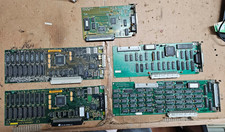
5x Vintage Apple Macintosh II NuBus Cards 630-4179 NI GPIB DIO Asante Ethernet
$239.95

LARGE LOT Vintage Apple Macintosh Mouse Cables Accessories SCSI etc - UNTESTED
$80.00

Vintage Apple Macintosh 128K 512K Carrying Case Rainbow Logo Excellent Cond
$140.00
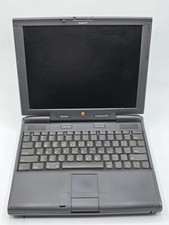
Apple PowerBook 3400c TFT LCD RARE Vintage Laptop untested
$139.99
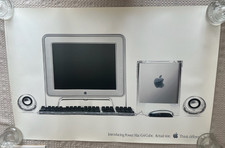
Vintage Apple Power Mac G4 Cube Poster (2000) 36 x 24 - Think Different
$29.99

Vintage Apple Multiple Scan 15av Display Monitor M4681
$299.99
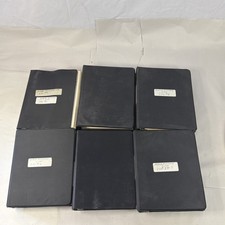
Vintage Apple Assembly Line Newsletter Vol: 1,2,3,4,5,6,7 From 1984
$179.99



 Reply With Quote


